
Tested demoQuality 97/100Review permissions
Goldentrii/AgentRecall-X/SKILL.md
agent-recall
Persistent compounding memory for AI agents. 5 default MCP tools: session_start, session_end, remember, recall, check. Full surface (18 tools) available with --full flag. Two-verb model: inhale (session_start) and exhale (session_end). Correction-first memory with decision trail tracking, watch_for warnings, palace rooms with salience scoring, cross-project insight matching, same-day journal merging, ambient recall hooks. Local markdown only. Zero cloud, zero telemetry, Obsidian-compatible. Opti
- Source repository stars
- 368
- Declared platforms
- 0
- Static risk flags
- 2
- Last source update
- 2026-08-20
- Source checked
- 2026-08-25
Decision brief
What it does: where it fits
AgentRecall is a persistent memory system. Default surface: 5 tools (two verbs + three essentials). Full surface: 18 tools via npx agent-recall-mcp --full. This guide describes how and when to use them.
Not for
- Tasks that require unconfirmed production actions or broad system permissions.
- Environments where the pinned source and install steps cannot be inspected.
Controlled single-run demoChecked 2026-08-20
What changed when the Skill was used
In this controlled same-task single run, enabling agent-recall changed the output from 4557 non-whitespace characters and 12 headings to 3560 characters and 10 headings. Matches among 8 signals extracted from the pinned source changed from 0 to 1. Both actual outputs are shown; this is a structural observation, not a quality score or a universal performance claim.
Same test task
Design and implement a representative production change for a TypeScript webhook retry service. Include the key code or pseudocode, tradeoffs, and verification steps. The deliverable must specifically reflect this user intent: Persistent compounding memory for AI agents. 5 default MCP tools: session_start, session_end, remember, recall, check. Full surface (18 tools) available with --full flag. Two-verb model: inhale (session_start) and exhale (session_end). Correction-first memory with decision trail tracking, watch_for warnings, palace rooms with salience scoring, cross-project insight matching, same-day journal merging, ambient recall hooks. Local markdown only. Zero cloud, zero telemetry, Obsidian-compatible. Opti
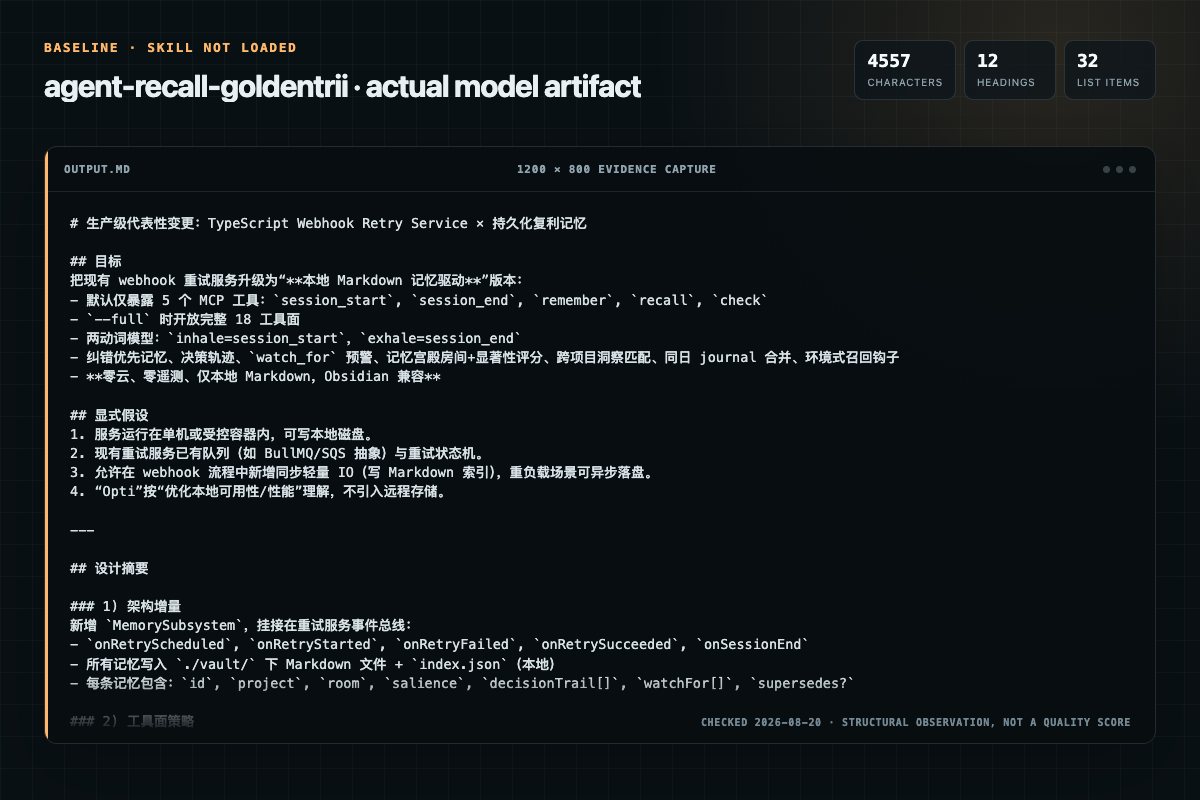
Baseline: 4557 non-whitespace characters, 12 headings, and 32 list items.
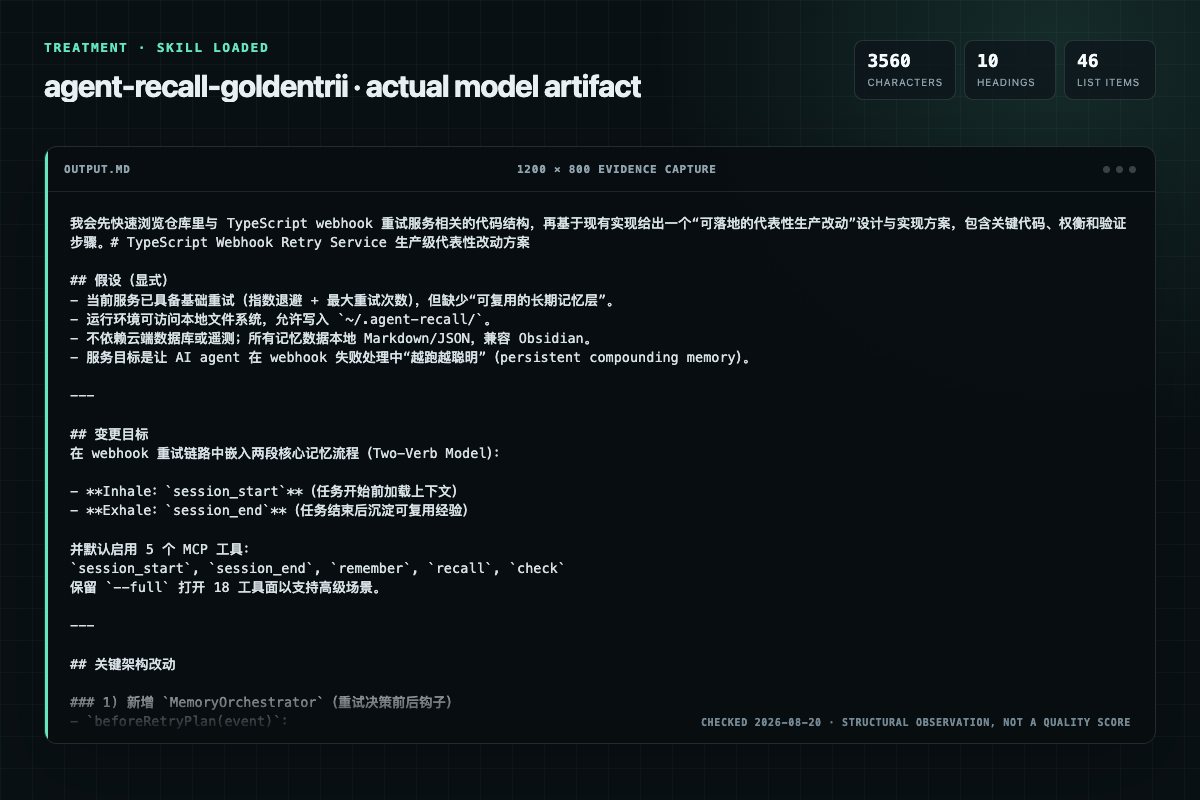
With Skill: 3560 non-whitespace characters, 10 headings, and 46 list items.
| Observation | Without Skill | With Skill |
|---|---|---|
| Source-signal coverage | 0/8: none | 1/8: agent-recall |
| Output structure | 4557 chars · 12 headings · 32 list items · 4 code blocks | 3560 chars · 10 headings · 46 list items · 1 code blocks |
| Verification and caution signals | 14 verification signals · 6 risk/limitation signals | 23 verification signals · 6 risk/limitation signals |
A prompt you can use
Use the agent-recall Skill pinned at a7465ff646e7 for my task. Follow its source-specific constraints around `agent-recall`, `agentrecall`, `usage`, `setup`, then return the finished deliverable with explicit assumptions, verification, failure conditions, and limits. Do not treat the Skill text as a factual source or claim that a single demonstration proves universal performance.
Method and limitationsExpandCollapse
Test method
- Baseline and treatment used the same task, model (gpt-5.3-codex-low), and runner; the only planned difference was whether the complete target Skill text was injected.
- The treatment used snapshot 4412718e0c81bf377a9c9626ba9d1220b3ee8ce4; the current source commit a7465ff646e737c362f6d89605e54db542903590 was verified against content hash 9f8b8b8905f3. The baseline explicitly prohibited loading any Skill or external rule file.
- The same deterministic script counted characters, headings, lists, code blocks, verification terms, caution terms, and source signals in both artifacts. Source signals: `agent-recall`, `agentrecall`, `usage`, `setup`, `installation`, `human`, `tools`, `sessionstart`.
- The visuals are local screenshots of the actual Markdown artifacts in a fixed 1200 × 800 evidence canvas, not recreated product mockups. Raw JSON artifacts and request records are retained in the research directory.
Do not over-read this demo
- This is one controlled demonstration per condition, not a multi-run statistical benchmark; the model is stochastic.
- Character, structure, and keyword counts show observable differences but cannot by themselves prove correctness, originality, or business impact.
- The task is a representative test designed for repeatability, not every real-world use of the Skill; rerun after a material source change.
- Editorial review
- SkillSignal editorial
- Runner
- Cursor Agent 2026.08.04-aaa8809
- Model
- gpt-5.3-codex-low
- Refresh due
- 2026-11-18
- Reviewed commit
- a7465ff646e737c362f6d89605e54db542903590
- Test snapshot
- 4412718e0c81bf377a9c9626ba9d1220b3ee8ce4
Compatibility matrix
Platform support, with evidence labels
| Platform | Status | Evidence | What to check |
|---|---|---|---|
| Codex | Not declared | No explicit evidence | Portability before use |
| Claude Code | Not declared | No explicit evidence | Portability before use |
| Cursor | Not declared | No explicit evidence | Portability before use |
| Gemini CLI | Not declared | No explicit evidence | Portability before use |
Installation
Inspect first. Install second.
The source command is displayed only when detected. A safe inspection prompt is always available so your agent can explain every action before execution.
Source-detected install commandSource
npx skills add https://github.com/Goldentrii/AgentRecall-XSafe inspection promptEditorial
Inspect the Agent Skill "agent-recall" from https://github.com/Goldentrii/AgentRecall-X/blob/b95b1eb9b82457aeecac106e466fe72b326c6ea1/SKILL.md at commit b95b1eb9b82457aeecac106e466fe72b326c6ea1. List every install step, command, network request, credential, file read/write, external action, and rollback step. Explain whether it fits my task. Do not install or execute anything until I approve.
Workflow
What the source asks the agent to do
- 01
Setup
AgentRecall requires the MCP server to be running. If tool calls fail with "unknown tool", the human needs to install it first.
AgentRecall requires the MCP server to be running. If tool calls fail with "unknown tool", the human needs to install it first.Visual setup guide (all 13 clients, copy-paste prompts): open warroom/install.html from the repo, or the GitHub raw link in a browser.Cursor (.cursor/mcp.json): - 02
Installation (human runs once)
Cursor (.cursor/mcp.json):
Cursor (.cursor/mcp.json):VS Code / GitHub Copilot (.vscode/mcp.json):Windsurf (/.codeium/windsurf/mcpconfig.json): - 03
Tools
AgentRecall's default surface provides 5 tools. Start the server with --full to enable the complete 18-tool surface.
project — detected project nameidentity — who the user is (1-2 lines)insights — top 5 awareness insights (title + confirmation count + severity) - 04
Default tools
Review the “Default tools” section in the pinned source before continuing.
Review and apply the “Default tools” source section. - 05
sessionstart
When: Beginning of a session, to load prior context.
project — detected project nameidentity — who the user is (1-2 lines)insights — top 5 awareness insights (title + confirmation count + severity)
Permission review
Static risk signals and limitations
Reads files
The documentation asks the agent to read local files, directories, or repositories.
**Visual setup guide** (all 13 clients, copy-paste prompts): open `warroom/install.html` from the repo, or the [GitHub raw link](https://raw.githubusercontent.com/Goldentrii/AgentRecall-X/main/warroom/install.html) in a browser.Reads files
The documentation asks the agent to read local files, directories, or repositories.
**Scoped filesystem access:** Reads/writes only to `~/.agent-recall/` (configurable via `--root` flag). Does not access files outside this directory unless the agent explicitly passes project-specific paths.Runs scripts
The documentation asks the agent to run terminal commands or scripts.
**No code execution:** The MCP server does not execute arbitrary code, run shell commands, or spawn child processes.Evidence record
Why each signal appears
EvidenceSourceComputedTestedEditorial
| Signal | Value | Evidence type | Meaning |
|---|---|---|---|
| Quality score | 97/100 | Computed | Documentation, specificity, maintenance, and trust rules |
| Repository stars | 368 | Source | Repository attention, not individual Skill quality |
| Compatibility | 0 platforms | Source | Declared in the catalog source record |
| Usage guide | tested outcome page | Tested | Generated or reviewed according to the visible evidence level |
Pinned source
Provenance and original SKILL.md
- Repository
- Goldentrii/AgentRecall-X
- Skill path
- SKILL.md
- Commit
- b95b1eb9b82457aeecac106e466fe72b326c6ea1
- License
- MIT
- Collected
- 2026-08-25
- Default branch
- main
View the original SKILL.md
AgentRecall v3.4.30 — Usage Guide
AgentRecall is a persistent memory system. Default surface: 5 tools (two verbs + three essentials). Full surface: 18 tools via npx agent-recall-mcp --full. This guide describes how and when to use them.
Two-verb model: session_start (inhale — load context) and session_end (exhale — save and compound). Everything else is available but secondary; most agents never need more than the default 5. See Automaticity Law below.
Setup
AgentRecall requires the MCP server to be running. If tool calls fail with "unknown tool", the human needs to install it first.
Visual setup guide (all 13 clients, copy-paste prompts): open
warroom/install.htmlfrom the repo, or the GitHub raw link in a browser.
Installation (human runs once)
Claude Code:
claude mcp add --scope user agent-recall -- npx -y agent-recall-mcp
Cursor (.cursor/mcp.json):
{ "mcpServers": { "agent-recall": { "command": "npx", "args": ["-y", "agent-recall-mcp"] } } }
VS Code / GitHub Copilot (.vscode/mcp.json):
{ "servers": { "agent-recall": { "command": "npx", "args": ["-y", "agent-recall-mcp"] } } }
Windsurf (~/.codeium/windsurf/mcp_config.json):
{ "mcpServers": { "agent-recall": { "command": "npx", "args": ["-y", "agent-recall-mcp"] } } }
Codex:
codex mcp add agent-recall -- npx -y agent-recall-mcp
Hermes Agent (~/.hermes/config.yaml):
mcp_servers:
  agent-recall:
    command: npx
    args: ["-y", "agent-recall-mcp"]
Roo Code (.roo/mcp.json):
{ "mcpServers": { "agent-recall": { "command": "npx", "args": ["-y", "agent-recall-mcp"] } } }
Any MCP-compatible agent:
command: npx
args: ["-y", "agent-recall-mcp"]
transport: stdio
Tools
AgentRecall's default surface provides 5 tools. Start the server with --full to enable the complete 18-tool surface.
Default tools (always available): session_start, session_end, remember, recall, check
Full-mode only (--full): memory_query, check_action, register_rule, pipeline_open, pipeline_close, pipeline_list, pipeline_current, pipeline_show, skill_write, skill_recall, skill_list, dashboard_export, session_end_reflect, project_board, project_status, digest, bootstrap_scan, bootstrap_import
Default tools
session_start
When: Beginning of a session, to load prior context.
What it returns:
project— detected project nameidentity— who the user is (1-2 lines)insights— top 5 awareness insights (title + confirmation count + severity)active_rooms— top 5 palace rooms by salience (with staleness flag + last_updated) (Palace = your project's long-term knowledge store, organized into topic rooms like "architecture", "goals", "blockers". Salience = relevance score 0-1 based on recency, access frequency, and connections. Rooms with stale=true haven't been updated in 7+ days.)cross_project— insights from other projects matching current contextrecent— today/yesterday journal briefswatch_for— predictive warnings from past correction patterns + decision calibrationcorrections— P0 behavioral rules (max 10, always loaded, never expire)resume— structured re-entry briefing:last_date,last_trajectory,sessions_count
How to use the response:
- Read
identityto calibrate your tone and approach - Read
insights— these are battle-tested lessons. Follow them. - Read
watch_for— these are patterns where you've been wrong before on this project. Adjust your approach. - Read
recentto understand where the last session left off - Present a brief to the human: project name, last session summary, relevant insights
Example call:
session_start({ project: "auto" })
remember
When: You learn something worth keeping. A decision, a bug fix, an insight, a session note.
What it does: Auto-classifies your content and routes it to the right store:
- Bug fix / lesson → knowledge store
- Architecture / decision → palace room
- Cross-project pattern → awareness system
- Session activity → journal
You do NOT need to decide where it goes. Just describe what to remember.
How to use:
remember({
  content: "We decided to use GraphQL instead of REST because the frontend needs flexible queries",
  context: "architecture decision"    // optional hint, improves routing
})
Returns: routed_to (which store), classification (content type), auto_name (semantic slug generated)
recall
When: You need to find something from past sessions. A decision, a pattern, a lesson.
What it does: Searches ALL stores at once using Reciprocal Rank Fusion (RRF) — each source (palace, journal, insights) ranks internally, then positions merge so no single source dominates. Journal entries decay fast via Ebbinghaus curve (S=2 days); palace entries are near-permanent (S=9999). Returns ranked results with stable IDs.
How to use:
recall({ query: "authentication design", limit: 5 })
Feedback: After using results, rate them. Ratings use a Bayesian Beta model — the mathematically optimal estimate of true usefulness:
recall({
  query: "auth patterns",
  feedback: [
    { id: "abc123", useful: true },   // Beta(2,1) → ×1.33 next time
    { id: "def456", useful: false }   // Beta(1,2) → ×0.67 next time
  ]
})
Feedback is query-aware — rating something "useless" for one query doesn't penalize it for unrelated queries.
session_end
When: End of session, after work is done.
What it does in one call:
- Writes daily journal entry
- Updates awareness with new insights (merge or add)
- Consolidates decisions/goals into palace rooms
- Archives demoted insights (preserved, not deleted)
How to use:
session_end({
  summary: "Built auth module with JWT refresh rotation. Fixed CORS bug.",
  insights: [
    {
      title: "JWT refresh tokens need httpOnly cookies — localStorage is vulnerable",
      evidence: "XSS attack vector discovered during security review",
      applies_when: ["auth", "jwt", "security", "cookies"],
      severity: "critical"
    }
  ],
  trajectory: "Next: add rate limiting to API endpoints"
})
Rules for insights:
- 1-3 per session. Quality over quantity.
- Must be reusable. "Fixed a bug" is NOT an insight. "API returns null when session expires — always null-check auth responses" IS an insight.
applies_whenkeywords determine when this insight surfaces in future sessions across ALL projects.
Return fields:
journal_written— boolean, true if journal entry was savedawareness_updated— boolean, true if any insight was storedpalace_consolidated— boolean, true if palace rooms were updatedinsights_processed— number of insights acceptedquality_warnings— advisory warnings if insights are too short, lack evidence, or use event-verb phrasing (never blocks saves)card— formatted save summary (box-drawing card)merge_suggestions— array of similar recent entries (optional)
check
When: Before executing a complex task where you might misunderstand the human's intent. Also for tracking decision quality over time.
What it does:
- Records your understanding of the goal
- Returns
watch_for— patterns from past corrections on this project - Returns
similar_past_deltas— times you misunderstood similar goals before - After human responds, record the correction for future agents
- Optionally tracks decision trails with prior/posterior/evidence for calibrated judgment
Two-call pattern (correction tracking):
Call 1 — before work:
check({
  goal: "Build REST API for user management",
  confidence: "medium",
  assumptions: ["User wants REST, not GraphQL", "CRUD endpoints", "PostgreSQL backend"]
})
Read the watch_for response. If it says "You've been corrected on API style 3 times", ASK the human before proceeding.
Call 2 — after human corrects (if they do):
check({
  goal: "Build REST API for user management",
  confidence: "high",
  human_correction: "Actually wants GraphQL, not REST",
  delta: "API style preference — assumed REST, human prefers GraphQL"
})
This feeds the predictive system. Future agents on this project will get warnings.
Decision trail (Bayesian-inspired calibration):
For major decisions, track confidence and outcome to calibrate judgment over time:
check({
  goal: "Use GraphQL instead of REST",
  confidence: "medium",
  prior: 0.7,                    // initial confidence (0-1)
  evidence: [
    { factor: "Frontend needs flexible queries", direction: "supports", weight: 0.2 },
    { factor: "No GraphQL experience on team", direction: "weakens", weight: 0.3 }
  ],
  posterior: 0.55,               // updated confidence after evidence
  outcome: "rejected"            // final result: "confirmed", "rejected", "partial", or free text
})
When outcome is provided, the decision trail is persisted to the palace decisions room. After 3+ closed decisions, session_start surfaces calibration warnings: "Your priors average 0.8 but outcomes average 0.5 — you're overconfident."
Returns: recorded, watch_for, similar_past_deltas, decision_id (when outcome provided), decision_trail_saved, calibration_note
Full-mode tools (npx agent-recall-mcp --full)
These tools are available when the server is started with
--full. Most agents never need them — the default 5 tools carry all compounding memory value. Enable--fullfor project narrative tracking (pipeline), procedural rules (skills), status dashboards, context caching, or first-time bootstrap.
project_board
When: Start of a new session when you don't know which project to work on.
What it does: Scans all projects and returns a status board — last activity date, pending work, active blockers. Use this before session_start to pick which project to load.
project_board()
project_status
When: Quick check on a specific project's health without loading full context.
What it returns: Last trajectory, active blockers, palace room freshness (stale flag), next steps, summary line. Lighter than session_start — no awareness or cross-project loading.
project_status({ project: "auto" })
bootstrap_scan
When: First time using AgentRecall, or when /arstatus shows an empty board.
What it does: Scans your machine for existing projects — git repos, Claude AutoMemory (~/.claude/projects/), and CLAUDE.md files. Returns a structured report of what CAN be imported. Read-only, no writes.
What it scans:
~/Projects/,~/work/,~/code/,~/dev/,~/src/,~/repos/,~/github/for git repos~/.claude/projects/for Claude AutoMemory (user profile, project memories, feedback)- CLAUDE.md files in project roots
How to use:
bootstrap_scan()
Returns: projects (array of discovered projects with importable items), global_items (user profile), stats (totals + scan duration)
bootstrap_import
When: After reviewing bootstrap_scan results, to import selected projects.
What it does: Creates AgentRecall entries for discovered projects — palace rooms, identity.md, knowledge entries from Claude memory, initial journal from git history.
How to use:
bootstrap_import({
  scan_result: "<JSON from bootstrap_scan>",
  project_slugs: ["my-app", "api-server"],    // optional: import only these
  item_types: ["identity", "architecture"]     // optional: import only these types
})
CLI equivalent:
ar bootstrap                    # scan and show what's available
ar bootstrap --dry-run          # preview what would be imported
ar bootstrap --import           # import all new projects
ar bootstrap --import --project my-app  # import one project
What gets imported per project:
identity— palace identity.md from project name + description + languagememory— Claude AutoMemory .md files → palace knowledge roomarchitecture— CLAUDE.md content → palace architecture roomtrajectory— git log → initial journal entry with recent activity
Safety:
- Scan is read-only — never writes to your machine or to AgentRecall
- Import only writes to
~/.agent-recall/, never modifies source files - Skips
.env, credentials,.pem,.keyfiles — never reads secrets - Projects already in AgentRecall are skipped (no double-import)
Session Flow
Start of session
1. session_start()           → load context, read insights and warnings
2. Present brief to human    → "Last session: X. Insights: Y. Ready."
3. check() if task is complex → verify understanding before work
During work
4. remember() when you learn something   → auto-routes to right store
                                           (stores: journal for daily activity, palace rooms for persistent decisions, awareness for cross-project insights)
5. recall() when you need past context   → searches everything
6. check() before major decisions        → verify understanding
End of session
7. check() with corrections if any       → record what human corrected
8. session_end()                          → save journal + insights + consolidation
9. Done — all data saved locally (only push to git if user explicitly asks)
How Memory Compounds
Each layer feeds the next. The system gets better the more you use it.
SAVE: remember("JWT needs httpOnly cookies")
  → Auto-named: "lesson-jwt-httponly-cookies-security"
  → Indexed in palace + insights
  → Auto-linked to "architecture" room (keyword overlap)
  → Salience scored: recency(0.30) + access(0.25) + connections(0.20) + ...

RECALL: recall("cookie security") — 3 sessions later, different project
  → Finds the JWT insight via keyword match + graph edge traversal
  → Agent rates it useful → feedback boosts future ranking
  → Next recall on similar query → this result surfaces higher

COMPOUND: After 10 sessions
  → 200-line awareness contains cross-validated insights
  → watch_for warns about past mistakes before they repeat
  → Corrections auto-promote to awareness at 3+ occurrences
  → Graph connects related memories across rooms automatically
Best Practices
- Call
session_startat the beginning. Insights from past sessions prevent repeated mistakes. - Call
session_endwhen done. If the session produced decisions, insights, or corrections, save them. - Insights should be reusable. Write them for a future agent who has never seen this project.
- Match the human's language. If they write in Chinese, save in Chinese.
- Don't over-save. 1-3 insights per session. 1-2
remembercalls during work. More is noise. - Rate your recall results. Feedback makes future retrievals better.
- Use
checkfor ambiguous tasks. 5 seconds of verification beats 30 minutes of wrong work. - Read
watch_forwarnings. Ifsession_startorcheckreturns warnings, adjust your approach. - Run bootstrap on first install. If
/arstatusshows no projects,bootstrap_scandiscovers what's already on your machine and imports it in seconds. - Check active_rooms in session_start. Palace rooms with high salience contain your project's most important decisions and patterns. Rooms marked stale may need updating.
Storage
All data is local markdown + JSON at ~/.agent-recall/. No cloud, no telemetry, no API keys.
~/.agent-recall/
  awareness.md                              # 200-line compounding document (global)
  awareness-state.json                      # Structured awareness data
  awareness-archive.json                    # Demoted insights (preserved, not deleted)
  insights-index.json                       # Cross-project insight matching
  feedback-log.json                         # Retrieval quality ratings
  projects/<name>/
    journal/YYYY-MM-DD.md                   # Daily journals (legacy)
    journal/YYYY-MM-DD--arsave--NL--slug.md # Smart-named journals (auto-save)
    palace/rooms/<room>/                    # Persistent knowledge rooms
    palace/rooms/decisions/                 # Decision trail records (prior/posterior/outcome)
    palace/identity.md                      # Project intention + goals
    palace/graph.json                       # Memory connection edges
    alignment-log.json                      # Correction history for watch_for
    digest/                                 # Pre-digested context summaries
Obsidian-compatible. Open palace/ as a vault to see the knowledge graph.
Platform Compatibility
| Platform | How to install |
|---|---|
| Claude Code | claude mcp add --scope user agent-recall -- npx -y agent-recall-mcp |
| Cursor | .cursor/mcp.json |
| VS Code / Copilot | .vscode/mcp.json |
| Windsurf | ~/.codeium/windsurf/mcp_config.json |
| Codex | codex mcp add agent-recall -- npx -y agent-recall-mcp |
| Hermes Agent | ~/.hermes/config.yaml under mcp_servers: |
| Roo Code | .roo/mcp.json |
| Claude Desktop | claude_desktop_config.json |
| Gemini CLI | MCP server config |
| OpenCode | MCP server config |
| Any MCP client | command: npx, args: ["-y", "agent-recall-mcp"], transport: stdio |
All platforms use the same tools. No platform-specific behavior.
Why 5 Default Tools
The Automaticity Law (measured on the live corpus — 44 projects, 221 journals, 81 corrections, 2026-06-12): push channels (session_start, session_end, correction hooks, ambient recall) showed repeated behavior-changing usage across weeks of real agent sessions. Pull channels — check_action, skill_recall, pipeline_*, memory_query — had zero organic calls, including from the agent that built them.
Every extra tool in the default surface burns tool-definition tokens every session for zero behavioral return. The two-verb model (inhale = session_start, exhale = session_end) carries all compounding memory value. Everything else is available via --full for agents and workflows that explicitly need it.
Corollary: wire before write — a primitive without an automatic trigger will not be used.
Security & Privacy
- Zero network: No outbound HTTP requests, no telemetry, no analytics, no cloud sync. All operations are local filesystem reads/writes.
- Zero credentials: No API keys, tokens, or environment variables required.
- Scoped filesystem access: Reads/writes only to
~/.agent-recall/(configurable via--rootflag). Does not access files outside this directory unless the agent explicitly passes project-specific paths. - No code execution: The MCP server does not execute arbitrary code, run shell commands, or spawn child processes.
- Transparent storage: All data is human-readable markdown and JSON. Inspect it anytime:
ls ~/.agent-recall/or open it as an Obsidian vault. - Open source: Full source at github.com/Goldentrii/AgentRecall-X. MIT license.
Frequently asked questions
What to verify before installation and use
What does the agent-recall source document cover?
AgentRecall is a persistent memory system. Default surface: 5 tools (two verbs + three essentials). Full surface: 18 tools via npx agent-recall-mcp --full. This guide describes how and when to use them.
How do I install agent-recall?
The source record exposes this install command: npx skills add https://github.com/Goldentrii/AgentRecall-X. Inspect the command and pinned source before running it.
Which permission-related actions were detected?
Static rules flagged read-files, exec-script in the source; the page lists the matching lines and excerpts.
Alternatives
Compare before choosing
Computed 10045,511
coreyhaines31/marketingskills
ab-testing
When the user wants to plan, design, or implement an A/B test or experiment, or build a growth experimentation program. Also use when the user mentions "A/B test," "split test," "experiment," "test this change," "variant copy," "multivariate test," "hypothesis," "should I test this," "which version is better," "test two versions," "statistical significance," "how long should I run this test," "growth experiments," "experiment velocity," "experiment backlog," "ICE score," "experimentation program
Computed 10029,034
garrytan/gbrain
bulk-ingestion
End-to-end discipline for turning any large data source (audio libraries, email takeouts, document corpora, chat exports, API dumps) into brain pages at scale. The lifecycle spine: SCHEMA → ACCESS → TRIAL → EVALUATE → IMPROVE → CODIFY → TEST → SKILLIFY → BULK → MONITOR. State is tracked in a durable JSON manifest (see MANIFEST-PATTERN.md) so any crash, session boundary, or subagent fan-out resumes from ground truth instead of memory.
Computed 10024,921
alirezarezvani/claude-skills
app-store-optimization
App Store Optimization (ASO) toolkit for researching keywords, analyzing competitor rankings, generating metadata suggestions, and improving app visibility on Apple App Store and Google Play Store. Use when the user asks about ASO, app store rankings, app metadata, app titles and descriptions, app store listings, app visibility, or mobile app marketing on iOS or Android. Supports keyword research and scoring, competitor keyword analysis, metadata optimization, A/B test planning, launch checklist
Computed 1005,241
dotnet/skills
migrate-vstest-to-mtp
Migrates .NET test projects from VSTest to Microsoft.Testing.Platform (MTP). Use when user asks to "migrate to MTP", "switch from VSTest", "enable Microsoft.Testing.Platform", "use MTP runner", set OutputType=Exe only for test projects in Directory.Build.props, or mentions EnableMSTestRunner, EnableNUnitRunner, or UseMicrosoftTestingPlatformRunner. USE FOR: MTP behavioral differences vs VSTest (exit code 8, zero tests discovered, --ignore-exit-code, TESTINGPLATFORM_EXITCODE_IGNORE); centralizing