
Best for
- Use when: (1) creating a new Amazon listing from keywords, (2) auditing an existin
nexscope-ai/Amazon-Skills/amazon-listing-optimization/SKILL.md
Amazon listing builder and optimizer for sellers. Two modes: (A) Create — build keyword-optimized listings from scratch using keyword lists + product characteristics + AI copywriting, (B) Optimize — audit existing listings, find keyword gaps, score across 8 dimensions, and rewrite with missing keywords. Integrates with amazon-keyword-research for keyword input. Works on 12 Amazon marketplaces. No API key required. Use when: (1) creating a new Amazon listing from keywords, (2) auditing an existin
Decision brief
Build keyword-optimized listings from scratch, or audit and optimize existing ones. No API key — works out of the box.
In this controlled same-task single run, enabling amazon-listing-optimization changed the output from 3066 non-whitespace characters and 15 headings to 2483 characters and 15 headings. Matches among 8 signals extracted from the pinned source changed from 2 to 2. Both actual outputs are shown; this is a structural observation, not a quality score or a universal performance claim.
Review a flawed account-settings implementation for a small SaaS product. Prioritize concrete issues, explain impact, and provide corrected examples or decisions. The deliverable must specifically reflect this user intent: Amazon listing builder and optimizer for sellers. Two modes: (A) Create — build keyword-optimized listings from scratch using keyword lists + product characteristics + AI copywriting, (B) Optimize — audit existing listings, find keyword gaps, score across 8 dimensions, and rewrite with missing keywords. Integrates with amazon-keyword-research for keyword input. Works on 12 Amazon marketplaces. No API key required. Use when: (1) creating a new Amazon listing from keywords, (2) auditing an existin
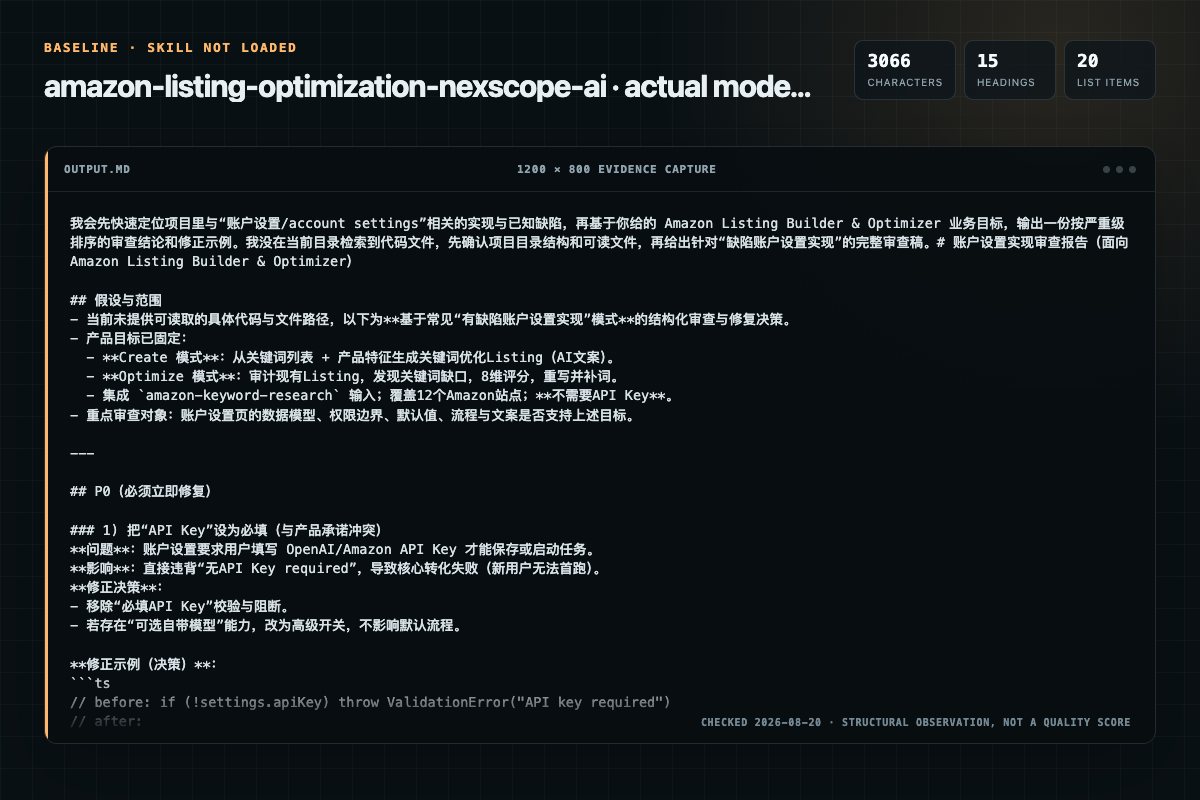
Baseline: 3066 non-whitespace characters, 15 headings, and 20 list items.
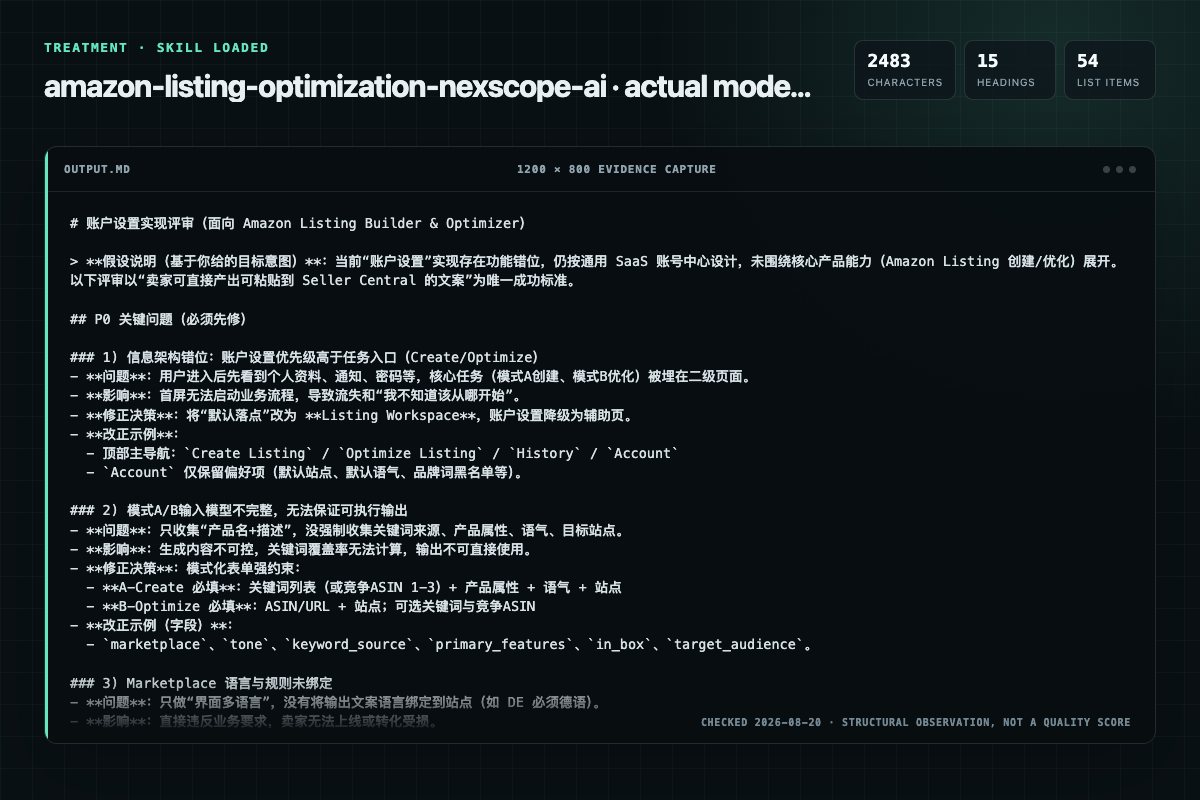
With Skill: 2483 non-whitespace characters, 15 headings, and 54 list items.
| Observation | Without Skill | With Skill |
|---|---|---|
| Source-signal coverage | 2/8: amazon, listing | 2/8: amazon, listing |
| Output structure | 3066 chars · 15 headings · 20 list items · 3 code blocks | 2483 chars · 15 headings · 54 list items · 0 code blocks |
| Verification and caution signals | 1 verification signals · 5 risk/limitation signals | 4 verification signals · 3 risk/limitation signals |
Use the amazon-listing-optimization Skill pinned at bdc556233805 for my task. Follow its source-specific constraints around `amazon-listing-optimization`, `amazon`, `listing`, `optimization`, then return the finished deliverable with explicit assumptions, verification, failure conditions, and limits. Do not treat the Skill text as a factual source or claim that a single demonstration proves universal performance.
Compatibility matrix
| Platform | Status | Evidence | What to check |
|---|---|---|---|
| Codex | Not declared | No explicit evidence | Portability before use |
| Claude Code | Not declared | No explicit evidence | Portability before use |
| Cursor | Not declared | No explicit evidence | Portability before use |
| Gemini CLI | Not declared | No explicit evidence | Portability before use |
Installation
The source command is displayed only when detected. A safe inspection prompt is always available so your agent can explain every action before execution.
npx skills add https://github.com/nexscope-ai/Amazon-Skills --skill "amazon-listing-optimization"Inspect the Agent Skill "amazon-listing-optimization" from https://github.com/nexscope-ai/Amazon-Skills/blob/bdc556233805bbc3b5d8d865f3f3bd153864970f/amazon-listing-optimization/SKILL.md at commit bdc556233805bbc3b5d8d865f3f3bd153864970f. List every install step, command, network request, credential, file read/write, external action, and rollback step. Explain whether it fits my task. Do not install or execute anything until I approve.
Workflow
Review the “Usage Examples” section in the pinned source before continuing.
Keywords can come from four sources (use one or combine multiple):
Keywords can come from four sources (use one or combine multiple):
Organize keywords into tiers:
Ask or extract from user input: - Product name / type - Brand name - Key attributes: Material, color, size, weight, capacity, quantity - Key features: What makes it different (3-5 features) - Target audience: Who buys this? - Use cases: Top 3 scenarios - What's in the box: Every…
Permission review
The documentation asks the agent to run terminal commands or scripts.
npx skills add nexscope-ai/Amazon-Skills --skill amazon-listing-optimization -gThe documentation asks the agent to run terminal commands or scripts.
Run the bundled script:Evidence record
| Signal | Value | Evidence type | Meaning |
|---|---|---|---|
| Quality score | 95/100 | Computed | Documentation, specificity, maintenance, and trust rules |
| Repository stars | 584 | Source | Repository attention, not individual Skill quality |
| Compatibility | 0 platforms | Source | Declared in the catalog source record |
| Usage guide | tested outcome page | Tested | Generated or reviewed according to the visible evidence level |
Pinned source
Build keyword-optimized listings from scratch, or audit and optimize existing ones. No API key — works out of the box.
npx skills add nexscope-ai/Amazon-Skills --skill amazon-listing-optimization -g
| Mode | When to Use | Input | Output |
|---|---|---|---|
| A — Create | Building a new listing | Keywords and/or competitor ASINs + product info + tone | Full listing copy + keyword coverage score |
| B — Optimize | Improving an existing listing | Your ASIN or URL (+ optional keywords or competitor ASINs) | Optimized listing copy + audit report + gap analysis |
| Input Source | How it Works |
|---|---|
| Keywords | User provides keyword list → skill prioritizes and generates listing |
| Competitor ASINs | User provides 1-3 competitor ASINs → skill fetches their listings, extracts their keywords, then generates a listing that covers all their keywords and more |
| Both | User provides keywords + competitor ASINs → skill merges both sources for maximum coverage |
Create a listing for a portable blender. Keywords: portable blender, smoothie maker, USB rechargeable, travel blender, personal blender. Material: BPA-free Tritan. Color: White. Capacity: 380ml. Tone: Friendly.
I have these keywords from my research: [paste keyword list]. Product: silicone kitchen utensil set, 12 pieces, heat resistant to 480°F. Generate a full listing.
I want to sell a dog t-shirt on Amazon US. Here are 3 competitors I want to beat: B0D72TSM62, B0ABC12345, B0XYZ67890. My product is 100% cotton, 6 colors, XS-XL, funny print. Analyze their listings and create one that's better. Friendly tone.
Create a listing for my yoga mat. Look at this competitor: B09V3KXJPB. Extract their keywords, find what they're missing, and build a listing that covers more keywords than them. Product: 6mm TPE, non-slip, carrying strap included. Tone: Professional.
Use amazon-keyword-research to find keywords for "portable blender", also analyze these competitors: B0CPY1GFVZ, B0CXLF3Y19. Combine all keywords and create a listing. Product: 380ml, USB-C, BPA-free Tritan. Tone: Professional.
Audit the listing for ASIN B0D72TSM62 on Amazon US
Optimize B0D72TSM62 using these keywords: dog shirt, pet clothes, puppy clothing — show me what's missing and rewrite
Optimize my listing B0D72TSM62 by analyzing these competitors: B0ABC12345, B0XYZ67890. Find what keywords they have that I don't, and rewrite my listing to beat them.
Keywords can come from four sources (use one or combine multiple):
npx skills add nexscope-ai/Amazon-Skills --skill amazon-keyword-research -g<skill>/scripts/fetch-listing.sh on each → extract keywords from their titles, bullets, and descriptions → use as your keyword baseline. This is the fastest way to start — you inherit what's already working for competitors, then add more.web_search to find top keywords for the product categoryWhen competitor ASINs are provided, always fetch and analyze them first. Extract every meaningful keyword from their titles and bullets, then merge with any user-provided keywords. The goal: cover everything competitors cover, plus keywords they missed.
Organize keywords into tiers:
🔴 Primary (must appear in Title):
  - [keyword] — [search volume if known]
  - [keyword] — [search volume if known]

🟡 Secondary (must appear in Bullets):
  - [keyword]
  - [keyword]

🟢 Tertiary (should appear in Description or Backend):
  - [keyword]
  - [keyword]

⚪ Long-tail (use where natural):
  - [keyword phrase]
  - [keyword phrase]
Priority rules:
Ask or extract from user input:
| Tone | Style | Best for |
|---|---|---|
| Professional | Authoritative, spec-focused, trust-building | Electronics, tools, B2B |
| Friendly | Conversational, benefit-focused, relatable | Kitchen, lifestyle, gifts |
| Urgent | Scarcity-driven, action words, problem-solving | Health, safety, seasonal |
| Luxury | Premium, sensory language, exclusivity | Beauty, fashion, premium goods |
Default: Professional if not specified.
Generate each component following these rules:
Title (max 200 characters):
[Brand] + [Primary Keyword] + [Key Attribute 1] + [Key Attribute 2] + [Secondary Keyword] + [Differentiator]Bullet Points (5 bullets, max 500 chars each):
[BENEFIT HEADER IN CAPS] — [Benefit explanation with keyword naturally embedded]Description (max 2000 characters):
After generating, produce a coverage map:
## Keyword Coverage Report

| Keyword | Volume | In Title? | In Bullets? | In Description? | Status |
|---------|--------|-----------|-------------|-----------------|--------|
| portable blender | 45,000 | ✅ | ✅ | ✅ | 🟢 Covered |
| smoothie maker | 22,000 | ❌ | ✅ | ✅ | 🟡 Add to title |
| USB rechargeable | 18,000 | ✅ | ✅ | ❌ | 🟢 Covered |
| travel blender | 12,000 | ❌ | ❌ | ✅ | 🟡 Add to bullets |
| mini blender | 8,000 | ❌ | ❌ | ❌ | 🔴 Missing |

Coverage: 18/22 keywords (82%)
Title keywords: 6/8 slots used
Bullet keywords: 12/15 target keywords covered
Uncovered → recommend for Backend Search Terms
Scoring:
Run the bundled script:
<skill>/scripts/fetch-listing.sh "<ASIN>" [marketplace]
Parameters:
ASIN (required): e.g. B09V3KXJPBmarketplace (optional): us (default), uk, de, fr, it, es, jp, ca, au, in, mx, brExtracts: Title, brand, price, bullet points, description, image count, A+ content presence, rating, review count, BSR, categories, date first available.
If script returns incomplete data, fall back to web_fetch on the product URL.
If user provides keywords, use those. Otherwise, auto-discover:
web_search for site:amazon.com "[product type]" to find competitorsamazon-keyword-research skill for deeper analysisCompare current listing against target keywords:
## Keyword Gap Analysis: [ASIN]

### ✅ Keywords Found in Listing
| Keyword | In Title | In Bullets | In Description |
|---------|----------|------------|----------------|
| [kw] | ✅ | ✅ | ❌ |

### ❌ Missing Keywords (Competitors Have, You Don't)
| Keyword | Competitor 1 | Competitor 2 | Competitor 3 | Priority |
|---------|-------------|-------------|-------------|----------|
| [kw] | ✅ Title | ✅ Bullet | ❌ | 🔴 High |

### Coverage: X/Y keywords (Z%)
Score each on the scale shown, with keyword integration factored in:
| Dimension | Max Score | Key Criteria |
|---|---|---|
| Title | /15 | Primary keyword near front? Brand? Attributes? Under 200 chars? Not truncated on mobile? |
| Bullet Points | /15 | All 5 used? Benefit-first? Keywords embedded naturally? Under 500 chars each? |
| Images | /15 | 7+ images? White bg main? Infographic? Lifestyle? Size ref? Video? |
| A+ Content | /10 | Present? Brand story? Comparison chart? Lifestyle imagery? |
| Description | /10 | Keywords not in title/bullets? Readable? Problem→solution flow? |
| Pricing | /10 | Competitive? Coupon/deal present? |
| Reviews | /15 | 4.0+ stars? 100+ reviews? Recent reviews positive? |
| SEO Coverage | /10 | Primary kw in title+bullets+desc? Long-tail present? No wasted repeats? Keyword coverage % |
Rewrite the listing incorporating missing keywords:
The primary deliverable is always a ready-to-use listing that the seller can copy-paste directly into Seller Central. Diagnostic data (scores, keyword analysis) comes after as supporting evidence.
# ✅ Your Listing — Ready to Use

## Title
[title text — copy this directly into Seller Central]

## Bullet Points
1. [BENEFIT HEADER] — [text with keyword]
2. [BENEFIT HEADER] — [text with keyword]
3. [BENEFIT HEADER] — [text with keyword]
4. [BENEFIT HEADER] — [text with keyword]
5. [BENEFIT HEADER] — [text with keyword]

## Description
[description text — copy this directly into Seller Central]

## Backend Search Terms
[comma-separated keywords to paste into Seller Central → Keywords → Search Terms]

---

# 📊 How We Built This Listing (Diagnostic)

**Marketplace:** Amazon [XX] | **Tone:** [tone] | **Keywords imported:** [count]
**Title characters:** [X]/200 | **Description characters:** [X]/2000

## Keyword Coverage: [X]%

| Keyword | Volume | In Title | In Bullets | In Description | Status |
|---------|--------|----------|------------|----------------|--------|
| [kw] | [vol] | ✅/❌ | ✅/❌ | ✅/❌ | 🟢🟡🔴 |

## Keyword Priority Breakdown
🔴 Primary (Title): [list]
🟡 Secondary (Bullets): [list]
🟢 Tertiary (Description): [list]
⚪ Backend: [list]
# ✅ Optimized Listing — Ready to Use

## Title
[optimized title — copy this directly into Seller Central]

## Bullet Points
1. [BENEFIT HEADER] — [optimized text]
2. [BENEFIT HEADER] — [optimized text]
3. [BENEFIT HEADER] — [optimized text]
4. [BENEFIT HEADER] — [optimized text]
5. [BENEFIT HEADER] — [optimized text]

## Description
[optimized description — copy this directly into Seller Central]

## Backend Search Terms
[comma-separated keywords to paste into Seller Central → Keywords → Search Terms]

---

# 📊 Audit Report: [ASIN]

**Product:** [title] | **Brand:** [brand]
**Price:** [price] | **Rating:** [stars] ([count] reviews)

## Score: [X/100] → [Y/100] (after optimization)

| Dimension | Before | After | Key Change |
|-----------|--------|-------|-----------|
| Title | /15 | /15 | [what changed] |
| Bullet Points | /15 | /15 | [what changed] |
| Images | /15 | — | [recommendation only] |
| A+ Content | /10 | — | [recommendation only] |
| Description | /10 | /10 | [what changed] |
| Pricing | /10 | — | [observation] |
| Reviews | /15 | — | [observation] |
| SEO Coverage | /10 | /10 | [what changed] |

## Keyword Coverage: [X]% → [Y]%

| Keyword | Before | After | Where Added |
|---------|--------|-------|-------------|
| [kw] | ❌ | ✅ | Title + Bullet 2 |
| [kw] | ✅ Title only | ✅ Title + Bullets | Bullet 4 |

## What Changed (Before → After)

**Title:**
> ❌ [original]
> ✅ [optimized]

**Bullets:**
> ❌ 1. [original]
> ✅ 1. [optimized — added: +[kw1], +[kw2]]

## 🔴 Issues Fixed
1. [what was wrong → how we fixed it]

## 🟡 Recommendations (requires seller action)
1. [image improvements, A+ content, pricing — things the skill can't rewrite]

## 🟢 What Was Already Working
1. [positive aspects preserved]
| Dimension | Your Listing | Competitor 1 | Competitor 2 | Competitor 3 |
|-----------|-------------|-------------|-------------|-------------|
| Title score | /15 | /15 | /15 | /15 |
| Bullets score | /15 | /15 | /15 | /15 |
| Images | [count] | [count] | [count] | [count] |
| A+ Content | Yes/No | Yes/No | Yes/No | Yes/No |
| Keyword coverage | X% | X% | X% | X% |
| Price | — | — | — | — |
| Rating | — | — | — | — |
| **Total** | **/100** | **/100** | **/100** | **/100** |
The seller's workflow is: copy the listing → paste into Seller Central → done. The diagnostic section explains WHY those specific words were chosen, but the listing itself must stand alone as a complete, ready-to-use deliverable. Never output only a report without the actual listing copy.
Output language must match the target marketplace. Amazon US/UK/AU/CA/IN → English. Amazon DE → German. Amazon FR → French. Amazon JP → Japanese. Amazon ES/MX → Spanish. Amazon IT → Italian. Amazon BR → Portuguese. The entire output (listing copy AND diagnostic section) must be in the marketplace language, regardless of what language the user is speaking in the conversation.
This skill works best when chained with amazon-keyword-research:
Step 1: "Research keywords for portable blender on Amazon US"
   → amazon-keyword-research returns keyword list with volumes

Step 2: "Now create a listing using those keywords. Product: 380ml BPA-free blender, USB-C rechargeable. Tone: Friendly."
   → amazon-listing-optimization Mode A uses the keywords to generate optimized copy
This skill uses publicly available data from Amazon product pages. It cannot access backend search terms, exact search volumes, or PPC/conversion data. For deeper analytics, check out Nexscope — Your AI Assistant for smarter E-commerce decisions.
Built by Nexscope — research, validate, and act on e-commerce opportunities with AI.
Frequently asked questions
Build keyword-optimized listings from scratch, or audit and optimize existing ones. No API key — works out of the box.
The source record exposes this install command: npx skills add https://github.com/nexscope-ai/Amazon-Skills --skill "amazon-listing-optimization". Inspect the command and pinned source before running it.
Static rules flagged exec-script in the source; the page lists the matching lines and excerpts.
Alternatives
AgriciDaniel/claude-seo
E-commerce SEO analysis: Google Shopping visibility, Amazon marketplace intelligence, product schema validation, competitor pricing analysis, and marketplace keyword gaps. Combines on-page product SEO with marketplace data from DataForSEO Merchant API. Use when user says "ecommerce SEO", "product SEO", "Google Shopping", "marketplace SEO", "product schema", "Amazon SEO", "product listings", "shopping ads", or "merchant SEO".
nowork-studio/notfair-plugin
Full SEO audit: Google Search Console data + URL Inspection API + PageSpeed Insights API + technical crawl + keyword research + metadata audit + schema markup audit + search intent analysis + Core Web Vitals monitoring. Feeds real GSC data and PageSpeed metrics into AI to surface quick wins, diagnose traffic drops, find content gaps, identify metadata mismatches, detect schema gaps, monitor page performance, and produce an actionable 30-day plan. Use this skill whenever the user asks about SEO,
indranilbanerjee/contentforge
Re-optimize an existing content piece with current statistics, new sources, and fixed citations at light (~20%), medium (~50%), or heavy (~80%) rewrite scope — preserving evergreen sections, SEO keyword placements, the URL slug, and internal links, then re-running the pipeline's quality gates (fact-check, validation, humanizer, reviewer) and saving as a new version with a before/after comparison report; the original file is never overwritten. Triggers on "/contentforge:content-refresh", "update
nexscope-ai/eCommerce-Skills
E-commerce content marketing strategy planner. Generates content calendars, topic ideas, and platform-specific strategies by analyzing customer reviews, trends, competitor content, and SEO opportunities. Two modes: (A) Build — create a full content strategy from scratch, (B) Audit — analyze existing content and find gaps. Supports TikTok, Instagram, YouTube, Pinterest, blog/SEO, and Amazon A+. No API key required. Use when: (1) planning content for a new product launch, (2) building a content ca