
Source profileQuality 92/100Review permissions
terrylica/cc-skills/plugins/devops-tools/skills/firecrawl-research-patterns/SKILL.md
firecrawl-research-patterns
Programmatic Firecrawl usage via the public API, academic paper routing, recursive deep research, and raw corpus persistence.
- Source repository stars
- 61
- Declared platforms
- 0
- Static risk flags
- 3
- Last source update
- 2026-08-26
- Source checked
- 2026-08-28
Decision brief
What it does: where it fits
Programmatic patterns for using Firecrawl in research workflows — search, scrape, route academic papers, run recursive deep research, and persist raw results for future re-analysis.
Not for
- Tasks that require unconfirmed production actions or broad system permissions.
- Environments where the pinned source and install steps cannot be inspected.
Compatibility matrix
Platform support, with evidence labels
| Platform | Status | Evidence | What to check |
|---|---|---|---|
| Codex | Not declared | No explicit evidence | Portability before use |
| Claude Code | Not declared | No explicit evidence | Portability before use |
| Cursor | Not declared | No explicit evidence | Portability before use |
| Gemini CLI | Not declared | No explicit evidence | Portability before use |
Installation
Inspect first. Install second.
The source command is displayed only when detected. A safe inspection prompt is always available so your agent can explain every action before execution.
Source-detected install commandSource
npx skills add https://github.com/terrylica/cc-skills --skill "plugins/devops-tools/skills/firecrawl-research-patterns"Safe inspection promptEditorial
Inspect the Agent Skill "firecrawl-research-patterns" from https://github.com/terrylica/cc-skills/blob/05f53c5b24a445c1895e9b0590212e66cd70f39e/plugins/devops-tools/skills/firecrawl-research-patterns/SKILL.md at commit 05f53c5b24a445c1895e9b0590212e66cd70f39e. List every install step, command, network request, credential, file read/write, external action, and rollback step. Explain whether it fits my task. Do not install or execute anything until I approve.
Workflow
What the source asks the agent to do
- 01
Template D — Corpus Review / Re-Analysis
Review the “Template D — Corpus Review / Re-Analysis” section in the pinned source before continuing.
Review and apply the “Template D — Corpus Review / Re-Analysis” source section. - 02
Section 1 — Programmatic Firecrawl Usage
Endpoint: the public API at https://api.firecrawl.dev. No API key, no host, no tunnel — it answers unauthenticated.
Endpoint: the public API at https://api.firecrawl.dev. No API key, no host, no tunnel — it answers unauthenticated.bash curl -sS -X POST https://api.firecrawl.dev/v2/scrape \ -H 'Content-Type: application/json' \ -d '{"url":"","formats":["markdown"],"waitFor":8000,"timeout":60000}' - 03
Default Parameters (from working implementation)
Review the “Default Parameters (from working implementation)” section in the pinned source before continuing.
Review and apply the “Default Parameters (from working implementation)” source section. - 04
FIRST — TodoWrite Task Templates
MANDATORY: Select and load the appropriate template before any research work.
MANDATORY: Select and load the appropriate template before any research work.AI chat share URLs (chatgpt.com/share/, chat.openai.com/share/, gemini.google.com/share/, g.co/gemini/share/, claude.ai/share/, claude.ai/chat/) can be processed by either this skill or Skill(gh-tools:research-archival)…Both paths share the same Firecrawl backend. research-archival calls Firecrawl too — it adds an archival layer on top. There is no scraping capability gap between the two; the difference is what happens to the bytes aft… - 05
Intent routing — AI chat share URLs (chatgpt / gemini / claude)
AI chat share URLs (chatgpt.com/share/, chat.openai.com/share/, gemini.google.com/share/, g.co/gemini/share/, claude.ai/share/, claude.ai/chat/) can be processed by either this skill or Skill(gh-tools:research-archival). Pick by intent, not URL pattern:
AI chat share URLs (chatgpt.com/share/, chat.openai.com/share/, gemini.google.com/share/, g.co/gemini/share/, claude.ai/share/, claude.ai/chat/) can be processed by either this skill or Skill(gh-tools:research-archival)…Both paths share the same Firecrawl backend. research-archival calls Firecrawl too — it adds an archival layer on top. There is no scraping capability gap between the two; the difference is what happens to the bytes aft…WebFetch limitation, regardless of intent: Claude Code hard-blocks WebFetch against chatgpt.com. Use Firecrawl.
Permission review
Static risk signals and limitations
Network access
The documentation includes network, browsing, or remote request actions.
Extract figure URLs — for arXiv: probe https://arxiv.org/html/{id}v{n}/x{N}.png until 404Writes files
The documentation asks the agent to create, modify, or delete local files.
Save corpus file — GFM markdown with inline absolute URLs renders on GitHub without hostingSends data out
The documentation includes sending, uploading, or posting data to a remote service.
curl -sS -X POST https://api.firecrawl.dev/v2/scrape \Network access
The documentation includes network, browsing, or remote request actions.
curl -sS -X POST https://api.firecrawl.dev/v2/scrape \Evidence record
Why each signal appears
EvidenceSourceComputedTestedEditorial
| Signal | Value | Evidence type | Meaning |
|---|---|---|---|
| Quality score | 92/100 | Computed | Documentation, specificity, maintenance, and trust rules |
| Repository stars | 61 | Source | Repository attention, not individual Skill quality |
| Compatibility | 0 platforms | Source | Declared in the catalog source record |
| Usage guide | automated source guide | Editorial | Generated or reviewed according to the visible evidence level |
Pinned source
Provenance and original SKILL.md
- Repository
- terrylica/cc-skills
- Skill path
- plugins/devops-tools/skills/firecrawl-research-patterns/SKILL.md
- Commit
- 05f53c5b24a445c1895e9b0590212e66cd70f39e
- License
- MIT
- Collected
- 2026-08-28
- Default branch
- main
View the original SKILL.md
Firecrawl Research Patterns
Programmatic patterns for using Firecrawl in research workflows — search, scrape, route academic papers, run recursive deep research, and persist raw results for future re-analysis.
Use the public Firecrawl API. There is no self-hosted instance. POST https://api.firecrawl.dev/v2/scrape answers without an API key, which covers the low-volume, occasional conversions this repo actually does. Rate limits and queueing are acceptable — do not stand up a private deployment to avoid them.
For archiving AI chat conversations (ChatGPT/Gemini shares), see Skill(gh-tools:research-archival).
Self-Evolving Skill: This skill improves through use. If instructions are wrong, parameters drifted, or a workaround was needed — fix this file immediately, don't defer. Only update for real, reproducible issues.
FIRST — TodoWrite Task Templates
MANDATORY: Select and load the appropriate template before any research work.
Intent routing — AI chat share URLs (chatgpt / gemini / claude)
AI chat share URLs (chatgpt.com/share/*, chat.openai.com/share/*, gemini.google.com/share/*, g.co/gemini/share/*, claude.ai/share/*, claude.ai/chat/*) can be processed by either this skill or Skill(gh-tools:research-archival). Pick by intent, not URL pattern:
| Your intent | Skill | Output |
|---|---|---|
| One-off read / extract conversation text for analysis | This skill — public API (Sec. 1) | Markdown file on Caddy; no frontmatter, no Issue, no provenance. |
| Long-term archive with identity verification, frontmatter, GitHub Issue cross-link | Skill(gh-tools:research-archival) | docs/research/YYYY-MM-DD-{slug}-{type}.md + issue with Discovery Provenance. |
| Already have the file, just need to scrape extra content into the same corpus file | This skill | Append-mode workflow under your control. |
Both paths share the same Firecrawl backend.
research-archivalcalls Firecrawl too — it adds an archival layer on top. There is no scraping capability gap between the two; the difference is what happens to the bytes after they come back.
WebFetch limitation, regardless of intent: Claude Code hard-blocks WebFetch against chatgpt.com. Use Firecrawl.
Prefer Firecrawl over Jina Reader for chat shares — Jina silently truncates. Measured 2026-08-13 on two chatgpt.com/share/* URLs, same moment, both returning HTTP 200 with no error:
| Link | Firecrawl v2/scrape | Jina r.jina.ai | Jina coverage |
|---|---|---|---|
| 1 | 57,616 chars · 76 headings · 128 table rows | 9,397 chars · 12 headings · 22 table rows | 17% |
| 2 | 136,590 chars · 85 headings · 69 table rows | 15,960 chars · 13 headings · 9 table rows | 12% |
Firecrawl reached the true end of both pages (the Sources / ChatGPT is AI and can make mistakes. footer). Jina stopped mid-sentence — link 1 ended at "I would spend money on **Synol". Neither hit the login wall and Firecrawl's extra bulk was not nav boilerplate (its most-repeated line is blank). A truncated Jina result looks like a successful short page, which is the dangerous failure: there is no error to catch.
Jina also needs -H "x-timeout: 30" at all — the default returns ~321 bytes of login chrome ("Log in to get answers") with only a soft Warning: line. Keep Jina as a fallback for simple static pages; do not use it for chat shares or anything JS-rendered.
Template A — Single Firecrawl Search + Persist
1. No health check needed — the public API has no self-hosted liveness concern. Handle per-request failures instead (Section 1).
2. Execute search — POST /v2/search with query, limit, scrapeOptions
3. Persist raw results — save each result page to docs/research/corpus/ with frontmatter
4. Update corpus index — append entries to docs/research/corpus-index.jsonl
5. Extract findings — summarize key learnings from raw corpus files
Template B — Academic Paper Retrieval + Persist
1. Identify source — classify URL/DOI per academic-paper-routing.md decision tree
2. Route to scraper — arxiv direct HTML, Semantic Scholar API, Firecrawl, or Jina Reader
3. Scrape content — execute fetch with appropriate method and timeout
4. Persist raw result — save to docs/research/corpus/ with academic-specific frontmatter
5. Update corpus index — append entry to corpus-index.jsonl
6. Summarize paper — extract key claims, methods, results from raw corpus file
Template C — Full Recursive Deep Research with Corpus
1. No health check needed — the public API has no self-hosted liveness concern. Handle per-request failures instead (Section 1).
2. Initialize parameters — set breadth (default 4), depth (default 2), concurrency (default 2)
3. Generate search queries — LLM generates N queries from topic + prior learnings
4. Execute searches — Firecrawl /v2/search for each query via p-limit(concurrency)
5. Persist raw results — save ALL scraped pages to docs/research/corpus/ with provenance
6. Extract learnings — LLM extracts key findings + follow-up questions per result set
7. Recurse — for each follow-up, recurse with breadth=ceil(breadth/2), depth=depth-1
8. Base case — depth=0, return accumulated learnings
9. Synthesize report — LLM generates final markdown from all learnings
10. Write session report — save to docs/research/sessions/ with corpus file references
11. Update corpus index — append all new entries to corpus-index.jsonl
Template D — Corpus Review / Re-Analysis
1. Inventory corpus — read docs/research/corpus-index.jsonl, filter by session/topic/date
2. Read raw files — load matching corpus files from docs/research/corpus/
3. Re-analyze — extract new insights with current context/questions
4. Update session report — amend or create new session report in docs/research/sessions/
Template E — Image-Rich Paper with Inline Figures
Use when paper contains architecture diagrams, result plots, attention maps, or any critical visual content.
1. Scrape text — use the public API (`/v2/scrape`, preserves absolute image URLs) or Jina fallback
2. Detect figures — scan scraped markdown for  patterns with .png/.jpg/.svg
3. Extract figure URLs — for arXiv: probe https://arxiv.org/html/{id}v{n}/x{N}.png until 404
4. Keep URLs inline — DO NOT rewrite to local relative paths (breaks GitHub rendering)
5. Ensure inline embedding — markdown body must have  for each figure
6. Catalog in frontmatter — add figure_count and figure_urls list (all absolute URLs)
7. Save corpus file — GFM markdown with inline absolute URLs renders on GitHub without hosting
8. Update corpus-index.jsonl — include has_figures: true, figure_count, figure_urls
Section 1 — Programmatic Firecrawl Usage
Endpoint: the public API at https://api.firecrawl.dev. No API key, no host, no tunnel — it answers unauthenticated.
curl -sS -X POST https://api.firecrawl.dev/v2/scrape \
  -H 'Content-Type: application/json' \
  -d '{"url":"<URL>","formats":["markdown"],"waitFor":8000,"timeout":60000}'
# -> {"success":true,"data":{"markdown":"..."}}
Always send waitFor for JS-rendered pages (SPAs, chat shares, dashboards). Without it the scrape can return the pre-hydration shell — which for a login-walled SPA is the login chrome, not the content, and it returns HTTP 200 while doing so. A 200 is not proof of extraction; check for content you expect.
Do not resurrect a self-hosted deployment. One ran on littleblack:3002 (5 containers: api, playwright-service, nuq-postgres, rabbitmq, redis) and was retired 2026-08-13, reclaiming ~18 GB. The public API covers this repo's volume. Standing one up again trades ~18 GB and five long-running containers for rate limits nobody was hitting.
Why fetch() Instead of @mendable/firecrawl-js SDK
The official SDK uses jiti for dynamic imports, which is incompatible with Bun's module resolution. Direct fetch() calls are simpler, more reliable, and have zero dependencies.
Two Endpoints
| Endpoint | Purpose | When to Use |
|---|---|---|
POST /v2/search | Search + scrape combo | Research queries — returns multiple scraped pages |
POST /v2/scrape | Single URL scrape | Known URL — extract markdown from one page |
See api-endpoint-reference.md for full request/response contracts.
Quick Examples
Use the public API base. Pull from $FIRECRAWL_BASE env var if your project sets one, otherwise hard-code the FQDN:
const FIRECRAWL_BASE =
  process.env.FIRECRAWL_BASE ?? "https://api.firecrawl.dev";
Search (returns multiple results with markdown):
const res = await fetch(`${FIRECRAWL_BASE}/v2/search`, {
  method: "POST",
  headers: { "Content-Type": "application/json" },
  body: JSON.stringify({
    query: "mixture of experts scaling laws",
    limit: 5,
    scrapeOptions: { formats: ["markdown"] },
  }),
});
const { data } = await res.json(); // data: [{ url, markdown, metadata }]
Scrape (single URL):
const res = await fetch(`${FIRECRAWL_BASE}/v2/scrape`, {
  method: "POST",
  headers: { "Content-Type": "application/json" },
  body: JSON.stringify({
    url: "https://arxiv.org/abs/2401.12345",
    formats: ["markdown"],
    waitFor: 3000, // ms — for JS-heavy pages
  }),
});
const { data } = await res.json(); // data: { markdown, metadata }
Error Handling
// Always set a timeout
const controller = new AbortController();
const timeoutId = setTimeout(() => controller.abort(), 15_000);

try {
  const res = await fetch(url, { ...opts, signal: controller.signal });
  if (!res.ok) throw new Error(`Firecrawl: ${res.status} ${res.statusText}`);
  const json = await res.json();
  if (!json.data || (Array.isArray(json.data) && json.data.length === 0)) {
    // Empty results — not an error, but no content to process
  }
} finally {
  clearTimeout(timeoutId);
}
Section 2 — Academic Paper Routing
Route paper retrieval to the most effective method based on source. Full decision tree in academic-paper-routing.md.
Quick Reference
| Source | Best Method | Fallback |
|---|---|---|
| arxiv.org | Direct HTML (/html/ID) | Firecrawl /v2/scrape |
| Semantic Scholar | API (api.semanticscholar.org) | Firecrawl search by title |
| ACL Anthology | Firecrawl /v2/scrape | Direct PDF download |
| NeurIPS/ICML/ICLR | Firecrawl /v2/scrape with waitFor | Search by title |
| IEEE Xplore | Firecrawl with waitFor: 3000 | Author's website |
| ACM DL | Firecrawl with waitFor: 3000 | Author's website |
| Author blogs | Jina Reader (r.jina.ai) | Firecrawl /v2/scrape |
| Google Scholar | Firecrawl /v2/search | Direct search query |
DOI Resolution
// DOI → publisher URL → route to appropriate scraper
const res = await fetch(`https://doi.org/${doi}`, { redirect: "follow" });
const publisherUrl = res.url; // e.g., https://dl.acm.org/doi/10.1145/...
// Then route publisherUrl through the decision tree above
Section 3 — Recursive Research Protocol
The iterative search → extract → recurse → synthesize pattern. Full step-by-step protocol in recursive-research-protocol.md.
Algorithm Overview
deepResearch(topic, breadth=4, depth=2, concurrency=2):
   1. Generate N search queries (N = breadth) from topic + prior learnings
   2. For each query (via p-limit concurrency):
      a. Firecrawl /v2/search → get results
      b. PERSIST each raw result to docs/research/corpus/
      c. Extract learnings + follow-up questions
   3. For each follow-up question:
      → Recurse with breadth=ceil(breadth/2), depth=depth-1
   4. Base case: depth=0 → return accumulated learnings
   5. Synthesize final report from all learnings
   6. Write session report to docs/research/sessions/
Default Parameters (from working implementation)
| Parameter | Default | Max | Rationale |
|---|---|---|---|
breadth | 4 | — | Number of parallel search queries per level |
depth | 2 | 5 | Recursion levels (depth > 5 yields diminishing returns) |
concurrency | 2 | — | Parallel Firecrawl requests (public API — be gentle) |
limit | 5 | — | Results per search query |
timeout | 15000ms | — | Per-search timeout |
Token Budget
Each search returns up to 5 pages. Trim each page to ~25,000 tokens before LLM processing:
function trimToTokenLimit(text: string, maxTokens: number): string {
  if (!text) return "";
  const estimatedTokens = Math.ceil(text.length / 3.5);
  if (estimatedTokens <= maxTokens) return text;
  const maxChars = Math.floor(maxTokens * 3.5 * 0.8);
  return text.slice(0, maxChars);
}
Partial Failure Principle
Partial results are better than total failure. If a query fails, log it and continue with remaining queries. Never abort the entire research session because one query timed out.
Section 4 — Raw Corpus Persistence
Critical principle: Every Firecrawl-scraped page must be persisted in its original raw markdown with provenance metadata. Synthesized reports reference these originals but never replace them.
Full format specification in corpus-persistence-format.md.
Directory Layout
{project-root}/
├── docs/research/
│   ├── corpus/                              # Raw scraped pages (committed)
│   │   └── YYYY-MM-DD-{slug}.md             # One file per scraped URL
│   ├── sessions/                            # Research session reports (committed)
│   │   └── YYYY-MM-DD-{topic-slug}.md       # Synthesized report with corpus refs
│   └── corpus-index.jsonl                   # Append-only registry (committed)
Corpus File Frontmatter
---
source_url: https://arxiv.org/html/2401.12345
scraped_at: "2026-02-25T14:30:00Z"
scraper: firecrawl
firecrawl_endpoint: /v2/search
search_query: "mixture of experts scaling"
result_index: 2
research_session: "2026-02-25-moe-scaling"
depth_level: 1
claude_code_uuid: SESSION_UUID
content_tokens_approx: 4200
---
[RAW MARKDOWN FROM FIRECRAWL — NEVER MODIFIED]
Key Rules
- Content below
---is the exact markdown Firecrawl returned — no summarization, trimming, or reformatting - One file per URL per scrape — if the same URL is scraped in multiple sessions, each gets its own timestamped file
- File naming:
YYYY-MM-DD-{slug}.mdwhere slug is kebab-case from page title or URL path (max 60 chars) - Session reports in
docs/research/sessions/reference corpus files by relative path
Corpus Index (JSONL)
{
  "url": "https://arxiv.org/html/2401.12345",
  "file": "corpus/2026-02-25-moe-scaling-arxiv-2401-12345.md",
  "scraped_at": "2026-02-25T14:30:00Z",
  "session": "2026-02-25-moe-scaling",
  "tokens": 4200,
  "scraper": "firecrawl"
}
Why This Matters
- LLM re-analysis: Future sessions can re-read raw corpus files and extract different insights with better prompts or newer models
- No information loss: Synthesis drops details; raw files preserve everything Firecrawl captured
- Deduplication awareness: The JSONL index lets agents skip URLs already in the corpus
- Git-friendly: Markdown files diff cleanly, JSONL is append-only
Section 5 — Retired: self-hosted operations
The self-hosted deployment (littleblack:3002, plus ports 3003/3004 behind Caddy) was retired 2026-08-13. Its containers, images and build cache are gone and ~18 GB was reclaimed. Use the public API in Section 1. Do not reintroduce a private deployment for this repo's volume.
Section 6 — Image and Figure Capture
Text-only scrapers (Jina, direct Firecrawl) capture prose but lose architecture diagrams, result plots, and attention maps. For image-rich papers, always capture figures.
When to Capture Images
Capture figures when the paper contains any of:
- Architecture diagrams (model structure, attention patterns)
- Benchmark/result comparison plots
- Qualitative examples (generated outputs, visualizations)
- Algorithm flowcharts or pseudocode figures
arXiv HTML Figure URL Discovery
arXiv HTML papers store figures at sequential absolute URLs (x1.png, x2.png, ...). Probe to discover all figure URLs — do NOT download them locally:
ARXIV_ID="2312.00752"
ARXIV_VER="v2"
BASE_URL="https://arxiv.org/html/${ARXIV_ID}${ARXIV_VER}"
FIGURE_URLS=()

# Probe sequential URLs until 404 — collect absolute URLs only
for i in $(seq 1 50); do
  url="${BASE_URL}/x${i}.png"
  status=$(curl -s -o /dev/null -w "%{http_code}" "$url")
  if [ "$status" != "200" ]; then
    echo "Stopped at x${i}.png (${status}) — found ${#FIGURE_URLS[@]} figures"
    break
  fi
  FIGURE_URLS+=("$url")
  echo "Found: $url"
done
The collected absolute URLs go directly into the markdown body and frontmatter — no local copies needed.
Inline Figure Embedding (GFM)
Each figure must appear inline in the corpus markdown as an absolute URL so GitHub renders it in-place:
## Key Figures
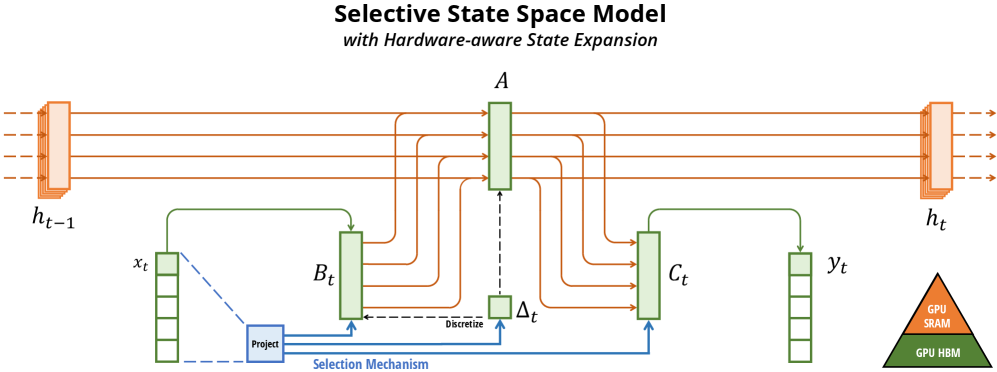


Never rewrite to relative paths like
./figures/x1.png— relative paths break on GitHub unless images are committed to the same repo.
Extracting Existing Inline URLs from Scraped Markdown
Firecrawl embeds absolute image URLs in the scraped markdown. Extract them for the frontmatter catalog:
CORPUS_FILE="docs/research/corpus/2026-03-13-mamba-ssm.md"

# Extract all absolute image URLs already in the markdown
grep -oE 'https://[^)]+\.(png|jpg|svg|gif|webp)' "$CORPUS_FILE" | sort -u
These URLs are already inline — just copy them into the frontmatter figure_urls list.
Frontmatter for Image-Rich Papers
The YAML frontmatter catalogs all figure source URLs for provenance. The markdown body embeds them inline:
---
source_url: https://arxiv.org/html/2312.00752v2
scraped_at: "2026-03-13T00:00:00Z"
scraper: firecrawl
tags: [ssm, state-space-model, mamba, sequence-modeling]
content_tokens_approx: 4200
has_figures: true
figure_count: 12
figure_urls:
  - https://arxiv.org/html/2312.00752v2/x1.png
  - https://arxiv.org/html/2312.00752v2/x2.png
  - https://arxiv.org/html/2312.00752v2/x3.png
  - https://arxiv.org/html/2312.00752v2/x4.png
  - https://arxiv.org/html/2312.00752v2/x5.png
---
Corpus Index Entry with Figures
{
  "url": "https://arxiv.org/html/2312.00752v2",
  "file": "corpus/2026-03-13-mamba-ssm.md",
  "scraped_at": "2026-03-13T00:00:00Z",
  "session": "2026-03-13-mamba-ssm",
  "scraper": "firecrawl",
  "has_figures": true,
  "figure_count": 12,
  "figure_urls": [
    "https://arxiv.org/html/2312.00752v2/x1.png",
    "https://arxiv.org/html/2312.00752v2/x2.png"
  ]
}
Firecrawl vs Jina Reader: Empirical Comparison (arXiv)
Validated on arXiv:2312.00752v2 (Mamba paper) — both scrapers running, same URL:
| Scraper | Bytes | Lines | Words | Figures (absolute inline) | Math on GitHub |
|---|---|---|---|---|---|
Firecrawl /v2/scrape | 99,104 | 1,267 | 13,182 | 13 ✅ | ❌ doubled Unicode+LaTeX, no $...$ |
| Jina Reader | 84,832 | 596 | 10,761 | 12 ✅ | ❌ doubled Unicode+LaTeX, no $...$ |
| Pandoc from LaTeX source | — | — | — | via \includegraphics | ✅ $inline$ + ```math ``` blocks |
Verdict: Firecrawl gets 17% more bytes, 2.1× more lines, 22% more words, 1 extra figure than Jina on this paper — consistent with the far larger gap measured on chat shares. Both emit absolute inline figure URLs, so no URL reconstruction is needed from either scraper.
Recommended arXiv workflow:
- Firecrawl
POST /v2/scrape(preferred) — more complete content, figures inline - Jina Reader (fallback, static pages only) — 17% less content but still gets absolute figure URLs
- Probe loop to build
figure_urlsfrontmatter catalog regardless of scraper used - For human-readable math on GitHub: Pandoc from arXiv LaTeX source (see below)
Math Rendering: Empirically Validated Approaches
Validated on arXiv:2312.00752v2 (Mamba paper), March 2026.
Firecrawl/Jina Math Output: Unreadable on GitHub
Both Firecrawl and Jina Reader extract math by doubling content — each equation appears as a Unicode render followed immediately by raw LaTeX source, packed into markdown table cells with \displaystyle prefixes and \\bm{} escaping. Example from the empirical test:
| | h′(t)\\displaystyle h^{\\prime}(t) | \=𝑨h(t)+𝑩x(t)\\displaystyle=\\bm{A}h(t)+\\bm{B}x(t) | | (1a) |
No $...$ delimiters — GitHub cannot render this as math. The raw LaTeX portion is parseable by an LLM (equations are present), but the output is completely unreadable to humans on GitHub.
For LLM consumption: Firecrawl's doubled content is sufficient — the LaTeX source is embedded and an LLM can extract it.
For human-readable GitHub rendering: Use Pandoc from the arXiv LaTeX source tarball (see below).
Pandoc from arXiv LaTeX Source (Human-Readable Math)
Produces proper $inline$ and ```math ``` display blocks that GitHub's MathJax/KaTeX renders natively:
ARXIV_ID="2312.00752"

# Download arXiv LaTeX source tarball
curl -L "https://arxiv.org/src/${ARXIV_ID}" -o "${ARXIV_ID}-src.tar.gz"
mkdir -p "${ARXIV_ID}-src"
tar xzf "${ARXIV_ID}-src.tar.gz" -C "${ARXIV_ID}-src/"

# Find main .tex entry point and section files
ls "${ARXIV_ID}-src/"*.tex
ls "${ARXIV_ID}-src/src/"*.tex 2>/dev/null  # some papers put sections in src/

# Option A: Convert individual section files (safer — avoids macro parse errors)
pandoc "${ARXIV_ID}-src/src/background.tex" \
  --to gfm+tex_math_dollars \
  --wrap=none \
  -o "${ARXIV_ID}-background.md"

# Option B: Convert full main.tex (may fail on custom macros like \iftoggle)
pandoc "${ARXIV_ID}-src/main.tex" \
  --to gfm+tex_math_dollars \
  --wrap=none \
  -o "${ARXIV_ID}-pandoc.md"
Install: brew install pandoc. Works on any arXiv paper that publishes LaTeX source (most do).
Pandoc output quality (empirically validated):
- Inline math:
$x(t) \in \R \mapsto y(t) \in \R$✅ GitHub renders - Display math:
```math\n\begin{align}\nh'(t) &= \A h(t) + \B x(t)\n\end{align}\n```✅ GitHub renders - Custom macros (
\A,\B,\R,\dt,\dA,\dB): ⚠️ undefined in KaTeX — macros pass through as-is and may partially fail on GitHub without the preamble's\newcommanddefinitions
Handling custom macros: Prepend the \newcommand block from main.tex preamble to the output:
# Extract custom macro definitions from preamble
grep '\\newcommand\|\\renewcommand\|\\def ' "${ARXIV_ID}-src/main.tex" > macros.tex

# Pandoc does not read preamble macros — include them explicitly in a math block at the top:
echo '```math' > preamble-block.md
cat macros.tex >> preamble-block.md
echo '```' >> preamble-block.md

cat preamble-block.md "${ARXIV_ID}-pandoc.md" > "${ARXIV_ID}-with-macros.md"
Known Pandoc parse errors on arXiv LaTeX:
| Error trigger | Cause | Workaround |
|---|---|---|
\iftoggle{arxiv} | Undefined toggle macro (etoolbox package) | Convert section files instead of main.tex |
\begin{figure*} | Two-column figure environment breaks structure | Use head -N to avoid broken \end tags |
\bm{}, \mathbf{} | Passes through — may not render in KaTeX | Check paper's macro file for mappings |
Anti-Patterns
| # | Anti-Pattern | Why It Fails | Correct Approach |
|---|---|---|---|
| 1 | Using @mendable/firecrawl-js SDK | jiti dynamic imports break in Bun | Direct fetch() calls |
| 2 | Searching paywalled sites without waitFor | JS SPAs return empty shell | Use waitFor: 3000 for IEEE, ACM DL |
| 3 | Setting depth > 5 | Exponential query explosion, diminishing returns | Cap at depth 5 (clampDepth()) |
| 4 | No timeout on fetch() | Hangs indefinitely on unreachable pages | Always use AbortController with 15s timeout |
| 5 | Not trimming long page content | Exceeds LLM context window | trimToTokenLimit(text, 25_000) per page |
| 6 | Aborting on partial failure | Loses all completed work | Log failures, continue with remaining queries |
| 7 | Gating a run on a liveness check | The public API has no health endpoint and no host to be down | Handle per-request failures: retry once, then fall back. See Section 1. |
| 8 | Saving only synthesis without raw originals | Loses source material, prevents re-analysis | Always persist raw Firecrawl markdown to corpus |
| 9 | Rewriting figure URLs to local relative paths | Relative paths like ./figures/x1.png break on GitHub — images don't render | Keep absolute URLs inline in markdown body (); catalog in frontmatter figure_urls list — see Section 6 |
References
- API Endpoint Reference —
/v2/searchand/v2/scrapecontracts - Academic Paper Routing — Decision tree for paper sources
- Recursive Research Protocol — Step-by-step recursive pattern
- Corpus Persistence Format — Raw content archival format + directory layout
- Evolution Log — Dated change history for this skill
Post-Execution Reflection
After this skill completes, check before closing:
- Did the command succeed? — If not, fix the instruction or error table that caused the failure.
- Did parameters or output change? — If the underlying tool's interface drifted, update Usage examples and Parameters table to match.
- Was a workaround needed? — If you had to improvise (different flags, extra steps), update this SKILL.md so the next invocation doesn't need the same workaround.
Only update if the issue is real and reproducible — not speculative.
Frequently asked questions
What to verify before installation and use
What does the firecrawl-research-patterns source document cover?
Programmatic patterns for using Firecrawl in research workflows — search, scrape, route academic papers, run recursive deep research, and persist raw results for future re-analysis.
How do I install firecrawl-research-patterns?
The source record exposes this install command: npx skills add https://github.com/terrylica/cc-skills --skill "plugins/devops-tools/skills/firecrawl-research-patterns". Inspect the command and pinned source before running it.
Which permission-related actions were detected?
Static rules flagged network, write-files, send-data in the source; the page lists the matching lines and excerpts.
Alternatives
Compare before choosing
Computed 10025,136
alirezarezvani/claude-skills
app-store-optimization
App Store Optimization (ASO) toolkit for researching keywords, analyzing competitor rankings, generating metadata suggestions, and improving app visibility on Apple App Store and Google Play Store. Use when the user asks about ASO, app store rankings, app metadata, app titles and descriptions, app store listings, app visibility, or mobile app marketing on iOS or Android. Supports keyword research and scoring, competitor keyword analysis, metadata optimization, A/B test planning, launch checklist
Computed 9967
brucesongs/kali-claw
insecure-design
Insecure Design (OWASP A06:2025) focuses on security flaws in system architecture and design phases, rather than code implementation-level bugs.
Computed 9916
NintendaDev/unikit-ai
unikit-docs
Generate and maintain the project's TECHNICAL documentation from its codebase — scans the project structure, tech stack, and module boundaries, then writes a lean README landing page plus detailed topic pages (architecture, modules, setup, build, APIs), only the docs that are relevant. Use whenever the user wants to create, update, or validate documentation of the CODE or the project itself, e.g. "generate documentation", "create docs", "write the README", "update the project docs", "document th
Computed 9836,049
K-Dense-AI/scientific-agent-skills
dask
Distributed computing for larger-than-RAM pandas/NumPy workflows. Use when you need to scale existing pandas/NumPy code beyond memory or across clusters. Best for parallel file processing, distributed ML, integration with existing pandas code. For out-of-core analytics on single machine use vaex; for in-memory speed use polars.