
Best for
- Use when: building landing pages, marketing sites, product pages, dashboards, generating media assets (image/video/audio/music), writing conversion copy, creating generative art, or implementing cinematic scroll animati…
vibeeval/vibecosystem/skills/frontend-dev/SKILL.md
Full-stack frontend development combining premium UI design, cinematic animations, AI-generated media assets, persuasive copywriting, and visual art. Builds complete, visually striking web pages with real media, advanced motion, and compelling copy. Use when: building landing pages, marketing sites, product pages, dashboards, generating media assets (image/video/audio/music), writing conversion copy, creating generative art, or implementing cinematic scroll animations.
Decision brief
Build complete, production-ready frontend pages by orchestrating 5 specialized capabilities: design engineering, motion systems, AI-generated assets, persuasive copy, and generative art.
In this controlled same-task single run, enabling frontend-dev changed the output from 2354 non-whitespace characters and 11 headings to 2769 characters and 14 headings. Matches among 8 signals extracted from the pinned source changed from 0 to 1. Both actual outputs are shown; this is a structural observation, not a quality score or a universal performance claim.
Create a launch deliverable for a privacy-first team collaboration product aimed at small engineering teams. Make it specific, usable, and ready for review. The deliverable must specifically reflect this user intent: Full-stack frontend development combining premium UI design, cinematic animations, AI-generated media assets, persuasive copywriting, and visual art. Builds complete, visually striking web pages with real media, advanced motion, and compelling copy. Use when: building landing pages, marketing sites, product pages, dashboards, generating media assets (image/video/audio/music), writing conversion copy, creating generative art, or implementing cinematic scroll animations.
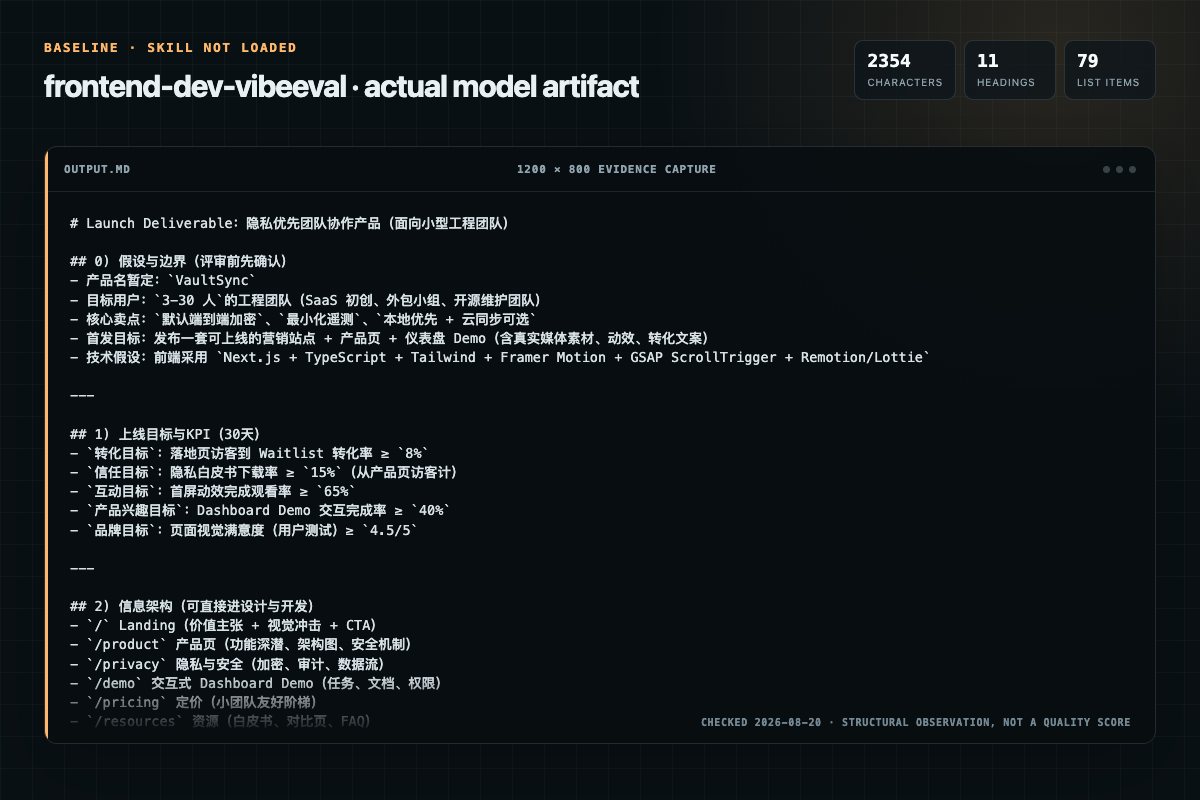
Baseline: 2354 non-whitespace characters, 11 headings, and 79 list items.
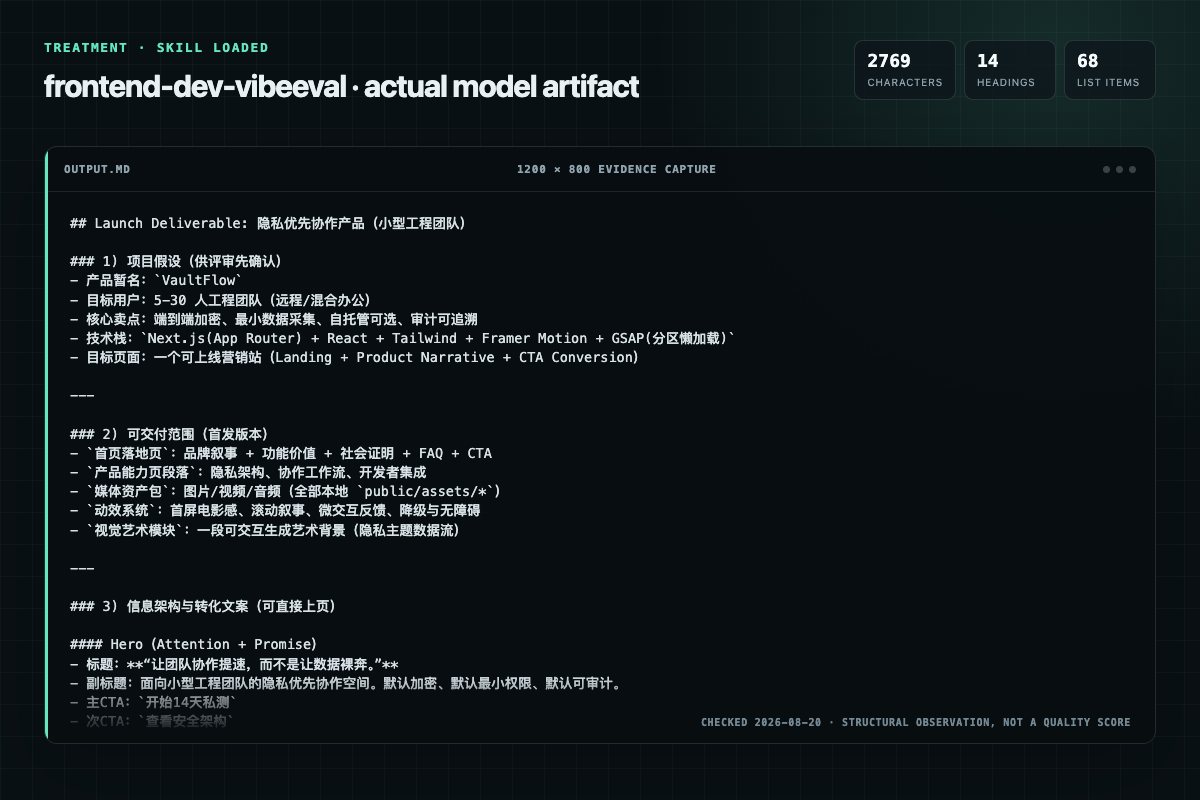
With Skill: 2769 non-whitespace characters, 14 headings, and 68 list items.
| Observation | Without Skill | With Skill |
|---|---|---|
| Source-signal coverage | 0/8: none | 1/8: assets |
| Output structure | 2354 chars · 11 headings · 79 list items · 0 code blocks | 2769 chars · 14 headings · 68 list items · 0 code blocks |
| Verification and caution signals | 6 verification signals · 5 risk/limitation signals | 3 verification signals · 4 risk/limitation signals |
Use the frontend-dev Skill pinned at 3b763b1fb288 for my task. Follow its source-specific constraints around `frontend-dev`, `frontend`, `studio`, `invocation`, then return the finished deliverable with explicit assumptions, verification, failure conditions, and limits. Do not treat the Skill text as a factual source or claim that a single demonstration proves universal performance.
Compatibility matrix
| Platform | Status | Evidence | What to check |
|---|---|---|---|
| Codex | Not declared | No explicit evidence | Portability before use |
| Claude Code | Not declared | No explicit evidence | Portability before use |
| Cursor | Not declared | No explicit evidence | Portability before use |
| Gemini CLI | Not declared | No explicit evidence | Portability before use |
Installation
The source command is displayed only when detected. A safe inspection prompt is always available so your agent can explain every action before execution.
npx skills add https://github.com/vibeeval/vibecosystem --skill "skills/frontend-dev"Inspect the Agent Skill "frontend-dev" from https://github.com/vibeeval/vibecosystem/blob/3b763b1fb288f57bfa3cce76ef18184b96461a78/skills/frontend-dev/SKILL.md at commit 3b763b1fb288f57bfa3cce76ef18184b96461a78. List every install step, command, network request, credential, file read/write, external action, and rollback step. Explain whether it fits my task. Do not install or execute anything until I approve.
Workflow
1. Analyze the request — determine page type and context 2. Set design dials based on page type 3. Plan layout sections and identify asset needs
1. Analyze the request — determine page type and context 2. Set design dials based on page type 3. Plan layout sections and identify asset needs
1. Select animation tools per section (see Tool Selection Matrix) 2. Plan motion sequences following performance guardrails
Generate all image/video/audio assets using scripts/. NEVER use placeholder URLs (unsplash, picsum, placeholder.com, via.placeholder, placehold.co, etc.) or external URLs.
Follow copywriting frameworks (AIDA, PAS, FAB) to craft all text content. Do NOT use "Lorem ipsum" — write real copy.
Permission review
The documentation asks the agent to run terminal commands or scripts.
npm install framer-motion # UI (keep at top level)The documentation asks the agent to run terminal commands or scripts.
npm install gsap # Scroll (lazy-load)Evidence record
| Signal | Value | Evidence type | Meaning |
|---|---|---|---|
| Quality score | 95/100 | Computed | Documentation, specificity, maintenance, and trust rules |
| Repository stars | 528 | Source | Repository attention, not individual Skill quality |
| Compatibility | 0 platforms | Source | Declared in the catalog source record |
| Usage guide | tested outcome page | Tested | Generated or reviewed according to the visible evidence level |
Pinned source
Build complete, production-ready frontend pages by orchestrating 5 specialized capabilities: design engineering, motion systems, AI-generated assets, persuasive copy, and generative art.
/frontend-dev <request>
The user provides their request as natural language (e.g. "build a landing page for a music streaming app").
frontend-dev/
├── SKILL.md                      # Core skill (this file)
├── scripts/                      # Asset generation scripts
│   ├── minimax_tts.py            # Text-to-speech
│   ├── minimax_music.py          # Music generation
│   ├── minimax_video.py          # Video generation (async)
│   └── minimax_image.py          # Image generation
├── references/                   # Detailed guides (read as needed)
│   ├── minimax-cli-reference.md  # CLI flags quick reference
│   ├── asset-prompt-guide.md     # Asset prompt engineering rules
│   ├── minimax-tts-guide.md      # TTS usage & voices
│   ├── minimax-music-guide.md    # Music prompts & lyrics format
│   ├── minimax-video-guide.md    # Camera commands & models
│   ├── minimax-image-guide.md    # Ratios & batch generation
│   ├── minimax-voice-catalog.md  # All voice IDs
│   ├── motion-recipes.md         # Animation code snippets
│   ├── env-setup.md              # Environment setup
│   └── troubleshooting.md        # Common issues
├── templates/                    # Visual art templates
│   ├── viewer.html               # p5.js interactive art base
│   └── generator_template.js     # p5.js code reference
└── canvas-fonts/                 # Static art fonts (TTF + licenses)
All frameworks use the same asset organization:
assets/
├── images/
│   ├── hero-landing-1710xxx.webp
│   ├── icon-feature-01.webp
│   └── bg-pattern.svg
├── videos/
│   ├── hero-bg-1710xxx.mp4
│   └── demo-preview.mp4
└── audio/
    ├── bgm-ambient-1710xxx.mp3
    └── tts-intro-1710xxx.mp3
Asset naming: {type}-{descriptor}-{timestamp}.{ext}
| Framework | Asset Location | Component Location |
|---|---|---|
| Pure HTML | ./assets/ | N/A (inline or ./js/) |
| React/Next.js | public/assets/ | src/components/ |
| Vue/Nuxt | public/assets/ | src/components/ |
| Svelte/SvelteKit | static/assets/ | src/lib/components/ |
| Astro | public/assets/ | src/components/ |
project/
├── index.html
├── assets/
│   ├── images/
│   ├── videos/
│   └── audio/
├── css/
│   └── styles.css
└── js/
    └── main.js           # Animations (GSAP/vanilla)
project/
├── public/assets/        # Static assets
├── src/
│   ├── components/
│   │   ├── ui/           # Button, Card, Input
│   │   ├── sections/     # Hero, Features, CTA
│   │   └── motion/       # RevealSection, StaggerGrid
│   ├── lib/
│   ├── styles/
│   └── app/              # Pages
└── package.json
project/
├── public/assets/
├── src/                  # or root for Nuxt
│   ├── components/
│   │   ├── ui/
│   │   ├── sections/
│   │   └── motion/
│   ├── composables/      # Shared logic
│   ├── pages/
│   └── assets/           # Processed assets (optional)
└── package.json
project/
├── public/assets/
├── src/
│   ├── components/       # .astro, .tsx, .vue, .svelte
│   ├── layouts/
│   ├── pages/
│   └── styles/
└── package.json
Component naming: PascalCase (HeroSection.tsx, HeroSection.vue, HeroSection.astro)
All rules in this skill are mandatory. Violating any rule is a blocking error — fix before proceeding or delivering.
Generate all image/video/audio assets using scripts/. NEVER use placeholder URLs (unsplash, picsum, placeholder.com, via.placeholder, placehold.co, etc.) or external URLs.
Follow copywriting frameworks (AIDA, PAS, FAB) to craft all text content. Do NOT use "Lorem ipsum" — write real copy.
Scaffold the project and build each section following Design and Motion rules. Integrate generated assets and copy. All <img>, <video>, <source>, and CSS background-image MUST reference local assets from Phase 3.
Run final checklist (see Quality Gates section).
| Dial | Default | Range |
|---|---|---|
| DESIGN_VARIANCE | 8 | 1=Symmetry, 10=Asymmetric |
| MOTION_INTENSITY | 6 | 1=Static, 10=Cinematic |
| VISUAL_DENSITY | 4 | 1=Airy, 10=Packed |
Adapt dynamically based on user requests.
package.json before importing any library. Output install command if missing."use client" leaf components.package.json — NEVER mix v3/v4 syntax.min-h-[100dvh] not h-screen. Use CSS Grid not flex percentage math.max-w-[1400px] mx-auto or max-w-7xl.| Rule | Directive |
|---|---|
| Typography | Headlines: text-4xl md:text-6xl tracking-tighter. Body: text-base leading-relaxed max-w-[65ch]. NEVER use Inter — use Geist/Outfit/Satoshi. NEVER use Serif on dashboards. |
| Color | Max 1 accent, saturation < 80%. NEVER use AI purple/blue. Stick to one palette. |
| Layout | NEVER use centered heroes when VARIANCE > 4. Force split-screen or asymmetric layouts. |
| Cards | NEVER use generic cards when DENSITY > 7. Use border-t, divide-y, or spacing. |
| States | ALWAYS implement: Loading (skeleton), Empty, Error, Tactile feedback (scale-[0.98]). |
| Forms | Label above input. Error below. gap-2 for input blocks. |
backdrop-blur + border-white/10 + shadow-[inset_0_1px_0_rgba(255,255,255,0.1)]useMotionValue/useTransform — never useState for continuous animationslayout and layoutId propsstaggerChildren or CSS animation-delay: calc(var(--index) * 100ms)| Category | Banned |
|---|---|
| Visual | Neon glows, pure black (#000), oversaturated accents, gradient text on headers, custom cursors |
| Typography | Inter font, oversized H1s, Serif on dashboards |
| Layout | 3-column equal card rows, floating elements with awkward gaps |
| Components | Default shadcn/ui without customization |
| Category | Patterns |
|---|---|
| Navigation | Dock magnification, Magnetic button, Gooey menu, Dynamic island, Radial menu, Speed dial, Mega menu |
| Layout | Bento grid, Masonry, Chroma grid, Split-screen scroll, Curtain reveal |
| Cards | Parallax tilt, Spotlight border, Glassmorphism, Holographic foil, Swipe stack, Morphing modal |
| Scroll | Sticky stack, Horizontal hijack, Locomotive sequence, Zoom parallax, Progress path, Liquid swipe |
| Gallery | Dome gallery, Coverflow, Drag-to-pan, Accordion slider, Hover trail, Glitch effect |
| Text | Kinetic marquee, Text mask reveal, Scramble effect, Circular path, Gradient stroke, Kinetic grid |
| Micro | Particle explosion, Pull-to-refresh, Skeleton shimmer, Directional hover, Ripple click, SVG draw, Mesh gradient, Lens blur |
#f9fafb, cards pure white with border-slate-200/50rounded-[2.5rem], diffusion shadowtracking-tight headersstiffness: 100, damping: 20), infinite loops, React.memo isolation5-Card Archetypes:
layoutIdWhen brand styling is active:
#141413, Light: #faf9f5, Mid: #b0aea5, Subtle: #e8e6dc#d97757, Blue #6a9bcc, Green #788c5d| Need | Tool |
|---|---|
| UI enter/exit/layout | Framer Motion — AnimatePresence, layoutId, springs |
| Scroll storytelling (pin, scrub) | GSAP + ScrollTrigger — frame-accurate control |
| Looping icons | Lottie — lazy-load (~50KB) |
| 3D/WebGL | Three.js / R3F — isolated <Canvas>, own "use client" boundary |
| Hover/focus states | CSS only — zero JS cost |
| Native scroll-driven | CSS — animation-timeline: scroll() |
Conflict Rules [MANDATORY]:
| Level | Techniques |
|---|---|
| 1-2 Subtle | CSS transitions only, 150-300ms |
| 3-4 Smooth | CSS keyframes + Framer animate, stagger ≤3 items |
| 5-6 Fluid | whileInView, magnetic hover, parallax tilt |
| 7-8 Cinematic | GSAP ScrollTrigger, pinned sections, horizontal hijack |
| 9-10 Immersive | Full scroll sequences, Three.js particles, WebGL shaders |
See references/motion-recipes.md for full code. Summary:
| Recipe | Tool | Use For |
|---|---|---|
| Scroll Reveal | Framer | Fade+slide on viewport entry |
| Stagger Grid | Framer | Sequential list animations |
| Pinned Timeline | GSAP | Horizontal scroll with pinning |
| Tilt Card | Framer | Mouse-tracking 3D perspective |
| Magnetic Button | Framer | Cursor-attracted buttons |
| Text Scramble | Vanilla | Matrix-style decode effect |
| SVG Path Draw | CSS | Scroll-linked path animation |
| Horizontal Scroll | GSAP | Vertical-to-horizontal hijack |
| Particle Background | R3F | Decorative WebGL particles |
| Layout Morph | Framer | Card-to-modal expansion |
GPU-only properties (ONLY animate these): transform, opacity, filter, clip-path
NEVER animate: width, height, top, left, margin, padding, font-size — if you need these effects, use transform: scale() or clip-path instead.
Isolation:
React.memo leaf componentswill-change: transform ONLY during animationcontain: layout style paint on heavy containersMobile:
prefers-reduced-motionpointer: coarseCleanup: Every useEffect with GSAP/observers MUST return () => ctx.revert()
| Feel | Framer Config |
|---|---|
| Snappy | stiffness: 300, damping: 30 |
| Smooth | stiffness: 150, damping: 20 |
| Bouncy | stiffness: 100, damping: 10 |
| Heavy | stiffness: 60, damping: 20 |
| CSS Easing | Value |
|---|---|
| Smooth decel | cubic-bezier(0.16, 1, 0.3, 1) |
| Smooth accel | cubic-bezier(0.7, 0, 0.84, 0) |
| Elastic | cubic-bezier(0.34, 1.56, 0.64, 1) |
prefers-reduced-motion checkoutline not box-shadow)aria-live="polite" for dynamically revealed contentnpm install framer-motion # UI (keep at top level)
npm install gsap # Scroll (lazy-load)
npm install lottie-react # Icons (lazy-load)
npm install three @react-three/fiber @react-three/drei # 3D (lazy-load)
| Type | Script | Pattern |
|---|---|---|
| TTS | scripts/minimax_tts.py | Sync |
| Music | scripts/minimax_music.py | Sync |
| Video | scripts/minimax_video.py | Async (create → poll → download) |
| Image | scripts/minimax_image.py | Sync |
Env: MINIMAX_API_KEY (required).
<project>/public/assets/{images,videos,audio}/ as {type}-{descriptor}-{timestamp}.{ext} — MUST save locally| Shortcut | Spec |
|---|---|
hero | 16:9, cinematic, text-safe |
thumb | 1:1, centered subject |
icon | 1:1, flat, clean background |
avatar | 1:1, portrait, circular crop ready |
banner | 21:9, OG/social |
bg-video | 768P, 6s, [Static shot] |
video-hd | 1080P, 6s |
bgm | 30s, no vocals, loopable |
tts | MiniMax HD, MP3 |
references/minimax-cli-reference.md — CLI flagsreferences/asset-prompt-guide.md — Prompt rulesreferences/minimax-voice-catalog.md — Voice IDsreferences/minimax-tts-guide.md — TTS usagereferences/minimax-music-guide.md — Music generation (prompts, lyrics, structure tags)references/minimax-video-guide.md — Camera commandsreferences/minimax-image-guide.md — Ratios, batchAIDA (landing pages, emails):
ATTENTION:  Bold headline (promise or pain)
INTEREST:   Elaborate problem ("yes, that's me")
DESIRE:     Show transformation
ACTION:     Clear CTA
PAS (pain-driven products):
PROBLEM:    State clearly
AGITATE:    Make urgent
SOLUTION:   Your product
FAB (product differentiation):
FEATURE:    What it does
ADVANTAGE:  Why it matters
BENEFIT:    What customer gains
| Formula | Example |
|---|---|
| Promise | "Double open rates in 30 days" |
| Question | "Still wasting 10 hours/week?" |
| How-To | "How to automate your pipeline" |
| Number | "7 mistakes killing conversions" |
| Negative | "Stop losing leads" |
| Curiosity | "The one change that tripled bookings" |
| Transformation | "From 50 to 500 leads" |
Be specific. Lead with outcome, not method.
Bad: Submit, Click here, Learn more
Good: "Start my free trial", "Get the template now", "Book my strategy call"
Formula: [Action Verb] + [What They Get] + [Urgency/Ease]
Place: above fold, after value, multiple on long pages.
| Trigger | Example |
|---|---|
| FOMO | "Only 3 spots left" |
| Fear of loss | "Every day without this, you're losing $X" |
| Status | "Join 10,000+ top agencies" |
| Ease | "Set it up once. Forget forever." |
| Frustration | "Tired of tools that deliver nothing?" |
| Hope | "Yes, you CAN hit $10K MRR" |
| Objection | Response |
|---|---|
| Too expensive | Show ROI: "Pays for itself in 2 weeks" |
| Won't work for me | Social proof from similar customer |
| No time | "Setup takes 10 minutes" |
| What if it fails | "30-day money-back guarantee" |
| Need to think | Urgency/scarcity |
Place in FAQ, testimonials, near CTA.
Testimonials (with name/title), Case studies, Data/metrics, Social proof, Certifications
Philosophy-first workflow. Two output modes.
| Mode | Output | When |
|---|---|---|
| Static | PDF/PNG | Posters, print, design assets |
| Interactive | HTML (p5.js) | Generative art, explorable variations |
Name the movement (1-2 words). Articulate philosophy (4-6 paragraphs) covering:
Identify subtle, niche reference — sophisticated, not literal. Jazz musician quoting another song.
Static Mode:
canvas-fonts/.pdf or .png + philosophy .mdInteractive Mode:
templates/viewer.html firstrandomSeed(seed); noiseSeed(seed);Refine, don't add. Make it crisp. Polish into masterpiece.
Design:
w-full, px-4) for high-variance designsmin-h-[100dvh] not h-screenMotion:
useEffect have cleanup returnsprefers-reduced-motion respectedReact.memo leaf componentsGeneral:
package.jsonunsplash, picsum, placeholder, placehold, via.placeholder, lorem.space, dummyimage. If ANY found, STOP and replace with generated assets before delivering.React and Next.js are trademarks of Meta Platforms, Inc. and Vercel, Inc., respectively. Vue.js is a trademark of Evan You. Tailwind CSS is a trademark of Tailwind Labs Inc. Svelte and SvelteKit are trademarks of their respective owners. GSAP/GreenSock is a trademark of GreenSock Inc. Three.js, Framer Motion, Lottie, Astro, and all other product names are trademarks of their respective owners.
Frequently asked questions
Build complete, production-ready frontend pages by orchestrating 5 specialized capabilities: design engineering, motion systems, AI-generated assets, persuasive copy, and generative art.
The source record exposes this install command: npx skills add https://github.com/vibeeval/vibecosystem --skill "skills/frontend-dev". Inspect the command and pinned source before running it.
Static rules flagged exec-script in the source; the page lists the matching lines and excerpts.
Alternatives
lovstudio/skills
Use it for deployment and engineering tasks; the detail page covers purpose, installation, and practical steps.
mblode/agent-skills
Designs, builds, and audits UI in React, Next, and Tailwind: visual direction, Tailwind implementation, dark-mode and responsive retrofits, and a rule-based audit of built frontends covering state gaps, data loss, focus and keyboard failures, accessibility markup, layout resilience, and AI-slop tells, with file:line findings, applied fixes, and a ship verdict. Use when asked to "build a landing page", "create a dashboard", "make this look premium", "show me 3 options", "create a brand kit", "tur
fcakyon/claude-codex-settings
Guide for implementing smooth, native-feeling animations using React's View Transition API (`<ViewTransition>` component, `addTransitionType`, and CSS view transition pseudo-elements). Use this skill whenever the user wants to add page transitions, animate route changes, create shared element animations, animate enter/exit of components, animate list reorder, implement directional (forward/back) navigation animations, or integrate view transitions in Next.js. Also use when the user mentions view
theBGuy/GitDesktop
Guide for implementing smooth, native-feeling animations using React's View Transition API (`<ViewTransition>` component, `addTransitionType`, and CSS view transition pseudo-elements). Use this skill whenever the user wants to add page transitions, animate route changes, create shared element animations, animate enter/exit of components, animate list reorder, implement directional (forward/back) navigation animations, or integrate view transitions in Next.js. Also use when the user mentions view