
Tested demoQuality 94/100Review permissions
huggingface/skills/skills/hf-cloud-sagemaker-production-defaults/SKILL.md
hf-cloud-sagemaker-production-defaults
Create a SageMaker endpoint (real-time, real-time scale-to-zero, or async) with autoscaling, CloudWatch alarms, and tagging enabled by default. Use this skill whenever about to create a SageMaker endpoint, write deployment code that calls `create_endpoint`, or finalize a deployment after the image URI and IAM role are known. Provides deploy.py for real-time endpoints, deploy_ic.py for real-time endpoints that scale to zero instances via inference components, and deploy_async.py for async endpoin
- Source repository stars
- 10,959
- Declared platforms
- 0
- Static risk flags
- 2
- Last source update
- 2026-08-25
- Source checked
- 2026-08-26
Decision brief
What it does: where it fits
The difference between a demo endpoint and one you can leave running is: it scales with traffic, it tells you when it breaks, and you can debug it later. This skill makes those three the default rather than optional extras.
Not for
- Tasks that require unconfirmed production actions or broad system permissions.
- Environments where the pinned source and install steps cannot be inspected.
Controlled single-run demoChecked 2026-08-20
What changed when the Skill was used
In this controlled same-task single run, enabling hf-cloud-sagemaker-production-defaults changed the output from 2751 non-whitespace characters and 9 headings to 3102 characters and 11 headings. Matches among 8 signals extracted from the pinned source changed from 1 to 2. Both actual outputs are shown; this is a structural observation, not a quality score or a universal performance claim.
Same test task
Create a test strategy and representative test cases for a JSON API schema comparison feature. Include failure cases and a clear verification procedure. The deliverable must specifically reflect this user intent: Create a SageMaker endpoint (real-time, real-time scale-to-zero, or async) with autoscaling, CloudWatch alarms, and tagging enabled by default. Use this skill whenever about to create a SageMaker endpoint, write deployment code that calls `create_endpoint`, or finalize a deployment after the image URI and IAM role are known. Provides deploy.py for real-time endpoints, deploy_ic.py for real-time endpoints that scale to zero instances via inference components, and deploy_async.py for async endpoin
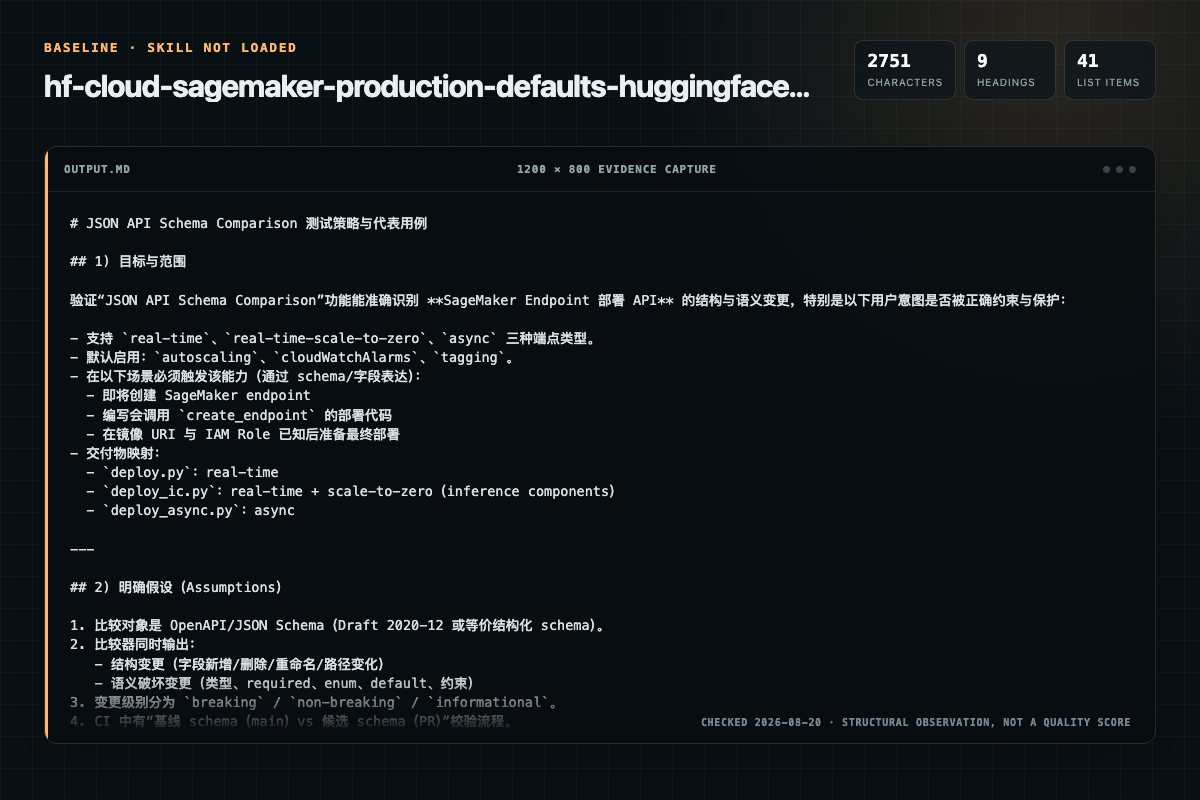
Baseline: 2751 non-whitespace characters, 9 headings, and 41 list items.
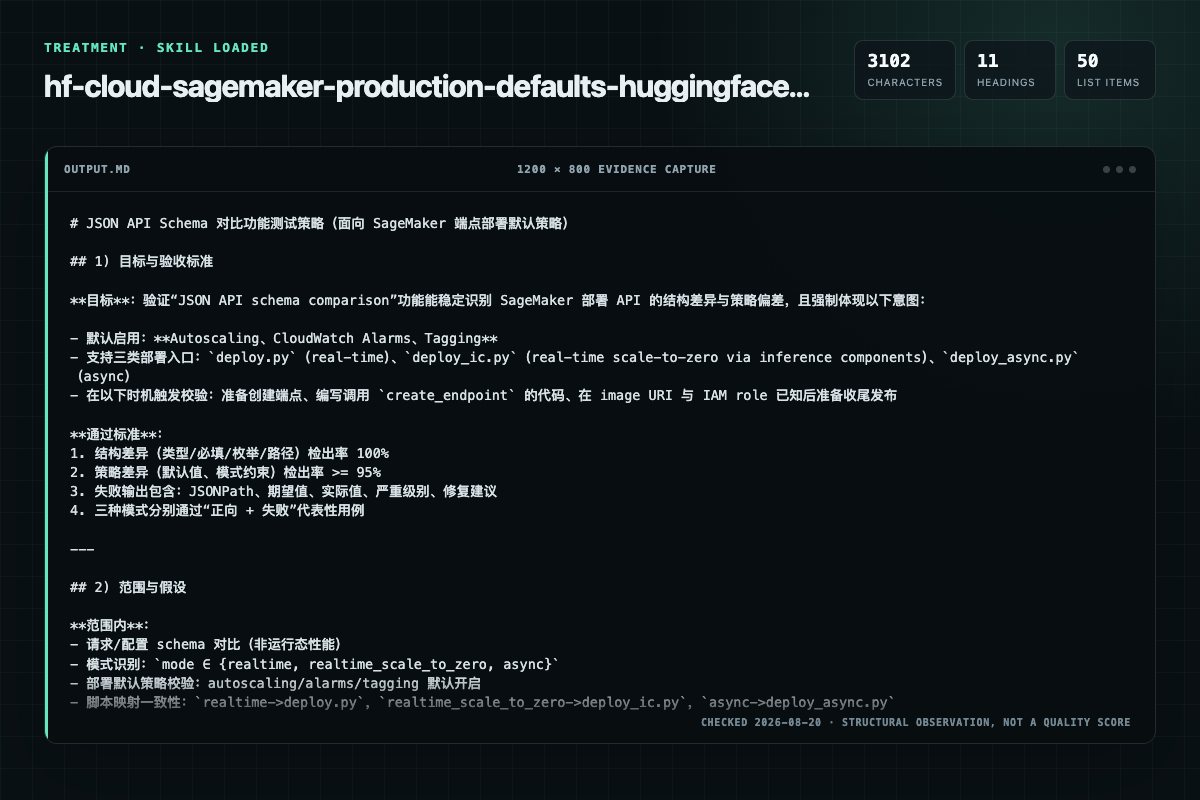
With Skill: 3102 non-whitespace characters, 11 headings, and 50 list items.
| Observation | Without Skill | With Skill |
|---|---|---|
| Source-signal coverage | 1/8: sagemaker | 2/8: sagemaker, deployment |
| Output structure | 2751 chars · 9 headings · 41 list items · 0 code blocks | 3102 chars · 11 headings · 50 list items · 0 code blocks |
| Verification and caution signals | 23 verification signals · 1 risk/limitation signals | 18 verification signals · 3 risk/limitation signals |
A prompt you can use
Use the hf-cloud-sagemaker-production-defaults Skill pinned at 020194918dc4 for my task. Follow its source-specific constraints around `hf-cloud-sagemaker-production-defaults`, `sagemaker`, `production`, `defaults`, then return the finished deliverable with explicit assumptions, verification, failure conditions, and limits. Do not treat the Skill text as a factual source or claim that a single demonstration proves universal performance.
Method and limitationsExpandCollapse
Test method
- Baseline and treatment used the same task, model (gpt-5.3-codex-low), and runner; the only planned difference was whether the complete target Skill text was injected.
- The treatment used snapshot ec0108293521ef698e451ec044e8b4feba6b732b; the current source commit 020194918dc4a27d5a5d9a154b6b56cc2bd21364 was verified against content hash 4bed41479962. The baseline explicitly prohibited loading any Skill or external rule file.
- The same deterministic script counted characters, headings, lists, code blocks, verification terms, caution terms, and source signals in both artifacts. Source signals: `hf-cloud-sagemaker-production-defaults`, `sagemaker`, `production`, `defaults`, `created`, `running`, `deployment`, `inservice`.
- The visuals are local screenshots of the actual Markdown artifacts in a fixed 1200 × 800 evidence canvas, not recreated product mockups. Raw JSON artifacts and request records are retained in the research directory.
Do not over-read this demo
- This is one controlled demonstration per condition, not a multi-run statistical benchmark; the model is stochastic.
- Character, structure, and keyword counts show observable differences but cannot by themselves prove correctness, originality, or business impact.
- The task is a representative test designed for repeatability, not every real-world use of the Skill; rerun after a material source change.
- Editorial review
- SkillSignal editorial
- Runner
- Cursor Agent 2026.08.04-aaa8809
- Model
- gpt-5.3-codex-low
- Refresh due
- 2026-11-18
- Reviewed commit
- 020194918dc4a27d5a5d9a154b6b56cc2bd21364
- Test snapshot
- ec0108293521ef698e451ec044e8b4feba6b732b
Compatibility matrix
Platform support, with evidence labels
| Platform | Status | Evidence | What to check |
|---|---|---|---|
| Codex | Not declared | No explicit evidence | Portability before use |
| Claude Code | Not declared | No explicit evidence | Portability before use |
| Cursor | Not declared | No explicit evidence | Portability before use |
| Gemini CLI | Not declared | No explicit evidence | Portability before use |
Installation
Inspect first. Install second.
The source command is displayed only when detected. A safe inspection prompt is always available so your agent can explain every action before execution.
Source-detected install commandSource
npx skills add https://github.com/huggingface/skills --skill "skills/hf-cloud-sagemaker-production-defaults"Safe inspection promptEditorial
Inspect the Agent Skill "hf-cloud-sagemaker-production-defaults" from https://github.com/huggingface/skills/blob/020194918dc4a27d5a5d9a154b6b56cc2bd21364/skills/hf-cloud-sagemaker-production-defaults/SKILL.md at commit 020194918dc4a27d5a5d9a154b6b56cc2bd21364. List every install step, command, network request, credential, file read/write, external action, and rollback step. Explain whether it fits my task. Do not install or execute anything until I approve.
Workflow
What the source asks the agent to do
- 01
What gets created
For every endpoint, the skill creates these as a unit:
SageMaker Model — image + env vars + execution role + S3 artifactsEndpoint config — instance type, initial count, optional data captureEndpoint — the real-time endpoint serving inference - 02
Running the deployment
For a text-generation LLM (vLLM):
For a text-generation LLM (vLLM):For an embedding model (TEI, often on CPU):Note: TEI deployments do not need --inference-ami-version. That flag is vLLM-specific. TEI env vars are also simpler (HFMODELID instead of SMVLLM, no host or trust-remote-code to configure). - 03
InService is not success — smoke-test before declaring victory
InService only means the container answered /ping. In MMS-based containers (HF Inference Toolkit) the Java front-end answers pings even while the Python worker crash-loops — an endpoint can be InService and serve nothing. Two checks, always:
One real invocation.Real-time: invokeendpoint.py (below) with a minimal payload; require an HTTP 200 with a sane body.Async: upload one input to S3, call invoke-endpoint-async, poll the output URI for a few minutes (see "Invoking async endpoints"). A result object = success; an object at the failure URI, or nothing appearing, = broken. - 04
Testing a real-time endpoint
Once the endpoint is InService, test it with the bundled helper. It is cross-platform and BOM-safe — use it instead of hand-writing a payload file and calling invoke-endpoint directly:
Once the endpoint is InService, test it with the bundled helper. It is cross-platform and BOM-safe — use it instead of hand-writing a payload file and calling invoke-endpoint directly: - 05
macOS / Linux
python3 scripts/invokeendpoint.py \ --endpoint-name \ --payload '{"inputs": "Hello"}' \ --region "$REGION" powershell
python3 scripts/invokeendpoint.py \ --endpoint-name \ --payload '{"inputs": "Hello"}' \ --region "$REGION" powershell
Permission review
Static risk signals and limitations
Runs scripts
The documentation asks the agent to run terminal commands or scripts.
python scripts/deploy.py \Runs scripts
The documentation asks the agent to run terminal commands or scripts.
python scripts/deploy.py \Network access
The documentation includes network, browsing, or remote request actions.
It accepts either `--payload '<json>'` (inline) or `--payload-file <path>`, validates JSON, writes the request body as plain UTF-8, invokes the endpoint, and prints the response body to stdout.Network access
The documentation includes network, browsing, or remote request actions.
The 400 `has no capacity` error is the wake signal, not a fault: it publishes the metric that triggers the step policy. With `--wait-for-capacity` the helper retries every 30 s until a copy serves the request. Without it, a cold endpoint alEvidence record
Why each signal appears
EvidenceSourceComputedTestedEditorial
| Signal | Value | Evidence type | Meaning |
|---|---|---|---|
| Quality score | 94/100 | Computed | Documentation, specificity, maintenance, and trust rules |
| Repository stars | 10,959 | Source | Repository attention, not individual Skill quality |
| Compatibility | 0 platforms | Source | Declared in the catalog source record |
| Usage guide | tested outcome page | Tested | Generated or reviewed according to the visible evidence level |
Pinned source
Provenance and original SKILL.md
- Repository
- huggingface/skills
- Skill path
- skills/hf-cloud-sagemaker-production-defaults/SKILL.md
- Commit
- 020194918dc4a27d5a5d9a154b6b56cc2bd21364
- License
- Apache-2.0
- Collected
- 2026-08-26
- Default branch
- main
View the original SKILL.md
SageMaker Production Defaults
The difference between a demo endpoint and one you can leave running is: it scales with traffic, it tells you when it breaks, and you can debug it later. This skill makes those three the default rather than optional extras.
By the time this skill runs, the planner has chosen a real-time endpoint, IAM has a usable role, and image-selection has resolved a container URI + AMI version. This skill turns those into an actual deployment.
What gets created
For every endpoint, the skill creates these as a unit:
- SageMaker Model — image + env vars + execution role + S3 artifacts
- Endpoint config — instance type, initial count, optional data capture
- Endpoint — the real-time endpoint serving inference
- Autoscaling target + policy — target tracking on invocations per instance
- CloudWatch alarms — latency, errors, platform overhead
An inference-component deployment (deploy_ic.py) creates the same set with two changes: the endpoint config carries the execution role and ManagedInstanceScaling, and an inference component carries the model. Its autoscaling target is the component, not the variant.
Data capture (logging requests/responses to S3) is off by default — useful for debugging but creates ongoing S3 costs the user didn't necessarily ask for. Enable with --enable-data-capture.
All resources get a consistent tag set including CreatedBy=agentic-deploy-skills for later cleanup.
Defaults and reasoning in references/deployment-template.md.
Running the deployment
For a text-generation LLM (vLLM):
python scripts/deploy.py \
    --model-name qwen3-medical \
    --image-uri "$IMAGE_URI" \
    --inference-ami-version "$AMI" \
    --role-arn "$ROLE_ARN" \
    --instance-type ml.g5.xlarge \
    --region "$REGION" \
    --env SM_VLLM_MODEL=Qwen/Qwen3-0.6B \
    --env SM_VLLM_HOST=0.0.0.0 \
    --env SM_VLLM_TRUST_REMOTE_CODE=true \
    --env SM_VLLM_MAX_MODEL_LEN=4096
For an embedding model (TEI, often on CPU):
python scripts/deploy.py \
    --model-name bge-large-embeddings \
    --image-uri "$IMAGE_URI" \
    --role-arn "$ROLE_ARN" \
    --instance-type ml.c6i.2xlarge \
    --region "$REGION" \
    --env HF_MODEL_ID=BAAI/bge-large-en-v1.5
Note: TEI deployments do not need --inference-ami-version. That flag is vLLM-specific. TEI env vars are also simpler (HF_MODEL_ID instead of SM_VLLM_*, no host or trust-remote-code to configure).
Where each value comes from:
| Parameter | Source |
|---|---|
--image-uri | hf-cloud-serving-image-selection — agent reads from the AWS DLC catalog page |
--inference-ami-version | hf-cloud-serving-image-selection — required for vLLM tags containing cu130+ |
--role-arn | hf-cloud-sagemaker-iam-preflight (check_role.py) |
--region | hf-cloud-aws-context-discovery |
--instance-type | User input or planner recommendation |
--env | Model-specific; see hf-cloud-serving-image-selection for required SM_VLLM_* vars |
--model-s3-uri | Optional — S3 path to model artifacts; omit if loading from HF Hub |
The script creates resources in order with error handling, waits for InService (up to 30 min), surfaces failure reasons, registers autoscaling and alarms, and prints a summary including the teardown command. Outputs a JSON blob on stdout with endpoint/config/model names for downstream scripting.
The scripts ship with this skill. If the installed copy is missing the scripts/ directory (some harnesses copy only SKILL.md on install), fetch them from the source repo rather than re-implementing them from this description.
Cold-start expectation: when the model loads from HF Hub, the download happens inside the container after the endpoint starts — 5–15+ minutes to InService is normal, not a failure. deploy.py waits 30 minutes; if you write custom wait code, don't time out at 15. Pre-staging weights in S3 (--model-s3-uri) cuts this and removes the Hub dependency.
InService is not success — smoke-test before declaring victory
InService only means the container answered /ping. In MMS-based containers (HF Inference Toolkit) the Java front-end answers pings even while the Python worker crash-loops — an endpoint can be InService and serve nothing. Two checks, always:
-
One real invocation.
- Real-time:
invoke_endpoint.py(below) with a minimal payload; require an HTTP 200 with a sane body. - Async: upload one input to S3, call
invoke-endpoint-async, poll the output URI for a few minutes (see "Invoking async endpoints"). A result object = success; an object at the failure URI, or nothing appearing, = broken.
- Real-time:
-
Scan the endpoint logs for worker-crash markers — catches the crash-loop case even when the smoke request merely times out:
aws logs filter-log-events \
    --log-group-name /aws/sagemaker/Endpoints/<endpoint-name> \
    --filter-pattern '?"Worker died" ?"Load model failed" ?"ImportError"' \
    --region <region> --max-items 5
Inference-component deployments log to
/aws/sagemaker/InferenceComponents/<component-name>instead.deploy_ic.pyscans that group automatically while it waits.
General rule for denied diagnostics: when a read-only call the workflow uses for diagnosis is denied (a restricted role without logs:FilterLogEvents, servicequotas:ListServiceQuotas, and so on), say so in one line and carry on with the checks that do work. Never block a deployment on a permission needed only for diagnosis, and never read a denied call as evidence that nothing is wrong.
Only report the deployment complete after both pass. If the log scan hits, surface the actual traceback from CloudWatch — not the InService status.
Testing a real-time endpoint
Once the endpoint is InService, test it with the bundled helper. It is cross-platform and BOM-safe — use it instead of hand-writing a payload file and calling invoke-endpoint directly:
# macOS / Linux
python3 scripts/invoke_endpoint.py \
    --endpoint-name <endpoint-name> \
    --payload '{"inputs": "Hello"}' \
    --region "$REGION"
# Windows (PowerShell)
python scripts\invoke_endpoint.py `
    --endpoint-name <endpoint-name> `
    --payload-file payload.json `
    --region $REGION
It accepts either --payload '<json>' (inline) or --payload-file <path>, validates JSON, writes the request body as plain UTF-8, invokes the endpoint, and prints the response body to stdout.
The UTF-8 BOM gotcha (Windows)
If you write the request payload yourself on Windows, do not use Set-Content -Encoding UTF8 — depending on the PowerShell version it prepends a UTF-8 byte-order mark (BOM). SageMaker's JSON parser rejects a BOM with a 400 ModelError:
Unexpected UTF-8 BOM (decode using utf-8-sig): line 1 column 1 (char 0)
This is not a model, endpoint-health, or image problem — only the file encoding of the request body. invoke_endpoint.py avoids it entirely (it even strips a BOM from a --payload-file that already has one). If you must call the CLI directly, write the body as BOM-free UTF-8:
# BOM-free UTF-8 — use this
[System.IO.File]::WriteAllText((Resolve-Path "payload.json"), $json, [System.Text.UTF8Encoding]::new($false))

aws sagemaker-runtime invoke-endpoint `
    --endpoint-name <endpoint-name> `
    --content-type application/json `
    --body fileb://payload.json `
    --region $REGION `
    response.json
Fallback: if any invocation fails with Unexpected UTF-8 BOM, rewrite the payload as BOM-free UTF-8 (or re-run via invoke_endpoint.py) and retry once before treating the endpoint or model as broken.
Invoking a generative reranker (vLLM)
Generative rerankers (Qwen3-Reranker etc. — routed to the HuggingFace vLLM DLC by hf-cloud-serving-image-selection) are causal LMs scored by their first generated token, not chat models. Use the completions API with a raw prompt, not the messages/chat API: chat templating does not reliably honor chat_template_kwargs such as {"enable_thinking": false}, and a wrong template silently returns near-identical scores for every query–document pair instead of erroring.
Payload shape (Qwen3-Reranker's expected format — substitute {query} / {document}):
{
  "prompt": "<|im_start|>system\nJudge whether the Document meets the requirements based on the Query and the Instruct provided. Note that the answer can only be \"yes\" or \"no\".<|im_end|>\n<|im_start|>user\n<Instruct>: Given a web search query, retrieve relevant passages that answer the query\n<Query>: {query}\n<Document>: {document}<|im_end|>\n<|im_start|>assistant\n<think>\n\n</think>\n\n",
  "max_tokens": 1,
  "temperature": 0,
  "logprobs": 20
}
The trailing <|im_start|>assistant\n<think>\n\n</think>\n\n suffix is load-bearing: it pre-fills an empty thinking block so the first generated token is the yes/no judgment. Score from the returned logprobs: P("yes") / (P("yes") + P("no")). Sanity check the endpoint with one relevant pair (expect >0.9) and one irrelevant pair (expect <0.05) — near-identical scores across pairs mean the prompt template is wrong, not that the model is broken.
The same rule generalizes: for any thinking-mode model where the prompt must be byte-exact, prefer the raw completions API over chat.
Picking the image URI
The agent reads the image URI from AWS's Deep Learning Containers catalog — pick the row that matches the model family (HuggingFace vLLM for LLMs, TEI for embeddings, etc.), substitute <region> with the deployment region, and pass to deploy.py --image-uri.
For vLLM images specifically (both huggingface-vllm and the AWS vllm fallback), also check the tag's CUDA version:
# Example: HuggingFace vLLM 0.21.0 from the catalog
IMAGE_URI="763104351884.dkr.ecr.eu-west-1.amazonaws.com/huggingface-vllm:0.21.0-transformers5.8.1-gpu-py312-cu130-ubuntu22.04"

# cu130 tag → must pass --inference-ami-version
python deploy.py --image-uri "$IMAGE_URI" \
    --inference-ami-version al2-ami-sagemaker-inference-gpu-3-1 \
    ...
For tags with cu129 or lower, omit --inference-ami-version. See hf-cloud-serving-image-selection for the full vLLM AMI lookup table and the env-var requirements for each image family.
Scale to zero for real-time endpoints
A real-time endpoint reaches zero instances only when it hosts inference components. The variant-scoped target that deploy.py registers cannot go below one instance. deploy_ic.py builds the component-based shape instead.
Use it when traffic is sparse or scheduled, and the client tolerates a multi-minute first request. Do not use it for interactive traffic with an SLA: the wake takes minutes, and every request during the wake fails.
python scripts/deploy_ic.py \
    --model-name qwen3-scale-to-zero \
    --image-uri "$IMAGE_URI" \
    --inference-ami-version "$AMI" \
    --role-arn "$ROLE_ARN" \
    --instance-type ml.g5.xlarge \
    --region "$REGION" \
    --env SM_VLLM_MODEL=Qwen/Qwen3-0.6B \
    --env SM_VLLM_HOST=0.0.0.0 \
    --env SM_VLLM_TRUST_REMOTE_CODE=true \
    --env SM_VLLM_MAX_MODEL_LEN=4096
How it differs from deploy.py
| Piece | Model-based (deploy.py) | Component-based (deploy_ic.py) |
|---|---|---|
| Execution role | on the Model | on the endpoint config (ExecutionRoleArn) |
| Model reference | ProductionVariants[].ModelName | InferenceComponent.Specification.ModelName; the variant has no ModelName |
| Instance floor | InitialInstanceCount, min 1 | ManagedInstanceScaling {Status: ENABLED, MinInstanceCount: 0} |
| Scaling target | endpoint/<ep>/variant/AllTraffic, sagemaker:variant:DesiredInstanceCount | inference-component/<ic>, sagemaker:inference-component:DesiredCopyCount |
| Scaling metric | SageMakerVariantInvocationsPerInstance (20/min) | SageMakerInferenceComponentConcurrentRequestsPerCopyHighResolution (5 concurrent/copy) |
| Wake from zero | not applicable | step policy + NoCapacityInvocationFailures alarm |
| Invocation | endpoint name | endpoint name plus InferenceComponentName |
InferenceAmiVersion still belongs on the variant, and it coexists with ManagedInstanceScaling (verified on cu130 + ml.g5.xlarge).
Four pieces make zero work, and all four are required. Target tracking cannot leave zero, because it cannot divide by zero copies. Drop the step policy or its alarm and the endpoint scales to zero once, then never answers again. deploy_ic.py wires all four.
Measured behaviour
Qwen/Qwen3-0.6B from the Hub, ml.g5.xlarge, us-east-1, July 2026:
| Step | Time |
|---|---|
Endpoint InService (it starts empty, no model loads) | 4 min |
Component InService (Hub download + vLLM boot + CUDA graphs) | +6 min |
| Idle to 0 copies | 11 min after the last request |
| 0 copies to 0 instances | +12 min |
First request at zero → HTTP 400 has no capacity | immediate |
NoCapacityInvocationFailures alarm → ALARM | +67 s |
| Step policy raises desired copies and instances to 1 | +1 min 42 s |
| HTTP 200 | +9 min 24 s |
Scale-in is not tunable through this skill: Application Auto Scaling creates the AlarmLow itself with a 10 s period and 90 evaluation periods, so 15 minutes of idle datapoints are required before it fires.
Pre-stage the weights and pass --model-s3-uri when wake time matters. The weights are downloaded again on every wake, so the Hub download sits on the critical path of the first request after each idle period.
Sizing the component
ComputeResourceRequirements is a scheduling reservation, not a cap. A component that requests 1024 MB runs vLLM with several GB of host memory without trouble.
The schedulable pool is far smaller than the instance memory. On ml.g5.xlarge (16 GiB) the scheduler accepts 1024 MB and rejects 4096 MB. Over-asking gives an instant, confusing failure:
There is not enough hardware resources on the instances for this endpoint to
create a copy of the inference component.
That message appears even when the endpoint has a healthy instance. Treat it as "the request is too large", not "add instances". Start at the 1024 MB default and raise it only when several components share one instance.
--accelerator-devices must match SM_VLLM_TENSOR_PARALLEL_SIZE for multi-GPU models.
Invoking and testing
Pass the component name, and allow for the wake:
python3 scripts/invoke_endpoint.py \
    --endpoint-name <endpoint-name> \
    --inference-component-name <component-name> \
    --payload '{"prompt": "hello", "max_tokens": 16}' \
    --wait-for-capacity 900 --region "$REGION"
The 400 has no capacity error is the wake signal, not a fault: it publishes the metric that triggers the step policy. With --wait-for-capacity the helper retries every 30 s until a copy serves the request. Without it, a cold endpoint always looks broken.
Teardown order
teardown.py handles both shapes, but the order is load-bearing:
- alarms (
<endpoint>-*and<component>-*) - scaling policies and the scalable target, on the component resource id
- inference components
- endpoint, endpoint config, model
Two behaviours make this necessary:
delete-endpointdoes not delete the components. They survive, keep reportingInService, and block a new component with the same name. Always delete components first.- Component deletion is refused during transient states —
CREATE_IN_PROGRESSwhile the container boots, andUPDATE_RC_IN_PROGRESSwhile a scaling action changes the copy count. The script retries every 15 s for 15 min; a teardown right after a scaling event legitimately takes several minutes.
The TargetTracking-inference-component/<ic>-AlarmHigh|Low alarms belong to Application Auto Scaling. Deleting the policy removes them, so the script does not touch them (verified: no alarms remain after teardown).
Async inference deployments
For long-running inferences (>60s), large payloads, or workloads that are bursty/sparse enough to benefit from scale-to-zero, use deploy_async.py instead of deploy.py. Async supports MinCapacity=0 on the variant itself. Real-time endpoints also reach zero, but only through inference components — see "Scale to zero for real-time endpoints" below. Async remains the right choice when a single inference exceeds the 60s InvokeEndpoint response limit.
python scripts/deploy_async.py \
    --model-name flux-text-to-image \
    --image-uri "$IMAGE_URI" \
    --role-arn "$ROLE_ARN" \
    --instance-type ml.g5.2xlarge \
    --region "$REGION" \
    --output-s3-uri s3://my-bucket/async-output/ \
    --env HF_MODEL_ID=black-forest-labs/FLUX.1-dev
Required extras over deploy.py:
--output-s3-uri— where async results land (results are not returned synchronously)
Optional async-specific flags:
--failure-s3-uri— separate path for failed invocations--success-sns-topic,--error-sns-topic— get notified when async results are ready or fail--min-capacity 0(the default) — scale to zero between batches--backlog-per-instance-target N— target queue depth per instance (default 5)--max-concurrent-invocations-per-instance N— default 4
How scale-to-zero works
The async script registers two autoscaling policies on the variant:
- Target-tracking on
ApproximateBacklogSizePerInstance— handles ongoing scaling between min and max - Step-scaling triggered by a
HasBacklogWithoutCapacityCloudWatch alarm — handles0→1wake-from-zero
Both are needed. Target-tracking alone cannot transition from zero (it can't divide by zero instances), so without the step policy the endpoint comes up, scales to zero after the first batch, and never wakes again. The script wires this up automatically.
Async alarms
The script creates three CloudWatch alarms:
ApproximateBacklogSize > 50— queue is building faster than capacity can drain itInvocationsFailed > 5— repeated processing failuresHasBacklogWithoutCapacity— drives the wake-from-zero policy (not a notification alarm; its action is the step-scaling policy, not the SNS topic)
If you pass --sns-alarm-topic <arn>, the first two notify on that topic. The wake alarm always points at the step policy.
Invoking async endpoints
Async endpoints aren't called synchronously. You upload the input to S3, call invoke-endpoint-async with the S3 input location, and SageMaker writes the result to your --output-s3-uri when done:
# Upload your input first
aws s3 cp input.json s3://my-input-bucket/job1/input.json

# Invoke
aws sagemaker-runtime invoke-endpoint-async \
    --endpoint-name <endpoint-name> \
    --input-location s3://my-input-bucket/job1/input.json \
    --content-type application/json \
    --region <region>

# Poll for the result at your output URI
aws s3 cp s3://my-bucket/async-output/<inference-id>.out result.json
The same UTF-8 BOM caveat applies to the input.json you upload (see "The UTF-8 BOM gotcha" above) — if you build it on Windows, write it as BOM-free UTF-8 or the container's JSON parser will reject it.
Teardown works the same as real-time: python3 scripts/teardown.py <endpoint-name> (the teardown script discovers policies and alarms by name prefix, so it handles both deployment modes).
Defaults at a glance
| Setting | Default | Override |
|---|---|---|
| Initial instance count | 1 | --initial-instance-count |
| Autoscaling min / max | 1 / 4 | --min-capacity, --max-capacity |
| Autoscaling target | 20 invocations/min/instance | --target-invocations-per-instance |
| Data capture | disabled (opt-in) | --enable-data-capture |
| CloudWatch alarms | 3 alarms | --no-alarms |
| SNS notification | none (alarms created but won't notify) | --sns-alarm-topic <arn> |
| Environment tag | dev | --environment |
| InferenceAmiVersion | none (SageMaker default) | --inference-ami-version (REQUIRED for vLLM CUDA 13+) |
Not defaulted (user-specific input needed): VPC config, KMS key, multi-variant, async inference.
Autoscaling target — tune by model type
The default --target-invocations-per-instance 20 is conservative and tuned for LLM workloads where each request takes 1–5 seconds. For embedding deployments (TEI), each request is much faster (typically <100ms on CPU, <20ms on GPU), so a single instance can handle far more throughput. For embedding deployments, raise the target to 100–500 depending on instance and model size. The default of 20 will trigger autoscaling far too aggressively for embeddings and waste money.
A rule of thumb: target value ≈ 60 / (typical request latency in seconds). LLM at 3s latency → target 20. Embedding at 100ms → target 600. Generative rerankers sit in between — they generate a single token per request, so ~40–100 is a reasonable target.
Data capture + IAM gotcha
If the user enables data capture, the execution role needs S3 write access to the capture prefix. The default URI (s3://sagemaker-<region>-<account>/<endpoint>/data-capture/) is typically a different bucket than the model artifact bucket. If hf-cloud-sagemaker-iam-preflight scoped the inline policy narrowly to just the model bucket, capture writes fail silently — endpoint keeps serving but no data appears.
If the user reports "data capture isn't showing up", check the role's S3 access. Either widen the inline policy or pass --data-capture-s3-uri pointing to a bucket the role can write.
Teardown
python3 scripts/teardown.py <endpoint-name> <region>   # macOS / Linux
python  scripts\teardown.py <endpoint-name> <region>   # Windows
Deletes in safe order: alarms → autoscaling → endpoint (stops billing) → endpoint config → model. Idempotent.
Does not delete: the IAM execution role (might be shared), data capture S3 objects (user might want to keep), SNS topic, original model artifacts.
Always tell the user about the teardown command after the deployment summary. Users forget; endpoints accrue cost.
When the deployment fails
CannotStartContainerError + no CloudWatch logs ever created — the InferenceAmiVersion problem. If the image tag contains cu130 or later and you didn't pass --inference-ami-version al2-ami-sagemaker-inference-gpu-3-1, this is the cause. See hf-cloud-serving-image-selection. Do NOT chase images, IAM roles, env vars, or instance types — the failure signature is identical for many other things but the cause here is the AMI.
"Failed to pass ping health check" — the container did start and produced logs, but /ping isn't responding. Check CloudWatch at /aws/sagemaker/Endpoints/<endpoint-name>. Usually: wrong image for model architecture, missing HF token, or OOM.
"Container failed to start" (with logs present) — entrypoint ran, then exited. Check CloudWatch. Common: missing required env vars (SM_VLLM_MODEL, SM_VLLM_HOST, SM_VLLM_TRUST_REMOTE_CODE), wrong ModelDataUrl format, unreadable model artifacts.
ResourceLimitExceeded — no quota for the instance type in this region. Request increase or pick a different type (the planner should have checked quotas up front — see hf-cloud-sagemaker-deployment-planner).
ImportError: libtorch_cuda.so: undefined symbol: ncclCommResume in CloudWatch logs — known packaging defect in huggingface-pytorch-inference GPU images (see "Known-broken images" in hf-cloud-serving-image-selection). Inside the container, so no env var, AMI, instance type, or sibling tag fixes it. Switch to DJL Inference.
InService, but invocations time out / async outputs never appear — dead Python worker behind a live MMS front-end. Run the log scan from "InService is not success" above; the traceback in CloudWatch is the real error.
403 Forbidden downloading weights from HF Hub during startup — the container's bundled huggingface_hub predates HF's XET CDN auth. Add --env HF_HUB_ENABLE_HF_TRANSFER=0, or pre-stage the weights in S3. Note: this can mask a deeper failure (the worker may still crash after the download succeeds) — re-check logs after fixing it.
Diagnostic rule: when failures look identical across multiple configurations (different images, roles, instance types) and no logs are ever produced, the cause is almost always below the container — host AMI, networking, account-level — not the deployment config. Stop iterating on config; check the AMI version and account state.
Component stuck in Creating, no FailureReason — the container is crash-looping and supervisord restarts it, so the status never changes. The component holds Creating until ContainerStartupHealthCheckTimeoutInSeconds expires, up to an hour. Read /aws/sagemaker/InferenceComponents/<component-name> and look for exited: app, not expected, or api_server.py: error:. deploy_ic.py does this scan on every poll and aborts in about a minute.
There is not enough hardware resources on the instances for this endpoint — the component's ComputeResourceRequirements exceed the schedulable pool, which is much smaller than the instance memory. Lower --min-memory-mb (1024 works on ml.g5.xlarge; 4096 is rejected there). Do not add instances: the message appears with a healthy instance present.
Cannot delete inference component ... while it is in state CREATE_IN_PROGRESS / UPDATE_RC_IN_PROGRESS — normal, not an error. Retry; teardown.py retries for 15 min. UPDATE_RC_IN_PROGRESS means a scaling action is changing the copy count.
A component outlives its endpoint — delete-endpoint leaves components behind, still reporting InService. They block reuse of the name. Delete components first, which is what teardown.py does.
Don't retry blindly. The script prints the specific FailureReason from describe-endpoint — fix the root cause before retrying.
Frequently asked questions
What to verify before installation and use
What does the hf-cloud-sagemaker-production-defaults source document cover?
The difference between a demo endpoint and one you can leave running is: it scales with traffic, it tells you when it breaks, and you can debug it later. This skill makes those three the default rather than optional extras.
How do I install hf-cloud-sagemaker-production-defaults?
The source record exposes this install command: npx skills add https://github.com/huggingface/skills --skill "skills/hf-cloud-sagemaker-production-defaults". Inspect the command and pinned source before running it.
Which permission-related actions were detected?
Static rules flagged exec-script, network in the source; the page lists the matching lines and excerpts.
Alternatives
Compare before choosing
Computed 9981
vasilyu1983/AI-Agents-public
qa-testing-ios
Guides iOS testing with XCTest, XCUITest, Swift Testing, simctl, and xcresult. Use when choosing destinations, controlling flakes, or parsing test artifacts for native apps.
Computed 976,564
steipete/agent-scripts
one-password
REQUIRED before ANY `op` command or whenever a task needs an API key, token, password, credential, or secret (OPENAI_API_KEY, ANTHROPIC_API_KEY, deploy tokens, live-test keys). Prompt-free 1Password service-account reads; wrong invocations spam macOS dialogs.
Computed 97183
microsoft/Sico
android-tester
Execute Android UI workflows on a sandbox device, review results, and produce a structured execution report.
Computed 9723
mission69b/t2000
sui-publish
Publishing, upgrading, and deploying Sui Move packages. Use this skill when the user needs to publish a package, upgrade a published package, deploy to multiple networks, serialize transactions for multisig signing, run a local Sui network (localnet), prepare for Mainnet launch, monitor production deployments, or debug dry run failures. Also use when the user asks about sui client publish, sui client upgrade, UpgradeCap, upgrade policies, Published.toml, --serialize-output, localnet, mainnet lau