
Tested demoQuality 95/100Review permissions
anthropics/claude-plugins-official/plugins/plugin-dev/skills/hook-development/SKILL.md
hook-development
This skill should be used when the user asks to "create a hook", "add a PreToolUse/PostToolUse/Stop hook", "validate tool use", "implement prompt-based hooks", "use ${CLAUDE_PLUGIN_ROOT}", "set up event-driven automation", "block dangerous commands", or mentions hook events (PreToolUse, PostToolUse, Stop, SubagentStop, SessionStart, SessionEnd, UserPromptSubmit, PreCompact, Notification). Provides comprehensive guidance for creating and implementing Claude Code plugin hooks with focus on advance
- Source repository stars
- 34,140
- Declared platforms
- 1
- Static risk flags
- 2
- Last source update
- 2026-08-25
- Source checked
- 2026-08-26
Decision brief
What it does: where it fits
This skill should be used when the user asks to "create a hook", "add a PreToolUse/PostToolUse/Stop hook", "validate tool use", "implement prompt-based hooks", "use ${CLAUDE_PLUGIN_ROOT}", "set up event-driven automation", "block dangerous commands", or mentions hook events (PreToolUse, PostToolUse, Stop, SubagentStop, SessionStart, SessionEnd, UserPromptSu…
Not for
- Hooks Load at Session Start
- Hook Validation at Startup
Controlled single-run demoChecked 2026-08-20
What changed when the Skill was used
In this controlled same-task single run, enabling hook-development changed the output from 3885 non-whitespace characters and 7 headings to 3972 characters and 8 headings. Matches among 8 signals extracted from the pinned source changed from 2 to 2. Both actual outputs are shown; this is a structural observation, not a quality score or a universal performance claim.
Same test task
Design and implement a representative production change for a TypeScript webhook retry service. Include the key code or pseudocode, tradeoffs, and verification steps. The deliverable must specifically reflect this user intent: This skill should be used when the user asks to "create a hook", "add a PreToolUse/PostToolUse/Stop hook", "validate tool use", "implement prompt-based hooks", "use ${CLAUDE_PLUGIN_ROOT}", "set up event-driven automation", "block dangerous commands", or mentions hook events (PreToolUse, PostToolUse, Stop, SubagentStop, SessionStart, SessionEnd, UserPromptSubmit, PreCompact, Notification). Provides comprehensive guidance for creating and implementing Claude Code plugin hooks with focus on advance
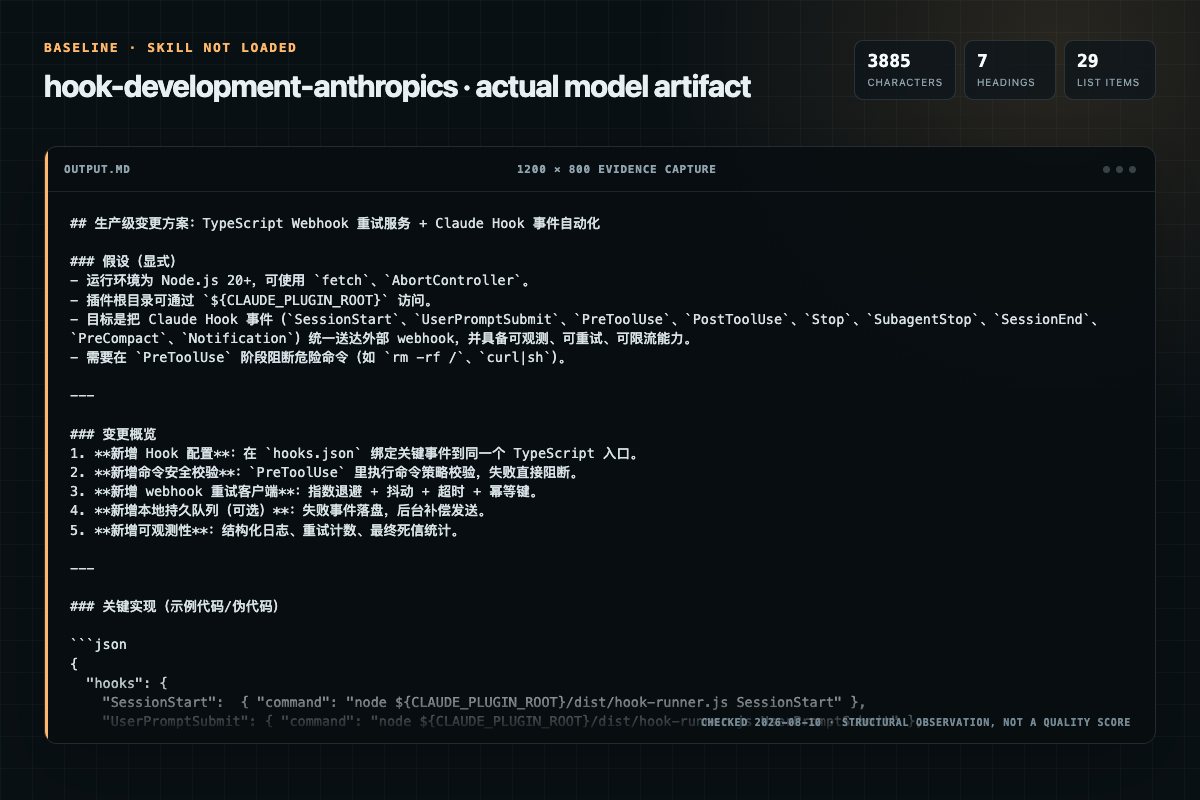
Baseline: 3885 non-whitespace characters, 7 headings, and 29 list items.
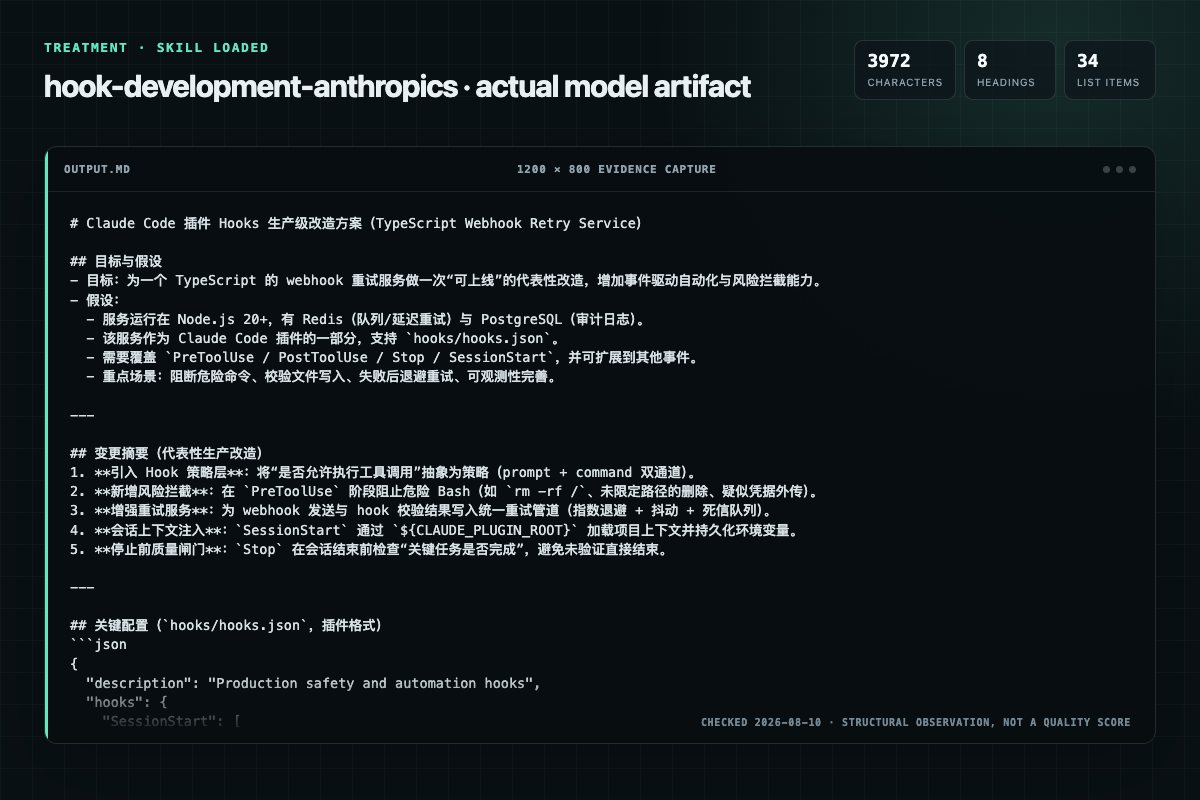
With Skill: 3972 non-whitespace characters, 8 headings, and 34 list items.
| Observation | Without Skill | With Skill |
|---|---|---|
| Source-signal coverage | 2/8: claude, hooks | 2/8: claude, hooks |
| Output structure | 3885 chars · 7 headings · 29 list items · 4 code blocks | 3972 chars · 8 headings · 34 list items · 3 code blocks |
| Verification and caution signals | 9 verification signals · 2 risk/limitation signals | 14 verification signals · 8 risk/limitation signals |
A prompt you can use
Use the hook-development Skill pinned at 0fc2bb13a805 for my task. Follow its source-specific constraints around `hook-development`, `development`, `claude`, `plugins`, then return the finished deliverable with explicit assumptions, verification, failure conditions, and limits. Do not treat the Skill text as a factual source or claim that a single demonstration proves universal performance.
Method and limitationsExpandCollapse
Test method
- Baseline and treatment used the same task, model (gpt-5.3-codex-low), and runner; the only planned difference was whether the complete target Skill text was injected.
- The treatment used snapshot 36b00173da517876f9e574ef98f3564b0e86c25d; the current source commit 0fc2bb13a805969c14b0fe9398bad41db346d84e was verified against content hash 95b23d9ef638. The baseline explicitly prohibited loading any Skill or external rule file.
- The same deterministic script counted characters, headings, lists, code blocks, verification terms, caution terms, and source signals in both artifacts. Source signals: `hook-development`, `development`, `claude`, `plugins`, `types`, `prompt-based`, `hooks`, `recommended`.
- The visuals are local screenshots of the actual Markdown artifacts in a fixed 1200 × 800 evidence canvas, not recreated product mockups. Raw JSON artifacts and request records are retained in the research directory.
Do not over-read this demo
- This is one controlled demonstration per condition, not a multi-run statistical benchmark; the model is stochastic.
- Character, structure, and keyword counts show observable differences but cannot by themselves prove correctness, originality, or business impact.
- The task is a representative test designed for repeatability, not every real-world use of the Skill; rerun after a material source change.
- Editorial review
- SkillSignal editorial
- Runner
- Cursor Agent 2026.07.09-a3815c0
- Model
- gpt-5.3-codex-low
- Refresh due
- 2026-11-18
- Reviewed commit
- 0fc2bb13a805969c14b0fe9398bad41db346d84e
- Test snapshot
- 36b00173da517876f9e574ef98f3564b0e86c25d
Compatibility matrix
Platform support, with evidence labels
| Platform | Status | Evidence | What to check |
|---|---|---|---|
| Codex | Not declared | No explicit evidence | Portability before use |
| Claude Code | Declared | Source record | Install path and trigger |
| Cursor | Not declared | No explicit evidence | Portability before use |
| Gemini CLI | Not declared | No explicit evidence | Portability before use |
Installation
Inspect first. Install second.
The source command is displayed only when detected. A safe inspection prompt is always available so your agent can explain every action before execution.
Source-detected install commandSource
npx skills add https://github.com/anthropics/claude-plugins-official --skill "plugins/plugin-dev/skills/hook-development"Safe inspection promptEditorial
Inspect the Agent Skill "hook-development" from https://github.com/anthropics/claude-plugins-official/blob/b819188d2eea14e0400556ca29dbd1179a7c595b/plugins/plugin-dev/skills/hook-development/SKILL.md at commit b819188d2eea14e0400556ca29dbd1179a7c595b. List every install step, command, network request, credential, file read/write, external action, and rollback step. Explain whether it fits my task. Do not install or execute anything until I approve.
Workflow
What the source asks the agent to do
- 01
Implementation Workflow
To implement hooks in a plugin:
Identify events to hook into (PreToolUse, Stop, SessionStart, etc.)Decide between prompt-based (flexible) or command (deterministic) hooksWrite hook configuration in hooks/hooks.json - 02
Hook Types
Use LLM-driven decision making for context-aware validation:
Context-aware decisions based on natural language reasoningFlexible evaluation logic without bash scriptingBetter edge case handling - 03
Prompt-Based Hooks (Recommended)
Use LLM-driven decision making for context-aware validation:
Context-aware decisions based on natural language reasoningFlexible evaluation logic without bash scriptingBetter edge case handling - 04
Command Hooks
Execute bash commands for deterministic checks:
Fast deterministic validationsFile system operationsExternal tool integrations - 05
Hook Configuration Formats
For plugin hooks in hooks/hooks.json, use wrapper format:
description field is optionalhooks field is required wrapper containing actual hook eventsThis is the plugin-specific format
Permission review
Static risk signals and limitations
Runs scripts
The documentation asks the agent to run terminal commands or scripts.
bash ${CLAUDE_PLUGIN_ROOT}/scripts/validate.shWrites files
The documentation asks the agent to create, modify, or delete local files.
**`validate-write.sh`** - File write validation exampleEvidence record
Why each signal appears
EvidenceSourceComputedTestedEditorial
| Signal | Value | Evidence type | Meaning |
|---|---|---|---|
| Quality score | 95/100 | Computed | Documentation, specificity, maintenance, and trust rules |
| Repository stars | 34,140 | Source | Repository attention, not individual Skill quality |
| Compatibility | 1 platforms | Source | Declared in the catalog source record |
| Usage guide | tested outcome page | Tested | Generated or reviewed according to the visible evidence level |
Pinned source
Provenance and original SKILL.md
- Repository
- anthropics/claude-plugins-official
- Skill path
- plugins/plugin-dev/skills/hook-development/SKILL.md
- Commit
- b819188d2eea14e0400556ca29dbd1179a7c595b
- License
- Apache-2.0
- Collected
- 2026-08-26
- Default branch
- main
View the original SKILL.md
Hook Development for Claude Code Plugins
Overview
Hooks are event-driven automation scripts that execute in response to Claude Code events. Use hooks to validate operations, enforce policies, add context, and integrate external tools into workflows.
Key capabilities:
- Validate tool calls before execution (PreToolUse)
- React to tool results (PostToolUse)
- Enforce completion standards (Stop, SubagentStop)
- Load project context (SessionStart)
- Automate workflows across the development lifecycle
Hook Types
Prompt-Based Hooks (Recommended)
Use LLM-driven decision making for context-aware validation:
{
  "type": "prompt",
  "prompt": "Evaluate if this tool use is appropriate: $TOOL_INPUT",
  "timeout": 30
}
Supported events: Stop, SubagentStop, UserPromptSubmit, PreToolUse
Benefits:
- Context-aware decisions based on natural language reasoning
- Flexible evaluation logic without bash scripting
- Better edge case handling
- Easier to maintain and extend
Command Hooks
Execute bash commands for deterministic checks:
{
  "type": "command",
  "command": "bash ${CLAUDE_PLUGIN_ROOT}/scripts/validate.sh",
  "timeout": 60
}
Use for:
- Fast deterministic validations
- File system operations
- External tool integrations
- Performance-critical checks
Hook Configuration Formats
Plugin hooks.json Format
For plugin hooks in hooks/hooks.json, use wrapper format:
{
  "description": "Brief explanation of hooks (optional)",
  "hooks": {
    "PreToolUse": [...],
    "Stop": [...],
    "SessionStart": [...]
  }
}
Key points:
descriptionfield is optionalhooksfield is required wrapper containing actual hook events- This is the plugin-specific format
Example:
{
  "description": "Validation hooks for code quality",
  "hooks": {
    "PreToolUse": [
      {
        "matcher": "Write",
        "hooks": [
          {
            "type": "command",
            "command": "${CLAUDE_PLUGIN_ROOT}/hooks/validate.sh"
          }
        ]
      }
    ]
  }
}
Settings Format (Direct)
For user settings in .claude/settings.json, use direct format:
{
  "PreToolUse": [...],
  "Stop": [...],
  "SessionStart": [...]
}
Key points:
- No wrapper - events directly at top level
- No description field
- This is the settings format
Important: The examples below show the hook event structure that goes inside either format. For plugin hooks.json, wrap these in {"hooks": {...}}.
Hook Events
PreToolUse
Execute before any tool runs. Use to approve, deny, or modify tool calls.
Example (prompt-based):
{
  "PreToolUse": [
    {
      "matcher": "Write|Edit",
      "hooks": [
        {
          "type": "prompt",
          "prompt": "Validate file write safety. Check: system paths, credentials, path traversal, sensitive content. Return 'approve' or 'deny'."
        }
      ]
    }
  ]
}
Output for PreToolUse:
{
  "hookSpecificOutput": {
    "permissionDecision": "allow|deny|ask",
    "updatedInput": {"field": "modified_value"}
  },
  "systemMessage": "Explanation for Claude"
}
PostToolUse
Execute after tool completes. Use to react to results, provide feedback, or log.
Example:
{
  "PostToolUse": [
    {
      "matcher": "Edit",
      "hooks": [
        {
          "type": "prompt",
          "prompt": "Analyze edit result for potential issues: syntax errors, security vulnerabilities, breaking changes. Provide feedback."
        }
      ]
    }
  ]
}
Output behavior:
- Exit 0: stdout shown in transcript
- Exit 2: stderr fed back to Claude
- systemMessage included in context
Stop
Execute when main agent considers stopping. Use to validate completeness.
Example:
{
  "Stop": [
    {
      "matcher": "*",
      "hooks": [
        {
          "type": "prompt",
          "prompt": "Verify task completion: tests run, build succeeded, questions answered. Return 'approve' to stop or 'block' with reason to continue."
        }
      ]
    }
  ]
}
Decision output:
{
  "decision": "approve|block",
  "reason": "Explanation",
  "systemMessage": "Additional context"
}
SubagentStop
Execute when subagent considers stopping. Use to ensure subagent completed its task.
Similar to Stop hook, but for subagents.
UserPromptSubmit
Execute when user submits a prompt. Use to add context, validate, or block prompts.
Example:
{
  "UserPromptSubmit": [
    {
      "matcher": "*",
      "hooks": [
        {
          "type": "prompt",
          "prompt": "Check if prompt requires security guidance. If discussing auth, permissions, or API security, return relevant warnings."
        }
      ]
    }
  ]
}
SessionStart
Execute when Claude Code session begins. Use to load context and set environment.
Example:
{
  "SessionStart": [
    {
      "matcher": "*",
      "hooks": [
        {
          "type": "command",
          "command": "bash ${CLAUDE_PLUGIN_ROOT}/scripts/load-context.sh"
        }
      ]
    }
  ]
}
Special capability: Persist environment variables using $CLAUDE_ENV_FILE:
echo "export PROJECT_TYPE=nodejs" >> "$CLAUDE_ENV_FILE"
See examples/load-context.sh for complete example.
SessionEnd
Execute when session ends. Use for cleanup, logging, and state preservation.
PreCompact
Execute before context compaction. Use to add critical information to preserve.
Notification
Execute when Claude sends notifications. Use to react to user notifications.
Hook Output Format
Standard Output (All Hooks)
{
  "continue": true,
  "suppressOutput": false,
  "systemMessage": "Message for Claude"
}
continue: If false, halt processing (default true)suppressOutput: Hide output from transcript (default false)systemMessage: Message shown to Claude
Exit Codes
0- Success (stdout shown in transcript)2- Blocking error (stderr fed back to Claude)- Other - Non-blocking error
Hook Input Format
All hooks receive JSON via stdin with common fields:
{
  "session_id": "abc123",
  "transcript_path": "/path/to/transcript.txt",
  "cwd": "/current/working/dir",
  "permission_mode": "ask|allow",
  "hook_event_name": "PreToolUse"
}
Event-specific fields:
- PreToolUse/PostToolUse:
tool_name,tool_input,tool_result - UserPromptSubmit:
user_prompt - Stop/SubagentStop:
reason
Access fields in prompts using $TOOL_INPUT, $TOOL_RESULT, $USER_PROMPT, etc.
Environment Variables
Available in all command hooks:
$CLAUDE_PROJECT_DIR- Project root path$CLAUDE_PLUGIN_ROOT- Plugin directory (use for portable paths)$CLAUDE_ENV_FILE- SessionStart only: persist env vars here$CLAUDE_CODE_REMOTE- Set if running in remote context
Always use ${CLAUDE_PLUGIN_ROOT} in hook commands for portability:
{
  "type": "command",
  "command": "bash ${CLAUDE_PLUGIN_ROOT}/scripts/validate.sh"
}
Plugin Hook Configuration
In plugins, define hooks in hooks/hooks.json:
{
  "PreToolUse": [
    {
      "matcher": "Write|Edit",
      "hooks": [
        {
          "type": "prompt",
          "prompt": "Validate file write safety"
        }
      ]
    }
  ],
  "Stop": [
    {
      "matcher": "*",
      "hooks": [
        {
          "type": "prompt",
          "prompt": "Verify task completion"
        }
      ]
    }
  ],
  "SessionStart": [
    {
      "matcher": "*",
      "hooks": [
        {
          "type": "command",
          "command": "bash ${CLAUDE_PLUGIN_ROOT}/scripts/load-context.sh",
          "timeout": 10
        }
      ]
    }
  ]
}
Plugin hooks merge with user's hooks and run in parallel.
Matchers
Tool Name Matching
Exact match:
"matcher": "Write"
Multiple tools:
"matcher": "Read|Write|Edit"
Wildcard (all tools):
"matcher": "*"
Regex patterns:
"matcher": "mcp__.*__delete.*" // All MCP delete tools
Note: Matchers are case-sensitive.
Common Patterns
// All MCP tools
"matcher": "mcp__.*"

// Specific plugin's MCP tools
"matcher": "mcp__plugin_asana_.*"

// All file operations
"matcher": "Read|Write|Edit"

// Bash commands only
"matcher": "Bash"
Security Best Practices
Input Validation
Always validate inputs in command hooks:
#!/bin/bash
set -euo pipefail

input=$(cat)
tool_name=$(echo "$input" | jq -r '.tool_name')

# Validate tool name format
if [[ ! "$tool_name" =~ ^[a-zA-Z0-9_]+$ ]]; then
  echo '{"decision": "deny", "reason": "Invalid tool name"}' >&2
  exit 2
fi
Path Safety
Check for path traversal and sensitive files:
file_path=$(echo "$input" | jq -r '.tool_input.file_path')

# Deny path traversal
if [[ "$file_path" == *".."* ]]; then
  echo '{"decision": "deny", "reason": "Path traversal detected"}' >&2
  exit 2
fi

# Deny sensitive files
if [[ "$file_path" == *".env"* ]]; then
  echo '{"decision": "deny", "reason": "Sensitive file"}' >&2
  exit 2
fi
See examples/validate-write.sh and examples/validate-bash.sh for complete examples.
Quote All Variables
# GOOD: Quoted
echo "$file_path"
cd "$CLAUDE_PROJECT_DIR"

# BAD: Unquoted (injection risk)
echo $file_path
cd $CLAUDE_PROJECT_DIR
Set Appropriate Timeouts
{
  "type": "command",
  "command": "bash script.sh",
  "timeout": 10
}
Defaults: Command hooks (60s), Prompt hooks (30s)
Performance Considerations
Parallel Execution
All matching hooks run in parallel:
{
  "PreToolUse": [
    {
      "matcher": "Write",
      "hooks": [
        {"type": "command", "command": "check1.sh"},  // Parallel
        {"type": "command", "command": "check2.sh"},  // Parallel
        {"type": "prompt", "prompt": "Validate..."}   // Parallel
      ]
    }
  ]
}
Design implications:
- Hooks don't see each other's output
- Non-deterministic ordering
- Design for independence
Optimization
- Use command hooks for quick deterministic checks
- Use prompt hooks for complex reasoning
- Cache validation results in temp files
- Minimize I/O in hot paths
Temporarily Active Hooks
Create hooks that activate conditionally by checking for a flag file or configuration:
Pattern: Flag file activation
#!/bin/bash
# Only active when flag file exists
FLAG_FILE="$CLAUDE_PROJECT_DIR/.enable-strict-validation"

if [ ! -f "$FLAG_FILE" ]; then
  # Flag not present, skip validation
  exit 0
fi

# Flag present, run validation
input=$(cat)
# ... validation logic ...
Pattern: Configuration-based activation
#!/bin/bash
# Check configuration for activation
CONFIG_FILE="$CLAUDE_PROJECT_DIR/.claude/plugin-config.json"

if [ -f "$CONFIG_FILE" ]; then
  enabled=$(jq -r '.strictMode // false' "$CONFIG_FILE")
  if [ "$enabled" != "true" ]; then
    exit 0  # Not enabled, skip
  fi
fi

# Enabled, run hook logic
input=$(cat)
# ... hook logic ...
Use cases:
- Enable strict validation only when needed
- Temporary debugging hooks
- Project-specific hook behavior
- Feature flags for hooks
Best practice: Document activation mechanism in plugin README so users know how to enable/disable temporary hooks.
Hook Lifecycle and Limitations
Hooks Load at Session Start
Important: Hooks are loaded when Claude Code session starts. Changes to hook configuration require restarting Claude Code.
Cannot hot-swap hooks:
- Editing
hooks/hooks.jsonwon't affect current session - Adding new hook scripts won't be recognized
- Changing hook commands/prompts won't update
- Must restart Claude Code: exit and run
claudeagain
To test hook changes:
- Edit hook configuration or scripts
- Exit Claude Code session
- Restart:
claudeorcc - New hook configuration loads
- Test hooks with
claude --debug
Hook Validation at Startup
Hooks are validated when Claude Code starts:
- Invalid JSON in hooks.json causes loading failure
- Missing scripts cause warnings
- Syntax errors reported in debug mode
Use /hooks command to review loaded hooks in current session.
Debugging Hooks
Enable Debug Mode
claude --debug
Look for hook registration, execution logs, input/output JSON, and timing information.
Test Hook Scripts
Test command hooks directly:
echo '{"tool_name": "Write", "tool_input": {"file_path": "/test"}}' | \
  bash ${CLAUDE_PLUGIN_ROOT}/scripts/validate.sh

echo "Exit code: $?"
Validate JSON Output
Ensure hooks output valid JSON:
output=$(./your-hook.sh < test-input.json)
echo "$output" | jq .
Quick Reference
Hook Events Summary
| Event | When | Use For |
|---|---|---|
| PreToolUse | Before tool | Validation, modification |
| PostToolUse | After tool | Feedback, logging |
| UserPromptSubmit | User input | Context, validation |
| Stop | Agent stopping | Completeness check |
| SubagentStop | Subagent done | Task validation |
| SessionStart | Session begins | Context loading |
| SessionEnd | Session ends | Cleanup, logging |
| PreCompact | Before compact | Preserve context |
| Notification | User notified | Logging, reactions |
Best Practices
DO:
- ✅ Use prompt-based hooks for complex logic
- ✅ Use ${CLAUDE_PLUGIN_ROOT} for portability
- ✅ Validate all inputs in command hooks
- ✅ Quote all bash variables
- ✅ Set appropriate timeouts
- ✅ Return structured JSON output
- ✅ Test hooks thoroughly
DON'T:
- ❌ Use hardcoded paths
- ❌ Trust user input without validation
- ❌ Create long-running hooks
- ❌ Rely on hook execution order
- ❌ Modify global state unpredictably
- ❌ Log sensitive information
Additional Resources
Reference Files
For detailed patterns and advanced techniques, consult:
references/patterns.md- Common hook patterns (8+ proven patterns)references/migration.md- Migrating from basic to advanced hooksreferences/advanced.md- Advanced use cases and techniques
Example Hook Scripts
Working examples in examples/:
validate-write.sh- File write validation examplevalidate-bash.sh- Bash command validation exampleload-context.sh- SessionStart context loading example
Utility Scripts
Development tools in scripts/:
validate-hook-schema.sh- Validate hooks.json structure and syntaxtest-hook.sh- Test hooks with sample input before deploymenthook-linter.sh- Check hook scripts for common issues and best practices
External Resources
- Official Docs: https://docs.claude.com/en/docs/claude-code/hooks
- Examples: See security-guidance plugin in marketplace
- Testing: Use
claude --debugfor detailed logs - Validation: Use
jqto validate hook JSON output
Implementation Workflow
To implement hooks in a plugin:
- Identify events to hook into (PreToolUse, Stop, SessionStart, etc.)
- Decide between prompt-based (flexible) or command (deterministic) hooks
- Write hook configuration in
hooks/hooks.json - For command hooks, create hook scripts
- Use ${CLAUDE_PLUGIN_ROOT} for all file references
- Validate configuration with
scripts/validate-hook-schema.sh hooks/hooks.json - Test hooks with
scripts/test-hook.shbefore deployment - Test in Claude Code with
claude --debug - Document hooks in plugin README
Focus on prompt-based hooks for most use cases. Reserve command hooks for performance-critical or deterministic checks.
Frequently asked questions
What to verify before installation and use
What does the hook-development source document cover?
This skill should be used when the user asks to "create a hook", "add a PreToolUse/PostToolUse/Stop hook", "validate tool use", "implement prompt-based hooks", "use ${CLAUDE_PLUGIN_ROOT}", "set up event-driven automation", "block dangerous commands", or mentions hook events (PreToolUse, PostToolUse, Stop, SubagentStop, SessionStart, SessionEnd, UserPromptSu…
How do I install hook-development?
The source record exposes this install command: npx skills add https://github.com/anthropics/claude-plugins-official --skill "plugins/plugin-dev/skills/hook-development". Inspect the command and pinned source before running it.
Which Agent platforms does the source record declare?
The pinned source record declares support for: claude code.
Which permission-related actions were detected?
Static rules flagged exec-script, write-files in the source; the page lists the matching lines and excerpts.
Alternatives
Compare before choosing
Computed 100146
oaustegard/claude-skills
featuring
Generate hierarchical _FEATURES.md files that describe what a codebase DOES from a user/consumer perspective, anchored to source symbols via tree-sitting. Supports large complex codebases through feature-driven decomposition into sub-feature files. Uses a multi-pass synthesis: orientation → detail → overview rewrite. Use when someone says "what does this do", "document features", "feature inventory", "_FEATURES.md", or needs to understand a codebase's purpose before modifying it. Complements tre
Computed 9981
vasilyu1983/AI-Agents-public
agents-hooks
Configures Claude Code hooks and Codex hooks.json/notify callbacks. Use when adding guardrails, preflight, audit trails, worktree automation, or budget enforcement.
Computed 9981
vasilyu1983/AI-Agents-public
qa-testing-ios
Guides iOS testing with XCTest, XCUITest, Swift Testing, simctl, and xcresult. Use when choosing destinations, controlling flakes, or parsing test artifacts for native apps.
Computed 9970
PaulRBerg/agent-skills
skill-writing
Create/scaffold/init a project-local agent skill under `.agents/skills` in an ordinary repository; defer to repository instructions that define a source catalog and lifecycle.