
Tested demoQuality 97/100Review permissions
notque/vexjoy-agent/skills/meta/html-artifact/SKILL.md
html-artifact
Generate rich self-contained HTML artifacts instead of markdown. Auto-detects artifact shape (spec, code-review, prototype, report, editor, data-viz, diagram, deck) and loads shape-specific patterns. Bundles Birchline design system with 4 theme presets. Use for "make HTML", "as HTML", "HTML artifact", or auto-injected by router when output benefits from rich visualization.
- Source repository stars
- 417
- Declared platforms
- 0
- Static risk flags
- 3
- Last source update
- 2026-08-28
- Source checked
- 2026-08-28
Decision brief
What it does: where it fits
Generate single self-contained .html files that replace markdown when the output needs color, interactivity, layout, or visualization. Auto-detect artifact shape from the request, load shape-specific patterns, generate, validate, deliver.
Not for
- Tasks that require unconfirmed production actions or broad system permissions.
- Environments where the pinned source and install steps cannot be inspected.
Controlled single-run demoChecked 2026-08-20
What changed when the Skill was used
In this controlled same-task single run, enabling html-artifact changed the output from 4580 non-whitespace characters and 0 headings to 6488 characters and 0 headings. Matches among 8 signals extracted from the pinned source changed from 0 to 2. Both actual outputs are shown; this is a structural observation, not a quality score or a universal performance claim.
Same test task
Review a flawed account-settings implementation for a small SaaS product. Prioritize concrete issues, explain impact, and provide corrected examples or decisions. The deliverable must specifically reflect this user intent: Generate rich self-contained HTML artifacts instead of markdown. Auto-detects artifact shape (spec, code-review, prototype, report, editor, data-viz, diagram, deck) and loads shape-specific patterns. Bundles Birchline design system with 4 theme presets. Use for "make HTML", "as HTML", "HTML artifact", or auto-injected by router when output benefits from rich visualization.
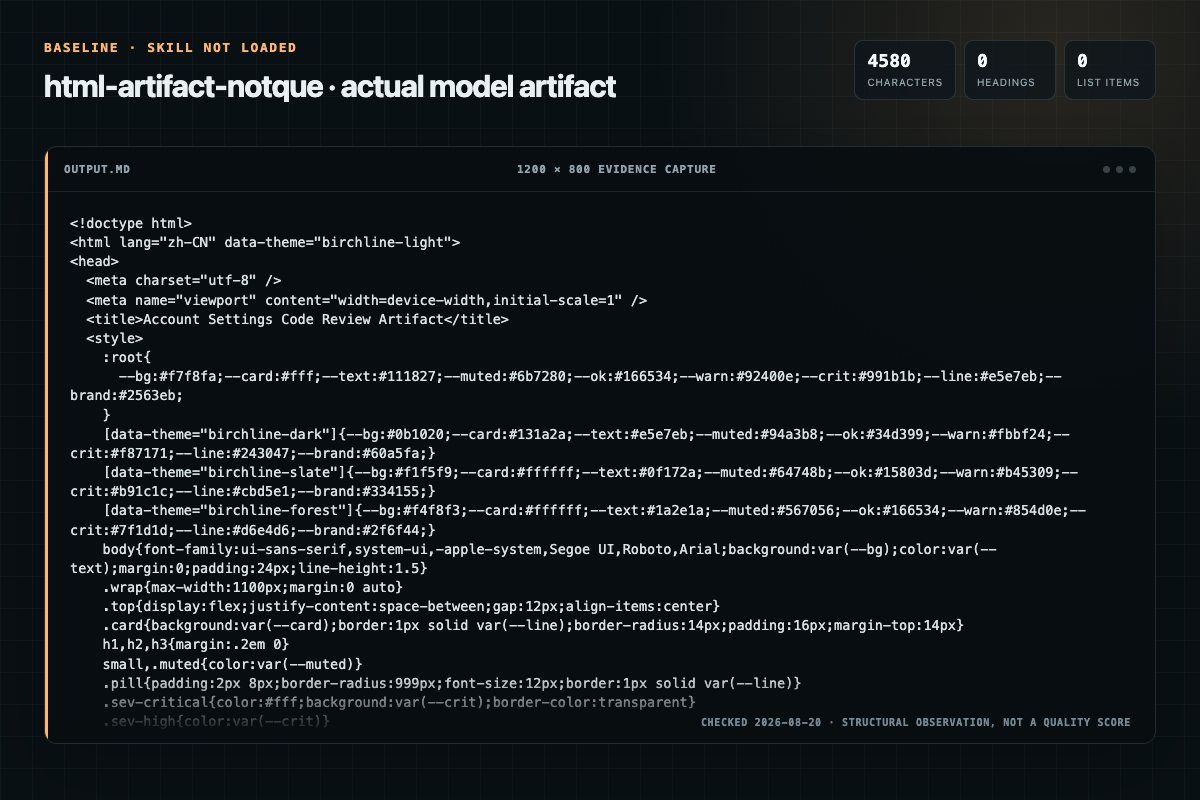
Baseline: 4580 non-whitespace characters, 0 headings, and 0 list items.
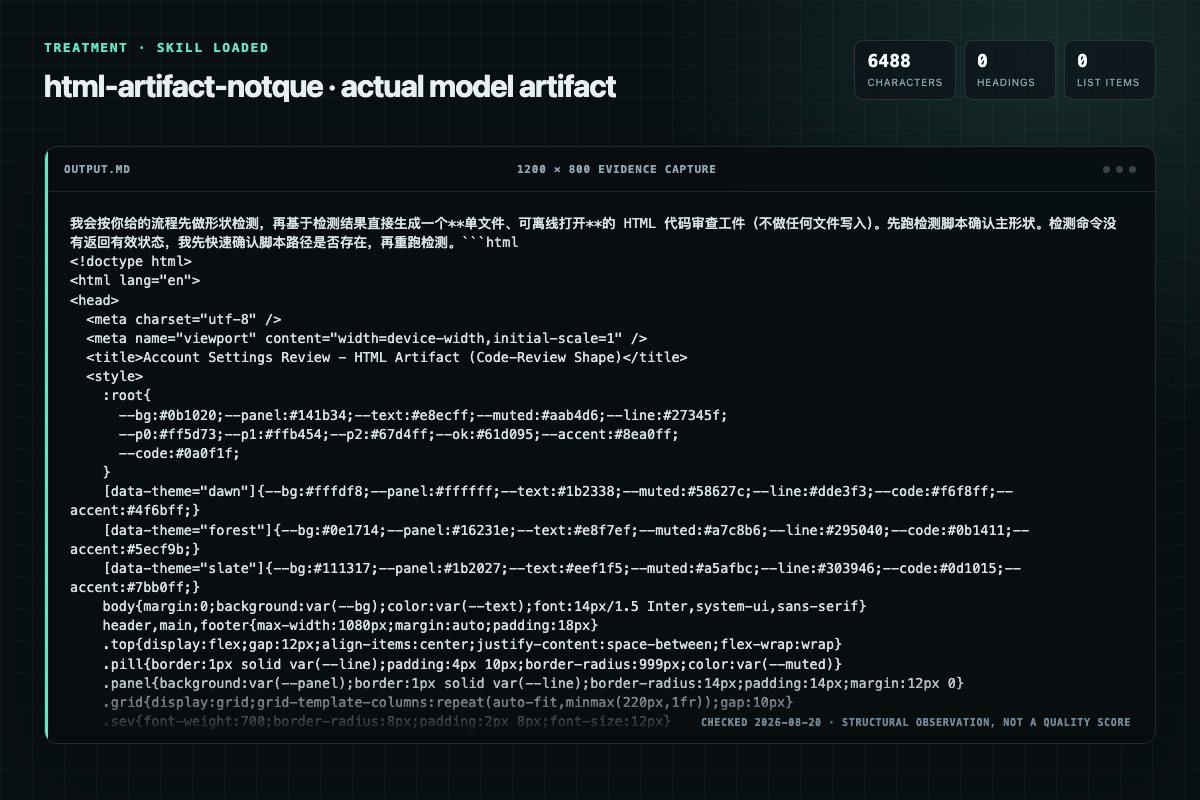
With Skill: 6488 non-whitespace characters, 0 headings, and 0 list items.
| Observation | Without Skill | With Skill |
|---|---|---|
| Source-signal coverage | 0/8: none | 2/8: self-contained, shape |
| Output structure | 4580 chars · 0 headings · 0 list items · 0 code blocks | 6488 chars · 0 headings · 0 list items · 0 code blocks |
| Verification and caution signals | 16 verification signals · 5 risk/limitation signals | 8 verification signals · 1 risk/limitation signals |
A prompt you can use
Use the html-artifact Skill pinned at 1e439d42bd6d for my task. Follow its source-specific constraints around `html-artifact`, `self-contained`, `artifacts`, `instructions`, then return the finished deliverable with explicit assumptions, verification, failure conditions, and limits. Do not treat the Skill text as a factual source or claim that a single demonstration proves universal performance.
Method and limitationsExpandCollapse
Test method
- Baseline and treatment used the same task, model (gpt-5.3-codex-low), and runner; the only planned difference was whether the complete target Skill text was injected.
- The treatment used snapshot 1e439d42bd6d75b44fdc7fc93a28b4031019511b; the current source commit 1e439d42bd6d75b44fdc7fc93a28b4031019511b was verified against content hash 52a6a05138c3. The baseline explicitly prohibited loading any Skill or external rule file.
- The same deterministic script counted characters, headings, lists, code blocks, verification terms, caution terms, and source signals in both artifacts. Source signals: `html-artifact`, `self-contained`, `artifacts`, `instructions`, `phase`, `detect`, `shape`, `hybrid`.
- The visuals are local screenshots of the actual Markdown artifacts in a fixed 1200 × 800 evidence canvas, not recreated product mockups. Raw JSON artifacts and request records are retained in the research directory.
Do not over-read this demo
- This is one controlled demonstration per condition, not a multi-run statistical benchmark; the model is stochastic.
- Character, structure, and keyword counts show observable differences but cannot by themselves prove correctness, originality, or business impact.
- The task is a representative test designed for repeatability, not every real-world use of the Skill; rerun after a material source change.
- Editorial review
- SkillSignal editorial
- Runner
- Cursor Agent 2026.08.11-e8db854
- Model
- gpt-5.3-codex-low
- Refresh due
- 2026-11-18
- Reviewed commit
- 1e439d42bd6d75b44fdc7fc93a28b4031019511b
- Test snapshot
- 1e439d42bd6d75b44fdc7fc93a28b4031019511b
Compatibility matrix
Platform support, with evidence labels
| Platform | Status | Evidence | What to check |
|---|---|---|---|
| Codex | Not declared | No explicit evidence | Portability before use |
| Claude Code | Not declared | No explicit evidence | Portability before use |
| Cursor | Not declared | No explicit evidence | Portability before use |
| Gemini CLI | Not declared | No explicit evidence | Portability before use |
Installation
Inspect first. Install second.
The source command is displayed only when detected. A safe inspection prompt is always available so your agent can explain every action before execution.
Source-detected install commandSource
npx skills add https://github.com/notque/vexjoy-agent --skill "skills/meta/html-artifact"Safe inspection promptEditorial
Inspect the Agent Skill "html-artifact" from https://github.com/notque/vexjoy-agent/blob/ad9e6558efff5859745698e5b909111c6db97594/skills/meta/html-artifact/SKILL.md at commit ad9e6558efff5859745698e5b909111c6db97594. List every install step, command, network request, credential, file read/write, external action, and rollback step. Explain whether it fits my task. Do not install or execute anything until I approve.
Workflow
What the source asks the agent to do
- 01
Instructions
5-phase pipeline: DETECT SHAPE, LOAD CONTEXT, GENERATE, VALIDATE, DELIVER. Phase 1 classifies the request into one of 8 shapes via deterministic script. Phase 2 loads the Birchline design system plus shape-specific reference. Phase 3 dispatches a subagent to generate the HTML. P…
Read templates/saved/.slots.json to learn the slots.Generate ONLY the slot content — never the layout, CSS, or chrome.Write the slot values to a JSON file and run fill-template.py --template --slots --out . - 02
Phase 0: CHECK SAVED TEMPLATE (clone-first)
Before detecting a shape, check whether the request names or matches a saved template. A saved template is a frozen, human-authored layout; cloning it beats regenerating structure because the layout cannot drift.
Read templates/saved/.slots.json to learn the slots.Generate ONLY the slot content — never the layout, CSS, or chrome.Write the slot values to a JSON file and run fill-template.py --template --slots --out . - 03
Phase 1: DETECT SHAPE
Classify the user's request into one of 8 artifact shapes.
Classify the user's request into one of 8 artifact shapes.Run: python3 skills/meta/html-artifact/scripts/detect-shape.py --request "{userrequest}"The script outputs a shape name and confidence score. - 04
Phase 2: ASSEMBLE TEMPLATE + LOAD CONTEXT
Two parallel steps: (A) run the template assembler to produce a pre-filled HTML skeleton, and (B) load principle-focused reference files for the builder agent.
CSS reset (templates/base-reset.css)Full theme tokens (templates/themes/{theme}.css)Shape-specific layout CSS (templates/shapes/{shape}.css) - 05
Phase 3: GENERATE
Dispatch the html-builder subagent with the pre-assembled template.
Read agents/html-builder.md for the subagent promptDispatch with: pre-assembled template (from Step A), design system principles, interaction pattern guidance, shape-specific reference, user requestAgent fills in the content structure using CSS classes already defined in the template
Permission review
Static risk signals and limitations
Writes files
The documentation asks the agent to create, modify, or delete local files.
Write the slot values to a JSON file and run `fill-template.py --template <name> --slots <file> --out <artifact>`.Reads files
The documentation asks the agent to read local files, directories, or repositories.
If yes: run `open {file}` (macOS) or `xdg-open {file}` (Linux)Runs scripts
The documentation asks the agent to run terminal commands or scripts.
python3 skills/meta/html-artifact/scripts/to-pdf.py \Runs scripts
The documentation asks the agent to run terminal commands or scripts.
python3 skills/meta/html-artifact/scripts/pptx-bridge/run-unified.py \Evidence record
Why each signal appears
EvidenceSourceComputedTestedEditorial
| Signal | Value | Evidence type | Meaning |
|---|---|---|---|
| Quality score | 97/100 | Computed | Documentation, specificity, maintenance, and trust rules |
| Repository stars | 417 | Source | Repository attention, not individual Skill quality |
| Compatibility | 0 platforms | Source | Declared in the catalog source record |
| Usage guide | tested outcome page | Tested | Generated or reviewed according to the visible evidence level |
Pinned source
Provenance and original SKILL.md
- Repository
- notque/vexjoy-agent
- Skill path
- skills/meta/html-artifact/SKILL.md
- Commit
- ad9e6558efff5859745698e5b909111c6db97594
- License
- MIT
- Collected
- 2026-08-28
- Default branch
- main
View the original SKILL.md
/html - Self-Contained HTML Artifacts
Generate single self-contained .html files that replace markdown when the output needs color, interactivity, layout, or visualization. Auto-detect artifact shape from the request, load shape-specific patterns, generate, validate, deliver.
Core constraint: Every artifact is ONE .html file. All CSS in <style>, all JS in <script>. No CDN links, no frameworks, no build steps, no external dependencies. Works offline, opens in any browser.
Instructions
Overview
5-phase pipeline: DETECT SHAPE, LOAD CONTEXT, GENERATE, VALIDATE, DELIVER. Phase 1 classifies the request into one of 8 shapes via deterministic script. Phase 2 loads the Birchline design system plus shape-specific reference. Phase 3 dispatches a subagent to generate the HTML. Phase 4 validates structure. Phase 5 delivers the file path and offers browser preview. Phase 6 EXPORT (optional) renders to PDF when the user asks for one.
Phase 0: CHECK SAVED TEMPLATE (clone-first)
Before detecting a shape, check whether the request names or matches a saved template. A saved template is a frozen, human-authored layout; cloning it beats regenerating structure because the layout cannot drift.
Run: python3 skills/meta/html-artifact/scripts/fill-template.py --list
If the request names a listed template (e.g. "project kickoff", "business review", "system design") or clearly matches one:
- Read
templates/saved/<name>.slots.jsonto learn the slots. - Generate ONLY the slot content — never the layout, CSS, or chrome.
- Write the slot values to a JSON file and run
fill-template.py --template <name> --slots <file> --out <artifact>. - Skip Phases 1–3 (shape detection, assembly, generation). Go to Phase 4 VALIDATE.
The fill script fails loud on a missing required slot, an undeclared slot name, or a leftover marker. Fix the slot JSON; do not edit the template.
If no saved template matches, continue to Phase 1.
See "Fidelity & Authority" below for the content-vs-layout rule that governs clone mode.
Phase 1: DETECT SHAPE
Classify the user's request into one of 8 artifact shapes.
Run: python3 skills/meta/html-artifact/scripts/detect-shape.py --request "{user_request}"
The script outputs a shape name and confidence score.
| Shape | Trigger Signals | What It Produces |
|---|---|---|
| spec | plan, explore options, compare N approaches, brainstorm | Side-by-side grids, Pro/Con badges, SVG data-flow diagrams, risk tables |
| code-review | review PR, explain diff, annotate code, understand module | Diff rendering, severity colors, margin annotations, jump links |
| prototype | prototype, animation, tune, try options, component variants | Sliders, CSS var live update, animation sandbox, contact sheets |
| report | report, summarize, status update, explain how X works, incident | TL;DR box, collapsible sections, timeline, metric callouts, SVG diagrams |
| editor | reorder, triage, edit config, tune prompt, pick values | Drag-drop, kanban, toggle switches, split-pane, export buttons |
| data-viz | visualize, chart, dashboard, show data, trends | SVG charts, canvas, interactive tooltips, filter controls |
| diagram | diagram, flowchart, architecture, sequence, SVG, illustrate, figure | Inline SVG diagrams, annotated flowcharts, figure sheets, interactive node details |
| deck | slides, presentation, deck, talk, pitch | Arrow-key navigable slide deck, 16:9 aspect ratio, slide types, progress bar |
Gate: Shape detected with medium+ confidence. -- because low-confidence classification produces artifacts that mix concerns and satisfy no shape well. Fallback to "report" (safest general-purpose shape) if confidence is low or ambiguous.
Hybrid Shapes
Real content often combines two shapes — a report with embedded diagrams, a spec with data-viz charts. When detect-shape.py returns a primary shape with medium/high confidence but the request also contains signals for a secondary shape, use the hybrid pattern:
| Primary Shape | + Secondary | Result |
|---|---|---|
| report | + diagram | Report layout (TL;DR, collapsibles, TOC) with inline SVG diagrams between sections |
| report | + data-viz | Report layout with embedded SVG charts illustrating key metrics |
| spec | + diagram | Comparison grid with SVG flow diagrams showing each option's architecture |
| spec | + data-viz | Comparison grid with charts showing performance/cost per option |
| diagram | + report | Figure sheet with explanatory text sections between diagram groups |
Detection: After running detect-shape.py, check if the secondary_shape field is non-null. If so, load BOTH shape references in Phase 2.
Generation rule: Primary shape controls page layout (outer structure). Secondary shape provides embedded components (inner elements). The html-builder agent receives both shape patterns and uses primary for structure, secondary for visual elements within sections.
Example: "create a visual companion for my pipelines article with diagrams and explanations" → primary: report (explain, article), secondary: diagram (visual, diagrams). Load shape-report-research.md AND shape-diagram-illustration.md.
Phase 2: ASSEMBLE TEMPLATE + LOAD CONTEXT
Two parallel steps: (A) run the template assembler to produce a pre-filled HTML skeleton, and (B) load principle-focused reference files for the builder agent.
Step A -- Assemble template (deterministic):
Run: python3 skills/meta/html-artifact/scripts/assemble-template.py --shape {shape} --title "{title}" --components {components}
The script reads CSS/JS from templates/ and injects:
- CSS reset (
templates/base-reset.css) - Full theme tokens (
templates/themes/{theme}.css) - Shape-specific layout CSS (
templates/shapes/{shape}.css) - Component CSS + JS (
templates/components/{name}.{css,js})
The assembler also emits a self-describing stamp as the FIRST CSS comment, so a later run can re-audit the build statelessly (recover shape/theme from output):
/* vexjoy-artifact: shape=<shape> theme=<name> contrast=<pass|fail|n/a> */
shape and theme come from this build's decisions. contrast=n/a at assembly time because the assembler runs no WCAG check; the stamp is a claim, not proof — Phase 4's slop scan verifies the rendered CSS independently rather than trusting it.
Select components based on shape needs:
| Shape | Typical Components |
|---|---|
| spec | tabs,copy-button,theme-toggle |
| code-review | collapsible,filter,keyboard-nav,theme-toggle |
| prototype | slider,copy-button,theme-toggle |
| report | collapsible,theme-toggle,copy-button |
| editor | drag-drop,filter,copy-button |
| data-viz | filter,theme-toggle |
| diagram | copy-button,theme-toggle |
| deck | keyboard-nav,theme-toggle |
Step B -- Load reference files (principles + guidance):
Always load:
references/design-system.md-- Theme selection, token architecture, accessibility checklist, SVG conventions, common mistakesreferences/interaction-patterns.md-- Component descriptions, when-to-use guidance, accessibility rules, composition guide
Load per detected shape:
| Shape | Reference File | Key Content |
|---|---|---|
| spec | references/shape-spec-exploration.md | Layout descriptions, composition guide, common mistakes |
| code-review | references/shape-code-review.md | Severity system, interaction patterns, section ordering |
| prototype | references/shape-design-prototype.md | Control types, export requirements, layout patterns |
| report | references/shape-report-research.md | Section ordering, TL;DR placement, metric patterns |
| editor | references/shape-custom-editor.md | Editor types, export bar rules, common mistakes |
| data-viz | references/shape-data-visualization.md | Chart types, coordinate system, color scales |
| diagram | references/shape-diagram-illustration.md | SVG construction rules, diagram types, interaction patterns |
| deck | references/shape-slide-deck.md | Slide types, navigation, print styles |
Gate: Template assembled + required references loaded. -- because the template provides deterministic CSS/JS injection, and references provide the judgment guidance the builder needs.
Phase 3: GENERATE
Dispatch the html-builder subagent with the pre-assembled template.
- Read
agents/html-builder.mdfor the subagent prompt - Dispatch with: pre-assembled template (from Step A), design system principles, interaction pattern guidance, shape-specific reference, user request
- Agent fills in the content structure using CSS classes already defined in the template
- Agent writes a single
.htmlfile to the project directory (or/tmp/html-artifacts/if no project context)
Self-contained file constraints (inline here because they govern generation):
| Constraint | Reason |
|---|---|
All CSS in <style> tag | No external stylesheets -- file must work offline |
All JS in <script> tag | No CDN imports -- no React, Vue, Tailwind CDN, Bootstrap CDN |
| Vanilla JS only | Single file, no build step, no transpilation |
Must include <title> | Browser tab identification, validation requirement |
Must include <meta charset="utf-8"> | Consistent rendering across platforms |
Must include <meta name="viewport"> | Responsive on mobile/tablet |
| Semantic HTML sections | <header>, <main>, <section>, <footer> for structure |
SVG inline, not <img src> | No external file references |
| Max 500KB file size | Keeps generation time reasonable, prevents bloated inline assets |
Constraint: No framework boilerplate. -- because React/Vue/Svelte require build steps and external imports that violate the single-file self-contained requirement. Vanilla JS handles all 8 shapes adequately.
Constraint: Generate HTML directly, never generate markdown then convert. -- because markdown-to-HTML conversion loses the shape-specific layout, interactivity, and visual structure that justifies using HTML in the first place.
Gate: .html file exists on disk.
-- because Phase 4 validation reads the file; a missing file means generation failed silently.
Phase 4: VALIDATE
Run deterministic validation on the generated file.
Run: python3 skills/meta/html-artifact/scripts/validate-artifact.py {html_file_path}
The script checks:
| Check | Fails When |
|---|---|
| Valid HTML structure | Missing <html>, <head>, or <body> |
| No external dependencies | Any src= or href= pointing to external URLs |
Has <title> | Missing or empty <title> tag |
| Has charset meta | Missing <meta charset> |
| Has viewport meta | Missing viewport meta tag |
| File size under 500KB | Excessive inline assets or animation keyframes |
| No broken internal refs | href="#id" pointing to nonexistent id attributes |
| Rendered-CSS slop scan | css_slop_rules.scan_css over the file content (warnings only, non-blocking) |
The slop scan (vendored css_slop_rules.py) flags 7 rendered-CSS patterns — transition-all, universal-hover-scale, gradient-text-headline, focus-ring-fade, emoji-feature-icon, two-line-cta, contrast-canary. It is shape-agnostic (checks CSS/markup, not page structure), so it applies to all 8 shapes including hero-less ones. Findings surface as warnings and do not fail the build yet; promote a rule to error in css_slop_rules.py to make it blocking.
Gate: All validation checks pass. -- because an HTML file with external dependencies fails offline, missing meta tags render inconsistently across browsers, and missing structure breaks accessibility.
If validation fails: Read the specific failures from script output, fix the identified issues in the HTML file, re-run validation. Maximum 3 fix attempts before showing the user the remaining issues and asking for guidance.
Phase 5: DELIVER
- Print the absolute file path
- Print a 1-line summary of what was generated (shape + key features)
- Ask user: "Open in browser?"
- If yes: run
open {file}(macOS) orxdg-open {file}(Linux)
Constraint: Detect headless/SSH environments before offering browser open.
-- because xdg-open fails without a display server, producing confusing errors. Check $DISPLAY on Linux or $SSH_TTY presence. If headless, print path only and skip the open offer.
Phase 6: EXPORT (optional)
Render the generated HTML to PDF. Opt-in only — HTML stays the default deliverable.
Fires when the user message contains any of: "PDF", "export PDF", "make a PDF", "as PDF", "send as PDF", "save as PDF", "PDF version", "PDF export". Without one of those signals, this phase stays dormant.
Runs:
python3 skills/meta/html-artifact/scripts/to-pdf.py \
    --input <generated.html> \
    --output <generated.pdf> \
    --json
The script auto-detects shape from <body data-shape="..."> (the assembler adds it in Phase 2). Page size, orientation, and margins come from a per-shape map: deck renders 13.333in × 7.5in landscape with no margin; spec, code-review, prototype, data-viz, and diagram render Letter landscape; report and editor render Letter portrait. Falls back to Letter portrait when shape is unknown.
Delivers both file paths to the user. The JSON output reports {"output", "page_count", "shape", "bytes"} — page_count reflects slide count for decks, 0 otherwise.
If Playwright is unavailable, exit code 2 surfaces install instructions: pip install -e ".[pdf]" && playwright install chromium. Pass that hint along to the user instead of failing silently.
See references/pdf-export.md for the full page-size table, troubleshooting (font fallback, image timing, install failures), and per-shape print stylesheet inventory.
Phase 7: EXPORT-PPTX (optional)
Render the generated HTML deck to an editable Microsoft PowerPoint .pptx. Opt-in only — HTML stays the default deliverable. Mirrors Phase 6 EXPORT-PDF in shape: signal-triggered, deterministic, runs after the HTML is built.
Fires when the user message contains any of: "pptx", ".pptx", "powerpoint", "editable deck", "editable", "as pptx", "export pptx", "hand-off", "corporate template". Without one of those signals, this phase stays dormant.
Only valid when the detected shape is deck. Other shapes (report, spec, diagram, etc.) cannot be exported to PPTX — fall back to Phase 6 PDF if the user asks.
Runs:
python3 skills/meta/html-artifact/scripts/pptx-bridge/run-unified.py \
    --input <generated.html> \
    --format pptx \
    --out <generated.pptx> \
    --no-render
The bridge re-authors slides natively via python-pptx because no general HTML→PPTX converter preserves CSS-rich layout. Output is 13.333 × 7.5 in (16:9), dark navy theme, Aptos body / Cascadia Code mono. Each <section class="slide"> becomes one editable slide; up to 12 layout types (title, content, metric_grid, layer_rows, pipeline, code_block, compare_table_2col/3col, outcome_grid, split_narrow, closing) map 1:1 to native python-pptx builders.
--out accepts either a .pptx file path (single-file mode) or a directory (writes the .pptx plus slides.json, report.md, optional render/ siblings). --no-render skips the optional LibreOffice QA step; required on hosts without soffice.
If python-pptx is unavailable, exit code 1 surfaces install instructions: pip install python-pptx. Pass that hint along to the user instead of failing silently.
See references/pptx-export.md for the full layout table, THEME dict, CLI reference, validation criteria, and failure modes.
Error Handling
| Error | Cause | Solution |
|---|---|---|
| detect-shape.py returns low confidence | Ambiguous request mapping to multiple shapes | Fall back to "report" shape -- safest general-purpose format |
| Generated HTML has external dependencies | Builder included CDN links or external src refs | Regenerate with explicit constraint: "no external deps, all CSS/JS inline" |
| File exceeds 500KB | Excessive inline SVGs or animation keyframes | Simplify SVG paths, reduce keyframe count, compress data |
| Browser won't open | No display server (headless, SSH, WSL without WSLg) | Print path only, suggest scp or a local preview: python3 -m http.server --bind 127.0.0.1. For public access use nginx, not http.server; see the public-web-deploy skill. |
| Validation fails repeatedly (3+ attempts) | Structural issue the builder cannot self-correct | Show validation output to user, ask for guidance |
| Shape misclassified | Auto-detection picked wrong shape for request | User overrides with /html --shape=<name> <request> |
Preferred Patterns
Pattern 1: CDN and Framework Imports
What it looks like: <link href="https://cdn.jsdelivr.net/..."> or <script src="https://unpkg.com/react@18/..."> in the generated HTML.
Why wrong: Breaks the self-contained contract. File fails offline, introduces version drift, adds weight the user didn't ask for.
Do instead: Inline all CSS in <style>. Write vanilla JS in <script>. The Birchline design system in references/design-system.md provides the full token set.
Pattern 2: Markdown-to-HTML Conversion
What it looks like: Generating a markdown document first, then running it through a converter or wrapping it in <pre> tags.
Why wrong: Loses shape-specific layout, interactivity, SVG diagrams, and responsive grid structures. Produces "markdown in a browser" instead of a native HTML artifact.
Do instead: Generate HTML directly using shape-specific patterns from references. The HTML structure IS the output format, not a rendering layer on top of text.
Pattern 3: Monolithic Unstructured HTML
What it looks like: One giant <div> with inline styles on every element, no semantic structure, no comments.
Why wrong: Unreadable source, hard to debug, impossible for the user to modify. Accessibility tools cannot navigate it.
Do instead: Use semantic HTML (<header>, <main>, <section>, <footer>). Define CSS classes in <style>. Add section comments. Group related elements logically.
Pattern 4: Over-Engineering Simple Requests
What it looks like: Generating a full interactive dashboard when the user asked for a simple comparison table.
Why wrong: 2-4x generation time for features the user didn't request. Complexity without value.
Do instead: Match artifact complexity to request complexity. A comparison of 3 options needs a grid with cards, not a filterable dashboard with animations.
Anti-Rationalization
| Rationalization | Why Wrong | Required Action |
|---|---|---|
| "Markdown is fine for this" | If shape detection triggered, the request has visual/interactive needs markdown can't serve | Generate HTML; user opts out with "as markdown" |
| "I'll add Tailwind CDN for faster styling" | Breaks self-contained requirement, fails offline | Use Birchline tokens from design-system.md |
| "The HTML looks right, skip validation" | Visual inspection misses missing meta tags, broken internal links, external deps | Run validate-artifact.py every time |
| "Report shape works for everything" | Each shape has distinct layout and interaction patterns; report is a fallback, not a default | Use the detected shape; report only when confidence is genuinely low |
Reference Loading Table
| Signal | Load These Files | Why |
|---|---|---|
| Any html-artifact invocation | references/design-system.md | Theme selection, token architecture, accessibility, common mistakes |
| Any html-artifact invocation | references/interaction-patterns.md | Component descriptions, when-to-use, accessibility rules |
| Shape = spec | references/shape-spec-exploration.md | Layout descriptions, composition guide, common mistakes |
| Shape = code-review | references/shape-code-review.md | Severity system, interaction patterns, section ordering |
| Shape = prototype | references/shape-design-prototype.md | Control types, export requirements, layout patterns |
| Shape = report | references/shape-report-research.md | Section ordering, TL;DR placement, metric patterns |
| Shape = editor | references/shape-custom-editor.md | Editor types, export bar rules, common mistakes |
| Shape = data-viz | references/shape-data-visualization.md | Chart types, coordinate system, color scales |
| Shape = diagram | references/shape-diagram-illustration.md | SVG construction rules, diagram types, interaction patterns |
| Shape = deck | references/shape-slide-deck.md | Slide types, navigation, print styles |
| Request mentions scroll, reveal, animate on scroll, progressive | references/scrollytelling-patterns.md | IntersectionObserver scroll animations, stagger, counters, progress bar |
| Request mentions PDF, export PDF, as PDF, PDF version | references/pdf-export.md | Phase 6 trigger conditions, page-size table, troubleshooting, install instructions |
| Request mentions pptx, .pptx, powerpoint, editable deck, hand-off, corporate template | references/pptx-export.md | Phase 7 trigger conditions, layout types, THEME dict, CLI reference, failure modes |
Shape = diagram OR request contains "SVG", "architecture diagram", "flowchart", "sequence diagram" | references/diagram-layering.md | SVG layer order, masking rect technique, semantic color system for dark-theme diagrams |
Shape = data-viz OR request contains "infographic", "layout", "visualize data", "chart type" | references/infographic-layouts.md | 21 layout types with content-type pairings and 22 visual styles |
| Request mentions animated text, rolling/slot text, kinetic headline, typewriter | ../../frontend/distinctive-frontend-design/references/roll-text.md, ../../frontend/distinctive-frontend-design/references/text-animation-patterns.md | Zero-npm roll/slot text plus reveal, typewriter, crossfade patterns to inline |
Shared Patterns
This skill uses:
- Anti-Rationalization -- Prevents shortcut rationalizations
- Verification Checklist -- Pre-completion checks
- Gate Enforcement -- Phase transitions
Reference Files
references/design-system.md: Theme selection, token architecture, accessibility checklist, SVG conventions, common mistakesreferences/interaction-patterns.md: Component descriptions, when-to-use guidance, accessibility rules, composition guidereferences/shape-spec-exploration.md: Spec shape -- layout, composition guide, common mistakesreferences/shape-code-review.md: Code review shape -- severity system, interaction patterns, section orderingreferences/shape-design-prototype.md: Prototype shape -- control types, export requirements, layout patternsreferences/shape-report-research.md: Report shape -- section ordering, TL;DR placement, metric patternsreferences/shape-custom-editor.md: Editor shape -- editor types, export bar rules, common mistakesreferences/shape-data-visualization.md: Data viz shape -- chart types, coordinate system, color scalesreferences/shape-diagram-illustration.md: Diagram shape -- SVG construction rules, diagram types, interaction patternsreferences/shape-slide-deck.md: Deck shape -- slide types, navigation, print stylesagents/html-builder.md: Subagent prompt for HTML generationreferences/scrollytelling-patterns.md: IntersectionObserver scroll animation patternsreferences/pdf-export.md: Phase 6 EXPORT — trigger conditions, page-size table, print stylesheet inventory, troubleshootingreferences/pptx-export.md: Phase 7 EXPORT-PPTX — trigger conditions, layout types, THEME dict, CLI reference, failure modesreferences/diagram-layering.md: SVG layer order, masking rect technique, dark design system constants, semantic color palettereferences/infographic-layouts.md: 21 layout types with structure and use guidance, 22 visual styles, content-type pairingsscripts/detect-shape.py: Deterministic shape classification from user requestscripts/assemble-template.py: Template assembly with theme, shape, and component CSS/JS injectionscripts/validate-artifact.py: HTML structure, self-containment, and rendered-CSS slop validationscripts/css_slop_rules.py: vendored slop scanner (scan_css) — 7 rendered-CSS rules, dependency-free. Keep in sync with distinctive-frontend-design.scripts/to-pdf.py: Playwright-based PDF rendering with per-shape page sizingscripts/pptx-bridge/: HTML deck → editable PPTX (extract_slides.py, _pptx_engine.py, render_pptx.py, run-unified.py)templates/: CSS/JS template files organized by themes/, shapes/, components/, print/
Saved Templates
Pre-built, reusable artifact templates for recurring requests. Two renderer patterns:
- Specialized renderer — a script that fetches live data and fills a bespoke template (
github-issues). - Generic slot filler —
scripts/fill-template.pyclones any frozen template intemplates/saved/and substitutes caller-supplied slot values. One skill, many template files: add a layout, not a skill.
| Template | Renderer | Use For |
|---|---|---|
templates/saved/github-issues.html | scripts/render-github-issues.py | "show me my GitHub issues" / "show me my tickets" — assigned + mentioned + review-requested across all repos, with per-issue discussion expanders and 5 client-side sort modes |
templates/saved/business-review.html | scripts/fill-template.py | "business review" — KPIs, segment results, priorities, decisions, outlook |
templates/saved/project-kickoff.html | scripts/fill-template.py | "project kickoff" — agenda, foundation, scope, workstreams + owners, milestone gates, decisions, risks |
templates/saved/system-design.html | scripts/fill-template.py | "system design" — requirements, architecture, components, data flow, tradeoffs, operations |
See templates/saved/README.md to add a template.
Fidelity & Authority
Governs clone mode (Phase 0). Adapted from the OpenAI curated-template skills, which keep on-brand output by cloning a fixed reference instead of regenerating it.
Clone, don't regenerate. When a saved template applies, clone its layout unchanged and fill only the content slots. Do not rebuild the structure, restyle the CSS, or "improve" the chrome. Regeneration is where visual drift and AI slop enter; a frozen template removes that risk.
Content-vs-layout authority. One rule resolves every "should I restyle this?" question:
User instructions control requested content and explicit deviations. The retained template controls layout and formatting where the user has not requested a change.
So: change layout only when the user asks for a layout change. Otherwise the template wins. fill-template.py enforces this mechanically — it substitutes slot values and touches nothing else.
Fail loud, don't degrade. If a required slot has no content, stop and get the content — do not silently ship a half-filled template. The fill script exits non-zero on a missing required slot, an undeclared slot, or a leftover marker.
Frequently asked questions
What to verify before installation and use
What does the html-artifact source document cover?
Generate single self-contained .html files that replace markdown when the output needs color, interactivity, layout, or visualization. Auto-detect artifact shape from the request, load shape-specific patterns, generate, validate, deliver.
How do I install html-artifact?
The source record exposes this install command: npx skills add https://github.com/notque/vexjoy-agent --skill "skills/meta/html-artifact". Inspect the command and pinned source before running it.
Which permission-related actions were detected?
Static rules flagged write-files, read-files, exec-script in the source; the page lists the matching lines and excerpts.
Alternatives
Compare before choosing
Computed 10045,960
coreyhaines31/marketingskills
ab-testing
When the user wants to plan, design, or implement an A/B test or experiment, or build a growth experimentation program. Also use when the user mentions "A/B test," "split test," "experiment," "test this change," "variant copy," "multivariate test," "hypothesis," "should I test this," "which version is better," "test two versions," "statistical significance," "how long should I run this test," "growth experiments," "experiment velocity," "experiment backlog," "ICE score," "experimentation program
Computed 1008
narrative-io/narrative-skills-marketplace
design-analysis
Translate a fuzzy analytical question into a rigorous investigation plan. Interrogates the ask, grounds the plan in the available data dictionary, applies analytical best practices, and produces a structured brief of query specifications for a downstream query-writing skill. Plans, does not write SQL. Use when: "why did X drop", "is there a relationship between A and B", "who are our highest-value customers", "what's driving the change in Y", "investigate this trend", "design an analysis for", "
Computed 9967
brucesongs/kali-claw
insecure-design
Insecure Design (OWASP A06:2025) focuses on security flaws in system architecture and design phases, rather than code implementation-level bugs.
Computed 9916
NintendaDev/unikit-ai
unikit-docs
Generate and maintain the project's TECHNICAL documentation from its codebase — scans the project structure, tech stack, and module boundaries, then writes a lean README landing page plus detailed topic pages (architecture, modules, setup, build, APIs), only the docs that are relevant. Use whenever the user wants to create, update, or validate documentation of the CODE or the project itself, e.g. "generate documentation", "create docs", "write the README", "update the project docs", "document th