
Best for
- Use when building drag and drop, gestures, text or SVG animation, or imperative animation sequences in React or Next.
affaan-m/ECC/skills/motion-advanced/SKILL.md
Advanced motion patterns for React / Next.js — drag & drop, gestures, text animations, SVG path drawing, custom hooks, imperative sequences (useAnimate), loaders, and the full API decision tree. Requires motion-foundations. Use when building drag and drop, gestures, text or SVG animation, or imperative animation sequences in React or Next.js.
Decision brief
Complex, interactive, and physics-based animation patterns. Requires motion-foundations to be set up first. Use these when motion-patterns is not enough.
In this controlled same-task single run, enabling motion-advanced changed the output from 3743 non-whitespace characters and 7 headings to 4003 characters and 7 headings. Matches among 8 signals extracted from the pinned source changed from 1 to 2. Both actual outputs are shown; this is a structural observation, not a quality score or a universal performance claim.
Design and implement a representative production change for a TypeScript webhook retry service. Include the key code or pseudocode, tradeoffs, and verification steps. The deliverable must specifically reflect this user intent: Advanced motion patterns for React / Next.js — drag & drop, gestures, text animations, SVG path drawing, custom hooks, imperative sequences (useAnimate), loaders, and the full API decision tree. Requires motion-foundations.
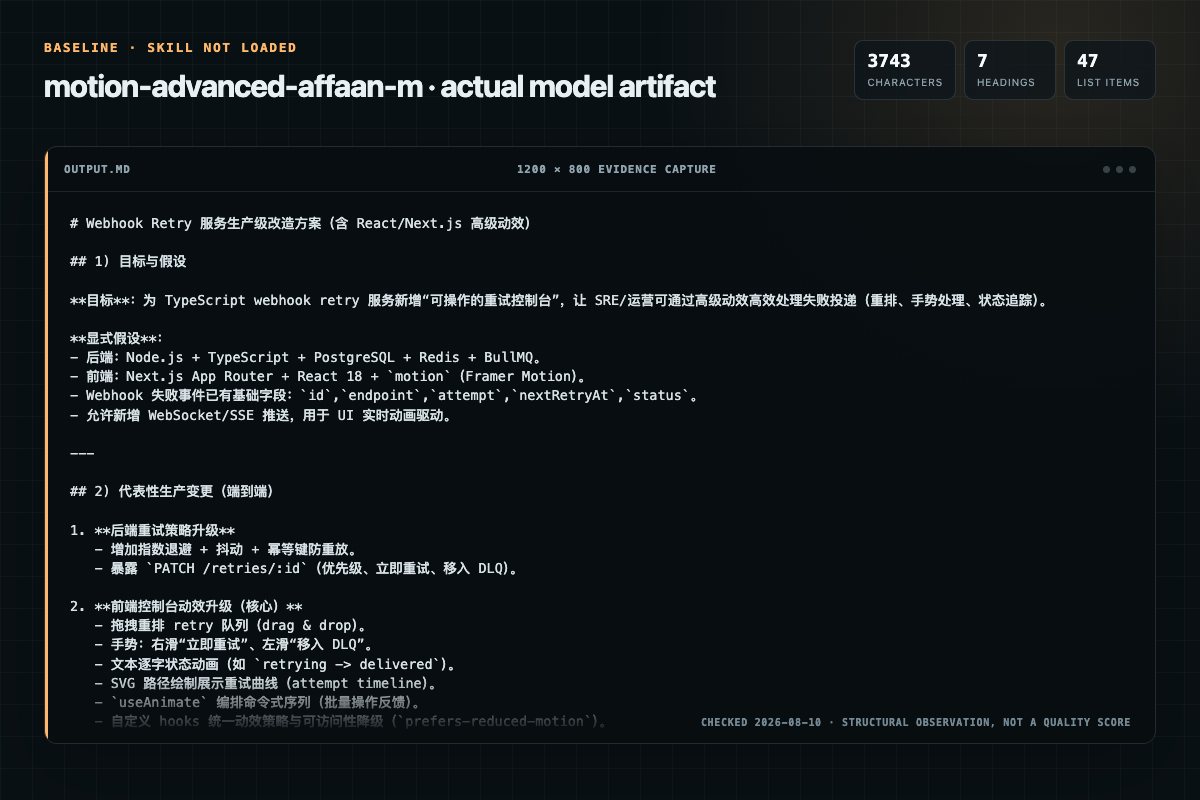
Baseline: 3743 non-whitespace characters, 7 headings, and 47 list items.
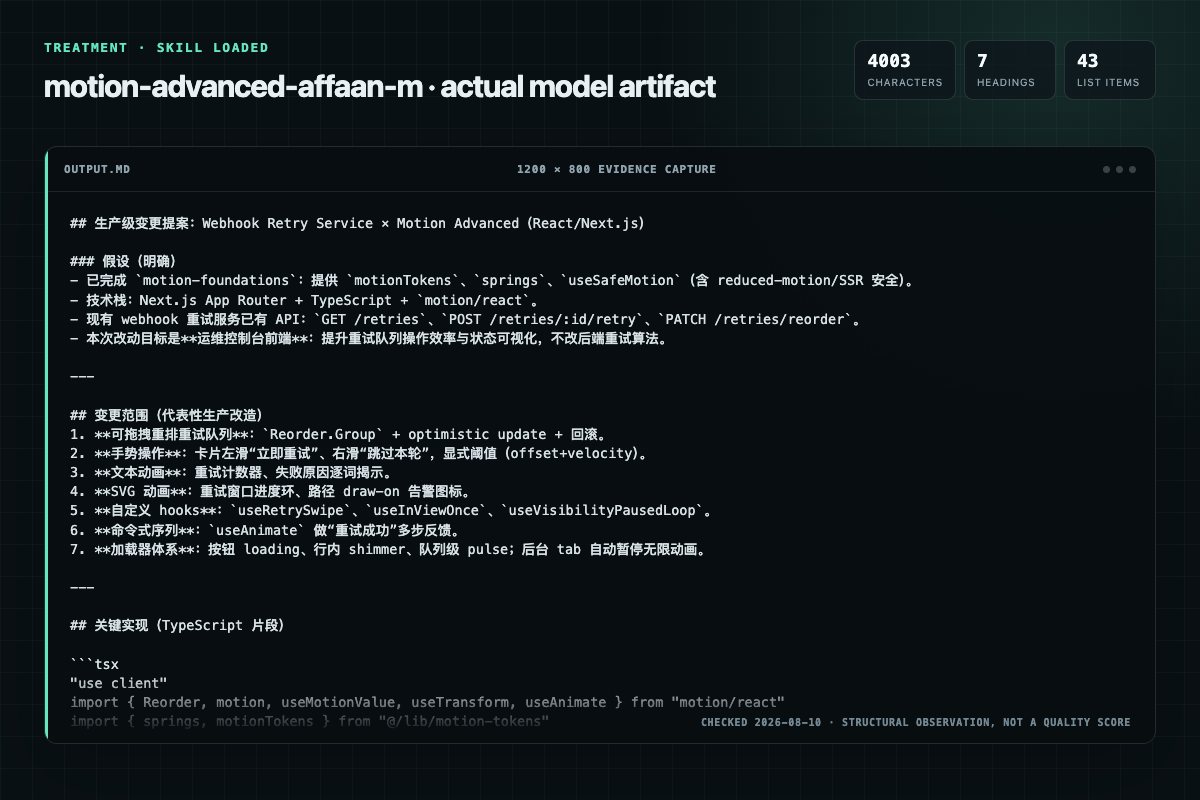
With Skill: 4003 non-whitespace characters, 7 headings, and 43 list items.
| Observation | Without Skill | With Skill |
|---|---|---|
| Source-signal coverage | 1/8: motion | 2/8: motion, advanced |
| Output structure | 3743 chars · 7 headings · 47 list items · 4 code blocks | 4003 chars · 7 headings · 43 list items · 3 code blocks |
| Verification and caution signals | 6 verification signals · 4 risk/limitation signals | 5 verification signals · 4 risk/limitation signals |
Use the motion-advanced Skill pinned at d8409a4b0813 for my task. Follow its source-specific constraints around `motion-advanced`, `motion`, `advanced`, `activate`, then return the finished deliverable with explicit assumptions, verification, failure conditions, and limits. Do not treat the Skill text as a factual source or claim that a single demonstration proves universal performance.
Compatibility matrix
| Platform | Status | Evidence | What to check |
|---|---|---|---|
| Codex | Not declared | No explicit evidence | Portability before use |
| Claude Code | Not declared | No explicit evidence | Portability before use |
| Cursor | Declared | Source record | Install path and trigger |
| Gemini CLI | Not declared | No explicit evidence | Portability before use |
Installation
The source command is displayed only when detected. A safe inspection prompt is always available so your agent can explain every action before execution.
npx skills add https://github.com/affaan-m/ECC --skill "skills/motion-advanced"Inspect the Agent Skill "motion-advanced" from https://github.com/affaan-m/ECC/blob/d8409a4b0813771235555e32e3d8046a73988bfa/skills/motion-advanced/SKILL.md at commit d8409a4b0813771235555e32e3d8046a73988bfa. List every install step, command, network request, credential, file read/write, external action, and rollback step. Explain whether it fits my task. Do not install or execute anything until I approve.
Workflow
Building drag-to-dismiss sheets, swipe gestures, or reorderable lists
Drag interactions: draggable cards, drag-to-dismiss sheets, Reorder.Group lists
Physics-based motion (useSpring, springs.) always feels more natural than duration-based for direct manipulation.
1. Drag interactions must be tested on touch devices, not just mouse. drag prop works on both but feel and threshold differ. 2. Infinite animations must pause when document.visibilityState === "hidden". Background tabs must not consume GPU/CPU. 3. Swipe threshold must be explici…
Review the “Decision Guidance” section in the pinned source before continuing.
Permission review
No configured static risk pattern was detected
This is not proof of safety. Runtime behavior, indirect dependencies, and hidden external systems are outside the static scan.
Evidence record
| Signal | Value | Evidence type | Meaning |
|---|---|---|---|
| Quality score | 95/100 | Computed | Documentation, specificity, maintenance, and trust rules |
| Repository stars | 242,963 | Source | Repository attention, not individual Skill quality |
| Compatibility | 1 platforms | Source | Declared in the catalog source record |
| Usage guide | tested outcome page | Tested | Generated or reviewed according to the visible evidence level |
Pinned source
Complex, interactive, and physics-based animation patterns.
Requires motion-foundations to be set up first.
Use these when motion-patterns is not enough.
useScrollReveal, magnetic button, cursor follower)useAnimateThis skill produces:
Reorder.Group listsuseScrollReveal, useHoverScale, useNavigationDirection, useInViewOnceuseAnimate with interrupt-safe async/awaituseSpring, springs.*) always feels more natural than duration-based for direct manipulation.useMotionValue + useTransform computes derived values without triggering re-renders.useAnimate sequences are imperative and interrupt-safe — calling animate() mid-flight cancels the previous animation automatically.useMotionValue, useSpring) are SSR-safe and do not cause hydration errors.drag prop works on both but feel and threshold differ.document.visibilityState === "hidden". Background tabs must not consume GPU/CPU.offset + velocity checks.useAnimate scope ref must be attached to a mounted DOM element. Calling animate() before mount throws silently.useMotionValue(0) inside a component body is correct; new MotionValue(0) in a render is not.motion-foundations. No inline numbers.window.addEventListener needs a matching removeEventListener in the useEffect return.| Scenario | API |
|---|---|
| Drag with physics on release | drag + dragTransition: springs.release |
| Ordered drag-to-reorder list | Reorder.Group + Reorder.Item |
| Dismiss on drag offset | drag="y" + onDragEnd offset check |
| Swipe left/right | drag="x" + onDragEnd offset check |
| Long press | useLongPress hook |
| Value smoothed over time | useSpring |
| Value derived from another | useTransform |
| Multi-step sequence | useAnimate with async/await |
| One-shot imperative animation | animate() from motion |
| Text entering word by word | Stagger on inline-block spans |
| SVG drawing on | pathLength 0 → 1 |
| SVG morph | d attribute tween (equal commands) |
| Circular progress | strokeDashoffset tween |
useSpring vs a spring transitionuseSpring | transition: springs.* | |
|---|---|---|
| Use for | Cursor follower, pointer-tracked values | Discrete state changes |
| Updates | Continuous, on every frame | Triggered by state change |
| Interrupt | Smooth — physics picks up from velocity | Restarts from current value |
Reactive computation without re-renders:
const x = useMotionValue(0)
const opacity = useTransform(x, [-200, 0, 200], [0, 1, 0])
// opacity updates every frame as x changes — no setState, no re-render
Returns [scope, animate]. The scope ref must be attached to a DOM element.
animate() calls are interrupt-safe — calling mid-flight cancels the previous run.
const [scope, animate] = useAnimate()

async function play() {
  await animate(".step-1", { opacity: 1 }, { duration: 0.3 })
  await animate(".step-2", { x: 0 },       { duration: 0.4 })
        animate(".step-3", { scale: 1 },    { duration: 0.25 })  // fire and forget
}

return <div ref={scope}>...</div>
"use client"
import { motion } from "motion/react"
import { springs, motionTokens } from "@/lib/motion-tokens"

<motion.div
  drag
  dragConstraints={{ left: -100, right: 100, top: -100, bottom: 100 }}
  dragElastic={0.1}
  whileDrag={{
    scale: motionTokens.scale.pop,
    boxShadow: "0 16px 40px rgba(0,0,0,0.2)",
  }}
  dragTransition={springs.release}
/>
"use client"
import { motion, useMotionValue, useTransform } from "motion/react"

export function BottomSheet({ onClose }: { onClose: () => void }) {
  const y = useMotionValue(0)
  const opacity = useTransform(y, [0, 200], [1, 0])

  return (
    <motion.div
      drag="y"
      dragConstraints={{ top: 0 }}
      style={{ y, opacity }}
      onDragEnd={(_, info) => {
        // Rule 3: combine offset + velocity
        if (info.offset.y > 120 || info.velocity.y > 500) onClose()
      }}
    />
  )
}
"use client"
import { Reorder } from "motion/react"

export function SortableList() {
  const [items, setItems] = useState(initialItems)
  return (
    <Reorder.Group axis="y" values={items} onReorder={setItems}>
      {items.map((item) => (
        <Reorder.Item key={item.id} value={item}>
          {item.label}
        </Reorder.Item>
      ))}
    </Reorder.Group>
  )
}
"use client"
import { motion } from "motion/react"

const OFFSET_THRESHOLD  = 50
const VELOCITY_THRESHOLD = 300

<motion.div
  drag="x"
  dragConstraints={{ left: 0, right: 0 }}
  onDragEnd={(_, info) => {
    const swipedRight = info.offset.x > OFFSET_THRESHOLD  || info.velocity.x > VELOCITY_THRESHOLD
    const swipedLeft  = info.offset.x < -OFFSET_THRESHOLD || info.velocity.x < -VELOCITY_THRESHOLD
    if (swipedRight) onSwipeRight()
    if (swipedLeft)  onSwipeLeft()
  }}
/>
import { useRef } from "react"

export function useLongPress(callback: () => void, ms = 600) {
  const timerRef = useRef<ReturnType<typeof setTimeout>>()
  return {
    onPointerDown:  () => { timerRef.current = setTimeout(callback, ms) },
    onPointerUp:    () => clearTimeout(timerRef.current),
    onPointerLeave: () => clearTimeout(timerRef.current),
  }
}
"use client"
import { motion } from "motion/react"
import { springs } from "@/lib/motion-tokens"

export function AnimatedText({ text }: { text: string }) {
  return (
    <motion.p
      variants={{ visible: { transition: { staggerChildren: 0.05 } } }}
      initial="hidden"
      animate="visible"
    >
      {text.split(" ").map((word, i) => (
        <motion.span
          key={i}
          className="inline-block mr-1"
          variants={{
            hidden:  { opacity: 0, y: 12 },
            visible: { opacity: 1, y: 0, transition: springs.gentle },
          }}
        >
          {word}
        </motion.span>
      ))}
    </motion.p>
  )
}
"use client"
import { useRef, useEffect } from "react"
import { animate } from "motion"
import { motionTokens } from "@/lib/motion-tokens"

export function Counter({ to }: { to: number }) {
  const nodeRef = useRef<HTMLSpanElement>(null)

  useEffect(() => {
    const controls = animate(0, to, {
      duration: motionTokens.duration.crawl,
      ease: motionTokens.easing.smooth,
      onUpdate: (v) => {
        if (nodeRef.current) nodeRef.current.textContent = Math.round(v).toString()
      },
    })
    return controls.stop   // Rule 7: cleanup
  }, [to])

  return <span ref={nodeRef} />
}
"use client"
import { motion } from "motion/react"
import { motionTokens } from "@/lib/motion-tokens"

<motion.path
  d="M 0 100 Q 50 0 100 100"
  initial={{ pathLength: 0, opacity: 0 }}
  animate={{ pathLength: 1, opacity: 1 }}
  transition={{ duration: motionTokens.duration.slow, ease: motionTokens.easing.smooth }}
/>
"use client"
import { motion } from "motion/react"
import { motionTokens } from "@/lib/motion-tokens"

const CIRCUMFERENCE = 2 * Math.PI * 40   // r=40

export function ProgressRing({ progress }: { progress: number }) {
  return (
    <svg width="100" height="100" viewBox="0 0 100 100">
      <circle cx="50" cy="50" r="40" fill="none" stroke="#e5e7eb" strokeWidth="8" />
      <motion.circle
        cx="50" cy="50" r="40"
        fill="none" stroke="#6366f1" strokeWidth="8"
        strokeLinecap="round"
        strokeDasharray={CIRCUMFERENCE}
        animate={{ strokeDashoffset: CIRCUMFERENCE - (progress / 100) * CIRCUMFERENCE }}
        transition={{ duration: motionTokens.duration.normal, ease: motionTokens.easing.smooth }}
        style={{ rotate: -90, transformOrigin: "center" }}
      />
    </svg>
  )
}
"use client"
import { useRef } from "react"
import { useScroll, useTransform } from "motion/react"
import { motionTokens } from "@/lib/motion-tokens"

export function useScrollReveal() {
  const ref = useRef(null)
  const { scrollYProgress } = useScroll({ target: ref, offset: ["start end", "end start"] })
  const opacity = useTransform(scrollYProgress, [0, 0.3], [0, 1])
  const y       = useTransform(scrollYProgress, [0, 0.3], [motionTokens.distance.lg, 0])
  return { ref, style: { opacity, y } }
}

// Usage
const { ref, style } = useScrollReveal()
<motion.section ref={ref} style={style} />
"use client"
import { useEffect } from "react"
import { motion, useMotionValue, useSpring } from "motion/react"
import { springs } from "@/lib/motion-tokens"

export function CursorFollower() {
  const x = useMotionValue(-100)
  const y = useMotionValue(-100)
  const sx = useSpring(x, springs.gentle)
  const sy = useSpring(y, springs.gentle)

  useEffect(() => {
    const move = (e: MouseEvent) => { x.set(e.clientX); y.set(e.clientY) }
    window.addEventListener("mousemove", move)
    return () => window.removeEventListener("mousemove", move)   // Rule 7
  }, [])

  return (
    <motion.div
      className="fixed top-0 left-0 w-6 h-6 rounded-full bg-indigo-500
                 pointer-events-none -translate-x-1/2 -translate-y-1/2 z-50"
      style={{ x: sx, y: sy }}
    />
  )
}
"use client"
import { useEffect } from "react"
import { motion, useAnimation } from "motion/react"
import { motionTokens } from "@/lib/motion-tokens"

export function ShimmerSkeleton({ className = "" }: { className?: string }) {
  const controls = useAnimation()

  useEffect(() => {
    const play = () =>
      controls.start({
        x: ["-100%", "100%"],
        transition: {
          repeat: Infinity,
          duration: motionTokens.duration.crawl,
          ease: motionTokens.easing.linear,
        },
      })

    const handleVisibility = () => {
      if (document.visibilityState === "hidden") controls.stop()
      else void play()
    }

    void play()
    document.addEventListener("visibilitychange", handleVisibility)
    return () => {
      controls.stop()
      document.removeEventListener("visibilitychange", handleVisibility)
    }
  }, [controls])

  return (
    <div className={`relative overflow-hidden bg-gray-200 rounded ${className}`}>
      <motion.div
        className="absolute inset-0 bg-gradient-to-r from-transparent via-white/60 to-transparent"
        initial={{ x: "-100%" }}
        animate={controls}
      />
    </div>
  )
}
"use client"
import { motion, AnimatePresence } from "motion/react"
import { motionTokens, springs } from "@/lib/motion-tokens"

export function LoadingButton({
  loading,
  label,
  onClick,
}: {
  loading: boolean
  label: string
  onClick: () => void
}) {
  return (
    <motion.button
      onClick={onClick}
      animate={{ opacity: loading ? 0.7 : 1 }}
      whileTap={loading ? {} : { scale: motionTokens.scale.press }}
      transition={springs.snappy}
      disabled={loading}
    >
      <AnimatePresence mode="wait">
        {loading ? (
          <motion.span
            key="loading"
            initial={{ opacity: 0 }} animate={{ opacity: 1 }} exit={{ opacity: 0 }}
            transition={{ duration: motionTokens.duration.fast }}
          >
            …
          </motion.span>
        ) : (
          <motion.span
            key="label"
            initial={{ opacity: 0 }} animate={{ opacity: 1 }} exit={{ opacity: 0 }}
            transition={{ duration: motionTokens.duration.fast }}
          >
            {label}
          </motion.span>
        )}
      </AnimatePresence>
    </motion.button>
  )
}
"use client"
import { useEffect } from "react"
import { motion, useAnimation } from "motion/react"
import { motionTokens } from "@/lib/motion-tokens"

export function PulseDot() {
  const controls = useAnimation()

  useEffect(() => {
    const pulse = () =>
      controls.start({
        scale: [1, 1.4, 1],
        opacity: [1, 0.6, 1],
        transition: { repeat: Infinity, duration: motionTokens.duration.crawl },
      })

    // Rule 2: pause when tab is hidden
    const handleVisibility = () => {
      if (document.visibilityState === "hidden") controls.stop()
      else void pulse()
    }

    void pulse()
    document.addEventListener("visibilitychange", handleVisibility)
    // Rule 7: stop controls and remove listeners on unmount.
    return () => {
      controls.stop()
      document.removeEventListener("visibilitychange", handleVisibility)
    }
  }, [controls])

  return <motion.span className="w-2 h-2 rounded-full bg-green-400" animate={controls} />
}
Drag-to-dismiss sheet with shimmer content, loading state, and reduced motion
support — combining useMotionValue, useTransform, useSafeMotion,
AnimatePresence, and tokens from motion-foundations:
"use client"
import { useState } from "react"
import { motion, AnimatePresence, useMotionValue, useTransform } from "motion/react"
import { springs, motionTokens } from "@/lib/motion-tokens"
import { useSafeMotion } from "@/hooks/use-reduced-motion"
import { ShimmerSkeleton } from "./shimmer-skeleton"

export function DismissibleSheet({
  isOpen,
  onClose,
  loading,
  children,
}: {
  isOpen: boolean
  onClose: () => void
  loading: boolean
  children: React.ReactNode
}) {
  const safe = useSafeMotion(motionTokens.distance.xl)
  const y = useMotionValue(0)
  const opacity = useTransform(y, [0, 200], [1, 0])

  return (
    <AnimatePresence>
      {isOpen && (
        <>
          {/* Backdrop */}
          <motion.div
            key="backdrop"
            className="fixed inset-0 bg-black/40"
            initial={{ opacity: 0 }}
            animate={{ opacity: 1 }}
            exit={{ opacity: 0 }}
            onClick={onClose}
          />

          {/* Sheet — drag-to-dismiss */}
          <motion.div
            key="sheet"
            className="fixed bottom-0 inset-x-0 rounded-t-2xl bg-white p-6"
            drag="y"
            dragConstraints={{ top: 0 }}
            style={{ y, opacity }}
            onDragEnd={(_, info) => {
              if (info.offset.y > 120 || info.velocity.y > 500) onClose()
            }}
            initial={safe.initial}
            animate={safe.animate}
            exit={safe.exit}
            transition={springs.gentle}
          >
            {loading ? (
              <div className="space-y-3">
                <ShimmerSkeleton className="h-4 w-3/4" />
                <ShimmerSkeleton className="h-4 w-1/2" />
                <ShimmerSkeleton className="h-20 w-full" />
              </div>
            ) : children}
          </motion.div>
        </>
      )}
    </AnimatePresence>
  )
}
This skill does not cover:
motion-foundationsmotion-patternsanimate-* without motion/react| Anti-pattern | Rule violated | Fix |
|---|---|---|
drag tested only on desktop | Rule 1 | Test on touch emulator and real device |
animate={{ repeat: Infinity }} with no pause | Rule 2 | Add visibilitychange listener |
onDragEnd checking only offset, not velocity | Rule 3 | Check both info.offset and info.velocity |
animate(scope, ...) before useEffect | Rule 4 | Call animate() only after mount |
const x = new MotionValue(0) in render | Rule 5 | Use const x = useMotionValue(0) |
transition={{ duration: 1.2 }} inline | Rule 6 | Use motionTokens.duration.crawl |
useEffect without cleanup | Rule 7 | Return removeEventListener / controls.stop |
| SVG morph between paths with different commands | Rule 8 | Normalize path commands before animating |
motion-foundations — defines all tokens, springs, useSafeMotion, and SSR guards imported here. Must be set up before using this skill.motion-patterns — handles standard UI patterns (button, modal, stagger, page transitions, scroll reveals). Use it before reaching for the advanced patterns here.Frequently asked questions
Complex, interactive, and physics-based animation patterns. Requires motion-foundations to be set up first. Use these when motion-patterns is not enough.
The source record exposes this install command: npx skills add https://github.com/affaan-m/ECC --skill "skills/motion-advanced". Inspect the command and pinned source before running it.
The pinned source record declares support for: cursor.
Alternatives
aAAaqwq/AGI-Super-Team
UI/UX design intelligence. 50 styles, 21 palettes, 50 font pairings, 20 charts, 9 stacks (React, Next.js, Vue, Svelte, SwiftUI, React Native, Flutter, Tailwind, shadcn/ui). Actions: plan, build, create, design, implement, review, fix, improve, optimize, enhance, refactor, check UI/UX code. Projects: website, landing page, dashboard, admin panel, e-commerce, SaaS, portfolio, blog, mobile app, .html, .tsx, .vue, .svelte. Elements: button, modal, navbar, sidebar, card, table, form, chart. Styles: g
OpenDigitalProductFactory/opendigitalproductfactory
UI/UX design intelligence. 67 styles, 96 palettes, 57 font pairings, 25 charts, 13 stacks (React, Next.js, Vue, Svelte, SwiftUI, React Native, Flutter, Tailwind, shadcn/ui). Actions: plan, build, create, design, implement, review, fix, improve, optimize, enhance, refactor, check UI/UX code. Projects: website, landing page, dashboard, admin panel, e-commerce, SaaS, portfolio, blog, mobile app, .html, .tsx, .vue, .svelte. Elements: button, modal, navbar, sidebar, card, table, form, chart. Styles:
fcakyon/claude-codex-settings
Guide for implementing smooth, native-feeling animations using React's View Transition API (`<ViewTransition>` component, `addTransitionType`, and CSS view transition pseudo-elements). Use this skill whenever the user wants to add page transitions, animate route changes, create shared element animations, animate enter/exit of components, animate list reorder, implement directional (forward/back) navigation animations, or integrate view transitions in Next.js. Also use when the user mentions view
yonatangross/orchestkit
json-render component catalog patterns for AI-safe generative UI. Define Zod-typed catalogs that constrain what AI can generate, use @json-render/shadcn for 36 pre-built components, optimize specs with YAML mode, and apply the three edit modes (patch/merge/diff) for progressive updates. Use when building AI-generated UIs, defining component catalogs, or integrating json-render into React/Vue/Svelte/React Native/Ink/Next.js projects.