
Best for
- Should Use
- Should Not Use
- The current task is clearly better suited for a specialized agent
agentscope-ai/QwenPaw/src/qwenpaw/agents/skills/multi_agent_collaboration-en/SKILL.md
Use this skill when another agent's expertise or context is needed, or when the user explicitly asks to involve another agent. First list agents, then use qwenpaw agents chat for two-way communication with replies.
Decision brief
First list agents, then use qwenpaw agents chat for two-way communication with replies.
In this controlled same-task single run, enabling multi_agent_collaboration changed the output from 2214 non-whitespace characters and 15 headings to 2289 characters and 16 headings. Matches among 8 signals extracted from the pinned source changed from 0 to 0. Both actual outputs are shown; this is a structural observation, not a quality score or a universal performance claim.
Create an operational runbook for repeated webhook delivery failures. Include triage, safe actions, escalation, recovery, and verification. The deliverable must specifically reflect this user intent: Use this skill when another agent's expertise or context is needed, or when the user explicitly asks to involve another agent. First list agents, then use qwenpaw agents chat for two-way communication with replies.
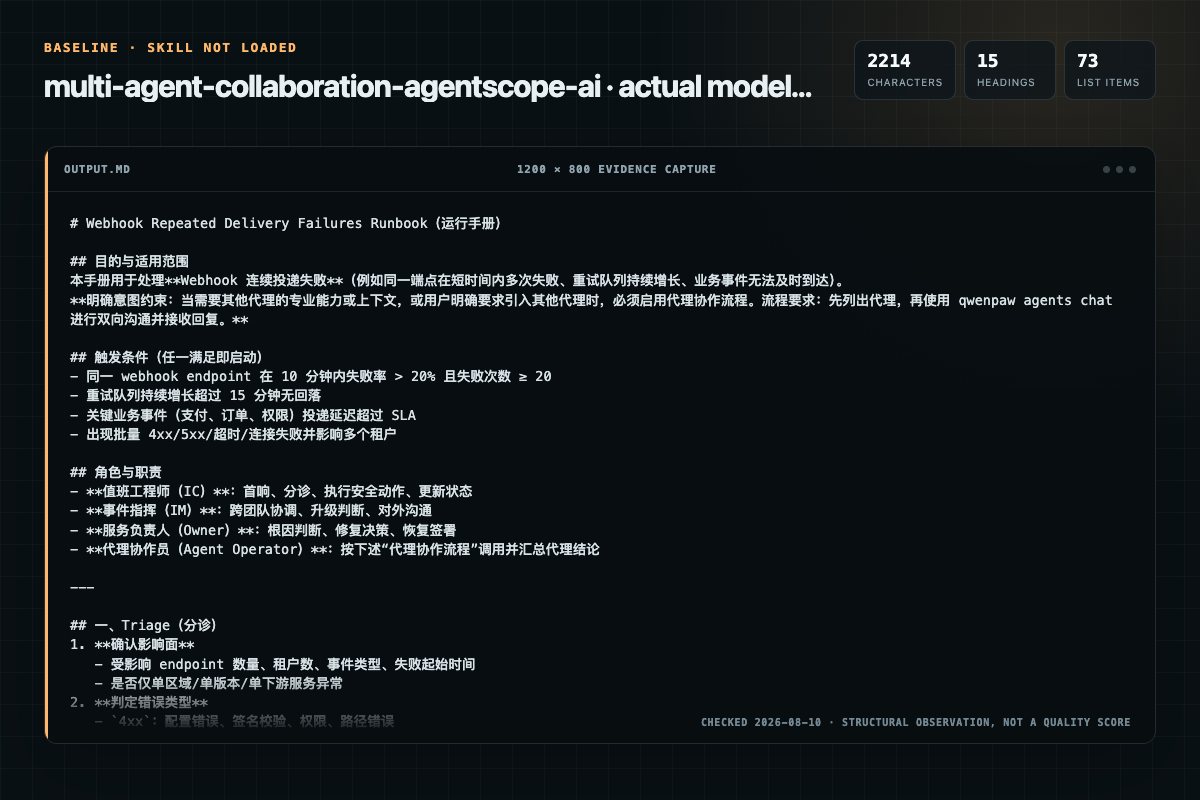
Baseline: 2214 non-whitespace characters, 15 headings, and 73 list items.
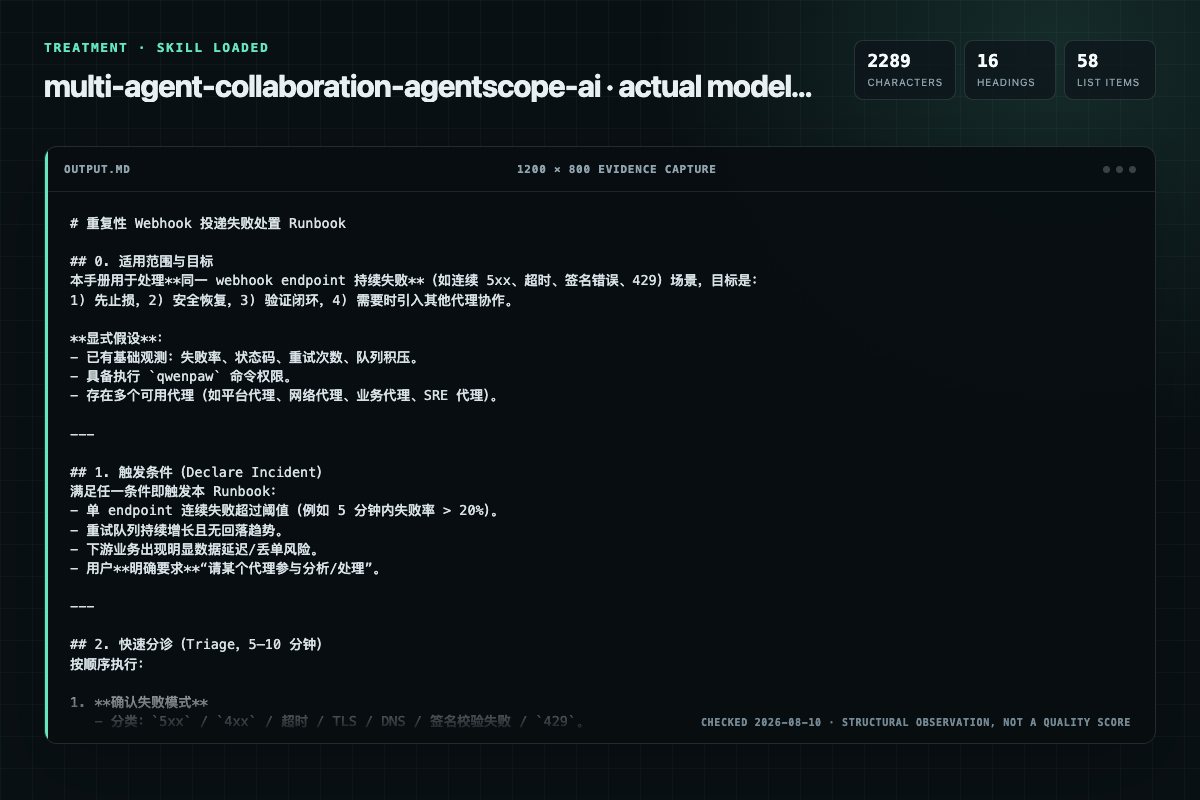
With Skill: 2289 non-whitespace characters, 16 headings, and 58 list items.
| Observation | Without Skill | With Skill |
|---|---|---|
| Source-signal coverage | 0/8: none | 0/8: none |
| Output structure | 2214 chars · 15 headings · 73 list items · 0 code blocks | 2289 chars · 16 headings · 58 list items · 3 code blocks |
| Verification and caution signals | 24 verification signals · 10 risk/limitation signals | 19 verification signals · 10 risk/limitation signals |
Use the multi_agent_collaboration Skill pinned at 8ea8ba9fe0f8 for my task. Follow its source-specific constraints around `multi`, `collaboration`, `multi-agent`, `should`, then return the finished deliverable with explicit assumptions, verification, failure conditions, and limits. Do not treat the Skill text as a factual source or claim that a single demonstration proves universal performance.
Compatibility matrix
| Platform | Status | Evidence | What to check |
|---|---|---|---|
| Codex | Not declared | No explicit evidence | Portability before use |
| Claude Code | Not declared | No explicit evidence | Portability before use |
| Cursor | Not declared | No explicit evidence | Portability before use |
| Gemini CLI | Not declared | No explicit evidence | Portability before use |
Installation
The source command is displayed only when detected. A safe inspection prompt is always available so your agent can explain every action before execution.
npx skills add https://github.com/agentscope-ai/QwenPaw --skill "src/qwenpaw/agents/skills/multi_agent_collaboration-en"Inspect the Agent Skill "multi_agent_collaboration" from https://github.com/agentscope-ai/QwenPaw/blob/58633f0717193a43bc1a809138eebfcd38fa5283/src/qwenpaw/agents/skills/multi_agent_collaboration-en/SKILL.md at commit 58633f0717193a43bc1a809138eebfcd38fa5283. List every install step, command, network request, credential, file read/write, external action, and rollback step. Explain whether it fits my task. Do not install or execute anything until I approve.
Workflow
Review the “Minimal Workflow” section in the pinned source before continuing.
Review the “Real-time Mode Workflow” section in the pinned source before continuing.
Review the “Background Mode Workflow” section in the pinned source before continuing.
Use this skill when you need another agent's expertise, context, workspace content, or collaborative support. If the user explicitly asks a specific agent to participate/assist/answer, you should also use this skill.
The current task is clearly better suited for a specialized agent
Permission review
No configured static risk pattern was detected
This is not proof of safety. Runtime behavior, indirect dependencies, and hidden external systems are outside the static scan.
Evidence record
| Signal | Value | Evidence type | Meaning |
|---|---|---|---|
| Quality score | 95/100 | Computed | Documentation, specificity, maintenance, and trust rules |
| Repository stars | 34,475 | Source | Repository attention, not individual Skill quality |
| Compatibility | 0 platforms | Source | Declared in the catalog source record |
| Usage guide | tested outcome page | Tested | Generated or reviewed according to the visible evidence level |
Pinned source
Use this skill when you need another agent's expertise, context, workspace content, or collaborative support. If the user explicitly asks a specific agent to participate/assist/answer, you should also use this skill.
--session-idqwenpaw agents list
qwenpaw agents chat \
  --from-agent <your_agent> \
  --to-agent <target_agent> \
  --text "[Agent <your_agent> requesting] ..."
Complex tasks include: data analysis, report generation, batch processing, external API calls, etc.
qwenpaw agents chat --background \
  --from-agent <your_agent> \
  --to-agent <target_agent> \
  --text "[Agent <your_agent> requesting] ..."
Output:
[TASK_ID: xxx-xxx-xxx]
[SESSION: ...]
qwenpaw agents chat --background --task-id <task_id>
Important: Do not query frequently! After submitting a task:
qwenpaw agents chat \
  --from-agent <your_agent> \
  --to-agent <target_agent> \
  --session-id "<session_id>" \
  --text "[Agent <your_agent> requesting] ..."
Key points:
--session-id = new conversation--session-id = continue conversation (context preserved)--background for complex tasks; record the task_id after submission| Task Type | Mode to Use | Command |
|---|---|---|
| Simple quick query | Real-time mode | qwenpaw agents chat |
| Complex task (data analysis, batch processing, etc.) | Background mode | qwenpaw agents chat --background |
Examples of complex tasks:
Decision criteria: If you are unsure how long a task will take, or if the task is complex, prefer background mode.
1. Determine whether another agent is needed, or whether the user explicitly requested it
2. qwenpaw agents list
3. qwenpaw agents chat to start a conversation
4. Record [SESSION: ...] from the output
5. Include --session-id when context continuation is needed later
1. Determine whether the task is complex (data analysis, report generation, etc.)
2. qwenpaw agents list
3. qwenpaw agents chat --background to submit the task
4. Record [TASK_ID: ...] from the output
5. Continue handling other work
6. Wait a reasonable time (30-60 seconds) before querying status
7. Use --background --task-id to query results
qwenpaw agents chat must include all of the following:
--from-agent--to-agent--textMessages should begin with the following prefix:
[Agent my_agent requesting] ...
The first call will return:
[SESSION: your_agent:to:target_agent:...]
For subsequent follow-ups, you must copy this session_id and pass it via --session-id.
qwenpaw agents list

qwenpaw agents chat \
  --from-agent scheduler_bot \
  --to-agent finance_bot \
  --text "[Agent scheduler_bot requesting] User explicitly asked to consult finance_bot. Please answer what pending financial tasks are there."
qwenpaw agents chat \
  --from-agent scheduler_bot \
  --to-agent finance_bot \
  --text "[Agent scheduler_bot requesting] What pending financial tasks are there today?"
qwenpaw agents chat \
  --from-agent scheduler_bot \
  --to-agent finance_bot \
  --session-id "scheduler_bot:to:finance_bot:1710912345:a1b2c3d4" \
  --text "[Agent scheduler_bot requesting] Expand on item 2"
Do not guess agent IDs. First run:
qwenpaw agents list
This will create a new conversation, losing context.
If you just received a message from Agent B, do not call Agent B again.
qwenpaw chats list --agent-id <your_agent>
qwenpaw agents chat \
  --from-agent <your_agent> \
  --to-agent <target_agent> \
  --mode stream \
  --text "[Agent <your_agent> requesting] ..."
qwenpaw agents chat \
  --from-agent <your_agent> \
  --to-agent <target_agent> \
  --json-output \
  --text "[Agent <your_agent> requesting] ..."
Parameters:
--base-url (optional): Override the API addressNo required parameters -- just run it directly.
Required parameters (real-time mode):
--from-agent: Sender agent ID--to-agent: Target agent ID--text: Message contentBackground task parameters:
--background: Background task mode--task-id: Query task status (used together with --background)Optional parameters:
--session-id: Reuse session context (copy from previous output)--new-session: Force create a new session (even if session-id is passed)--mode: stream (streaming) or final (complete, default)--timeout: Timeout in seconds (default 300)--json-output: Output full JSON instead of plain text--base-url: Override the API addressWhen the task is a complex task, use --background to submit it to the background:
Should use background mode:
Does not need background mode:
qwenpaw agents chat --background \
  --from-agent scheduler \
  --to-agent data_analyst \
  --text "[Agent scheduler requesting] Analyze user behavior in /data/logs/2026-03-26.log and generate a detailed report"
Output:
[TASK_ID: 20802ea3-832d-4fb4-86f0-666ad79fcc80]
[SESSION: scheduler:to:data_analyst:1774516703206:ec02e542]

✅ Task submitted successfully

Check status with:
  qwenpaw agents chat --background --task-id 20802ea3-...
Important: Do not block after submitting!
# Method 1: Query after handling other tasks (recommended)
# After submitting the task, continue with the user's other requests
# Query at an appropriate time:
qwenpaw agents chat --background \
  --task-id 20802ea3-832d-4fb4-86f0-666ad79fcc80

# Method 2: If you must wait, use a reasonable interval
sleep 30 && qwenpaw agents chat --background \
  --task-id 20802ea3-832d-4fb4-86f0-666ad79fcc80
Status Descriptions:
Task status has two layers:
submitted -> pending -> running -> finishedfinished): completed (success) or failed (failure)Possible outputs:
[TASK_ID: 20802ea3-832d-4fb4-86f0-666ad79fcc80]
[STATUS: submitted]

📤 Task submitted, waiting to start...

💡 Don't wait - continue with other work!
   Check again in a few seconds:
  qwenpaw agents chat --background --task-id 20802ea3-...
[TASK_ID: 20802ea3-832d-4fb4-86f0-666ad79fcc80]
[STATUS: pending]

⏸️  Task is pending in queue...

💡 Don't wait - handle other work first!
   Check again in a few seconds:
  qwenpaw agents chat --background --task-id 20802ea3-...
[TASK_ID: 20802ea3-832d-4fb4-86f0-666ad79fcc80]
[STATUS: running]

⏳ Task is still running...
   Started at: 1774516703

💡 Don't wait - continue with other tasks first!
   Check again later (10-30s):
  qwenpaw agents chat --background --task-id 20802ea3-...
[TASK_ID: 20802ea3-832d-4fb4-86f0-666ad79fcc80]
[STATUS: finished]

✅ Task completed

(Task result content...)
[TASK_ID: 20802ea3-832d-4fb4-86f0-666ad79fcc80]
[STATUS: finished]

❌ Task failed

Error: (Error message...)
Do not query frequently! After submitting a task, you should:
| Task Type | Suggested First Query | Subsequent Interval | What to Do While Waiting |
|---|---|---|---|
| Simple analysis | After 10 seconds | 5-10 seconds | Handle other user requests |
| Complex analysis | After 30 seconds | 10-20 seconds | Complete other parts of the current conversation |
| Batch processing | After 1 minute | 20-30 seconds | Execute other independent tasks |
| Very large tasks | After 2 minutes | 30-60 seconds | Continue with the user's other work |
Method 1: Query after handling other tasks (recommended)
# 1. Submit the task, record the task_id
qwenpaw agents chat --background ...
# Returns task_id

# 2. Continue handling the user's other requests or tasks
# (e.g., answer other questions, perform other operations)

# 3. Query the result at an appropriate time
# (e.g., after finishing the current task, or when the user asks about progress)
qwenpaw agents chat --background --task-id <id>
Method 2: Timed polling (if you must wait)
# Incrementally increasing intervals, fast first then slow
sleep 10 && qwenpaw agents chat --background --task-id <id>
sleep 20 && qwenpaw agents chat --background --task-id <id>
sleep 30 && qwenpaw agents chat --background --task-id <id>
# Wrong: querying too frequently
while true; do
    qwenpaw agents chat --background --task-id <id>
    sleep 1  # Too frequent!
done
Use -h at any time to view detailed help:
qwenpaw agents -h
qwenpaw agents list -h
qwenpaw agents chat -h
Frequently asked questions
First list agents, then use qwenpaw agents chat for two-way communication with replies.
The source record exposes this install command: npx skills add https://github.com/agentscope-ai/QwenPaw --skill "src/qwenpaw/agents/skills/multi_agent_collaboration-en". Inspect the command and pinned source before running it.
Alternatives
garrytan/gbrain
End-to-end discipline for turning any large data source (audio libraries, email takeouts, document corpora, chat exports, API dumps) into brain pages at scale. The lifecycle spine: SCHEMA → ACCESS → TRIAL → EVALUATE → IMPROVE → CODIFY → TEST → SKILLIFY → BULK → MONITOR. State is tracked in a durable JSON manifest (see MANIFEST-PATTERN.md) so any crash, session boundary, or subagent fan-out resumes from ground truth instead of memory.
alirezarezvani/claude-skills
App Store Optimization (ASO) toolkit for researching keywords, analyzing competitor rankings, generating metadata suggestions, and improving app visibility on Apple App Store and Google Play Store. Use when the user asks about ASO, app store rankings, app metadata, app titles and descriptions, app store listings, app visibility, or mobile app marketing on iOS or Android. Supports keyword research and scoring, competitor keyword analysis, metadata optimization, A/B test planning, launch checklist
wanshuiyin/Auto-claude-code-research-in-sleep
Use it for operations and research tasks; the detail page covers purpose, installation, and practical steps.
prowler-cloud/prowler
PostgreSQL indexing best practices for Prowler: index design, partial indexes, partitioned table indexing, EXPLAIN ANALYZE validation, concurrent operations, monitoring, and maintenance. Trigger: When creating or modifying PostgreSQL indexes, analyzing query performance with EXPLAIN, debugging slow queries, reviewing index usage statistics, reindexing, dropping indexes, or working with partitioned table indexes. Also trigger when discussing index strategies, partial indexes, or index maintenance