
Best for
- Use when working with Payload projects (payload.
payloadcms/payload/packages/payload/skills/payload/SKILL.md
Use when working with Payload projects (payload.config.ts, collections, fields, hooks, access control, Payload API). Use when debugging validation errors, security issues, relationship queries, transactions, or hook behavior.
Decision brief
Payload is a Next.js native CMS with TypeScript-first architecture, providing admin panel, database management, REST/GraphQL APIs, authentication, and file storage.
In this controlled same-task single run, enabling payload changed the output from 4621 non-whitespace characters and 9 headings to 4723 characters and 8 headings. Matches among 8 signals extracted from the pinned source changed from 2 to 2. Both actual outputs are shown; this is a structural observation, not a quality score or a universal performance claim.
Design and implement a representative production change for a TypeScript webhook retry service. Include the key code or pseudocode, tradeoffs, and verification steps. The deliverable must specifically reflect this user intent: Use when working with Payload projects (payload.config.ts, collections, fields, hooks, access control, Payload API). Use when debugging validation errors, security issues, relationship queries, transactions, or hook behavior.
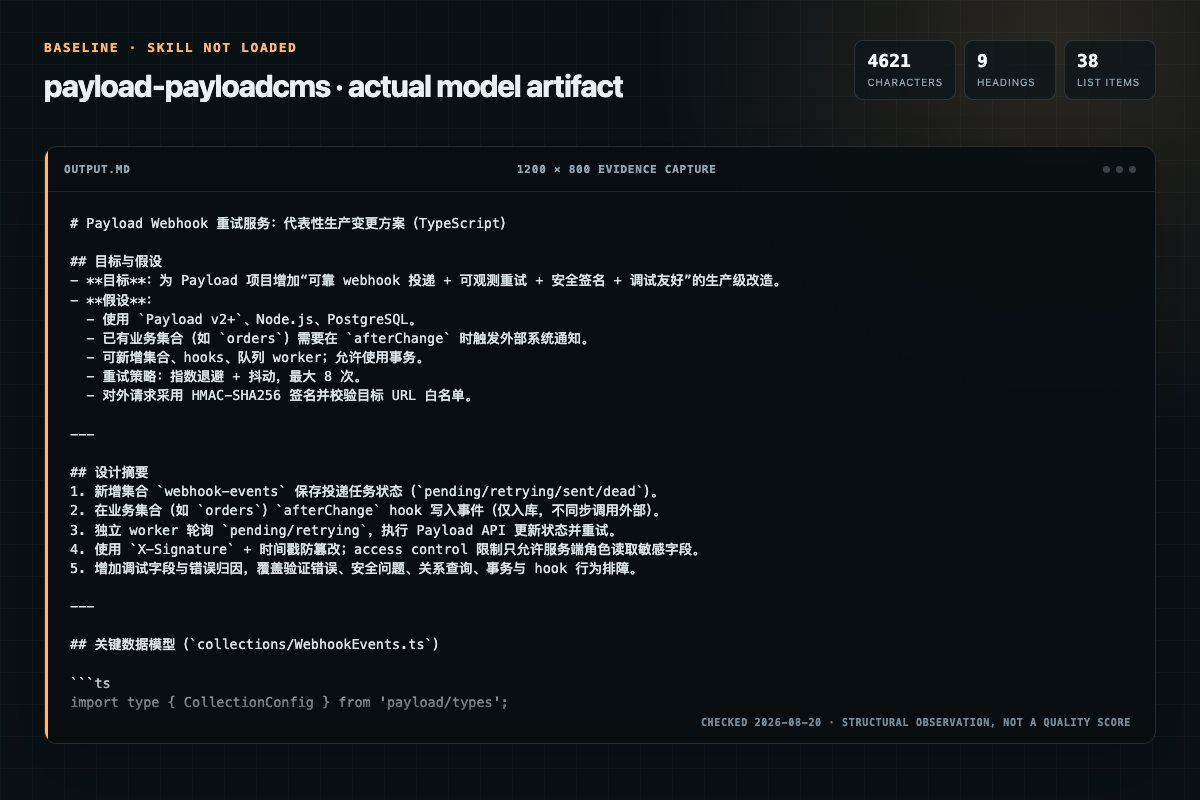
Baseline: 4621 non-whitespace characters, 9 headings, and 38 list items.
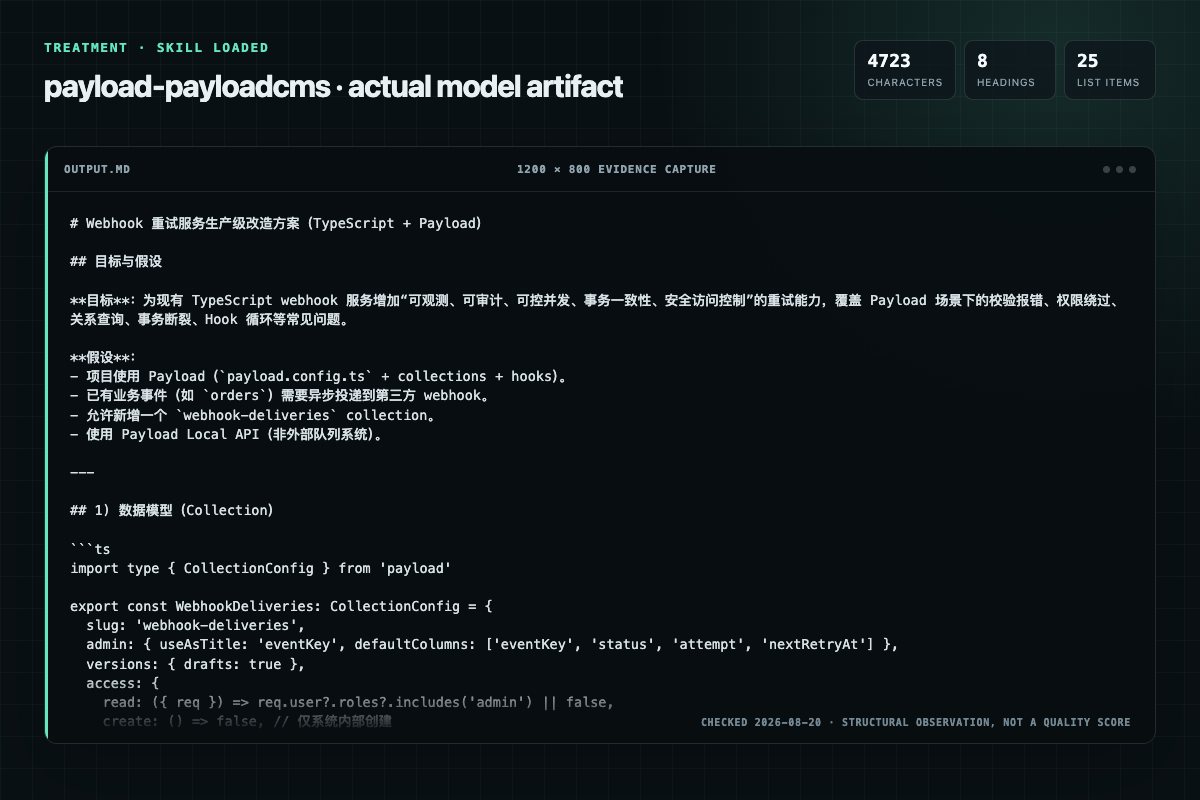
With Skill: 4723 non-whitespace characters, 8 headings, and 25 list items.
| Observation | Without Skill | With Skill |
|---|---|---|
| Source-signal coverage | 2/8: payload, application | 2/8: payload, config |
| Output structure | 4621 chars · 9 headings · 38 list items · 3 code blocks | 4723 chars · 8 headings · 25 list items · 3 code blocks |
| Verification and caution signals | 14 verification signals · 6 risk/limitation signals | 12 verification signals · 9 risk/limitation signals |
Use the payload Skill pinned at f7df2137d03b for my task. Follow its source-specific constraints around `payload`, `application`, `development`, `quick`, then return the finished deliverable with explicit assumptions, verification, failure conditions, and limits. Do not treat the Skill text as a factual source or claim that a single demonstration proves universal performance.
Compatibility matrix
| Platform | Status | Evidence | What to check |
|---|---|---|---|
| Codex | Not declared | No explicit evidence | Portability before use |
| Claude Code | Not declared | No explicit evidence | Portability before use |
| Cursor | Not declared | No explicit evidence | Portability before use |
| Gemini CLI | Not declared | No explicit evidence | Portability before use |
Installation
The source command is displayed only when detected. A safe inspection prompt is always available so your agent can explain every action before execution.
npx skills add https://github.com/payloadcms/payload --skill "packages/payload/skills/payload"Inspect the Agent Skill "payload" from https://github.com/payloadcms/payload/blob/237fcb3d735f737d467fb61096cfeb3772e58e68/packages/payload/skills/payload/SKILL.md at commit 237fcb3d735f737d467fb61096cfeb3772e58e68. List every install step, command, network request, credential, file read/write, external action, and rollback step. Explain whether it fits my task. Do not install or execute anything until I approve.
Workflow
Review the “Quick Start” section in the pinned source before continuing.
Review the “Quick Reference” section in the pinned source before continuing.
Review the “Minimal Config” section in the pinned source before continuing.
Apply these defaults when modeling content unless there's a clear reason not to:
Apply these defaults when modeling content unless there's a clear reason not to:
Permission review
The documentation asks the agent to run terminal commands or scripts.
npx create-payload-app@latest my-appThe documentation asks the agent to run terminal commands or scripts.
pnpm devThe documentation asks the agent to read local files, directories, or repositories.
Extract access control to `access/` directoryEvidence record
| Signal | Value | Evidence type | Meaning |
|---|---|---|---|
| Quality score | 91/100 | Computed | Documentation, specificity, maintenance, and trust rules |
| Repository stars | 44,385 | Source | Repository attention, not individual Skill quality |
| Compatibility | 0 platforms | Source | Declared in the catalog source record |
| Usage guide | tested outcome page | Tested | Generated or reviewed according to the visible evidence level |
Pinned source
Payload is a Next.js native CMS with TypeScript-first architecture, providing admin panel, database management, REST/GraphQL APIs, authentication, and file storage.
| Task | Solution | Details |
|---|---|---|
| Auto-generate slugs | { type: 'slug', useAsSlug: 'title' } | FIELDS.md#slug-field |
| Restrict content by user | Access control with query | ACCESS-CONTROL.md#row-level-security-with-complex-queries |
| Local API user ops | user + overrideAccess: false | QUERIES.md#access-control-in-local-api |
| Draft/publish workflow | versions: { drafts: true } | COLLECTIONS.md#versioning--drafts |
| Computed fields | virtual: true with field-level hooks.afterRead returning the value | FIELDS.md#virtual-fields |
| Document titles | Stored top-level field in admin.useAsTitle | COLLECTIONS.md#useastitle |
| Conditional fields | admin.condition | FIELDS.md#conditional-fields |
| Custom field validation | validate function | FIELDS.md#validation |
| Filter relationship list | filterOptions on field | FIELDS.md#relationship |
| Select specific fields | select parameter | QUERIES.md#field-selection |
| Auto-set author/dates | beforeChange hook | HOOKS.md#collection-hooks |
| Prevent hook loops | req.context check | HOOKS.md#context |
| Cascading deletes | beforeDelete hook | HOOKS.md#collection-hooks |
| Geospatial queries | point field with near/within | FIELDS.md#point-geolocation |
| Reverse relationships | join field type | FIELDS.md#join-fields |
| Next.js revalidation | Context control in afterChange | HOOKS.md#nextjs-revalidation-with-context-control |
| Query by relationship | Nested property syntax | QUERIES.md#nested-properties |
| Complex queries | AND/OR logic | QUERIES.md#andor-logic |
| Transactions | Pass req to operations | ADAPTERS.md#threading-req-through-operations |
| Background jobs | Jobs queue with tasks | ADVANCED.md#jobs-queue |
| Custom API routes | Collection custom endpoints | ADVANCED.md#custom-endpoints |
| Cloud storage | Storage adapter plugins | ADAPTERS.md#storage-adapters |
| Multi-language | localization config + localized: true | ADVANCED.md#localization |
| Create plugin | (options) => (config) => Config | PLUGIN-DEVELOPMENT.md#plugin-architecture |
| Plugin package setup | Package structure with SWC | PLUGIN-DEVELOPMENT.md#plugin-package-structure |
| Add fields to collection | Map collections, spread fields | PLUGIN-DEVELOPMENT.md#adding-fields-to-collections |
| Plugin hooks | Preserve existing hooks in array | PLUGIN-DEVELOPMENT.md#adding-hooks |
| Check field type | Type guard functions | FIELD-TYPE-GUARDS.md |
npx create-payload-app@latest my-app
cd my-app
pnpm dev
import { buildConfig } from 'payload'
import { mongooseAdapter } from '@payloadcms/db-mongodb'
import { lexicalEditor } from '@payloadcms/richtext-lexical'
import path from 'path'
import { fileURLToPath } from 'url'

const filename = fileURLToPath(import.meta.url)
const dirname = path.dirname(filename)

export default buildConfig({
  admin: {
    user: 'users',
    importMap: {
      baseDir: path.resolve(dirname),
    },
  },
  collections: [Users, Media],
  editor: lexicalEditor(),
  secret: process.env.PAYLOAD_SECRET,
  typescript: {
    outputFile: path.resolve(dirname, 'payload-types.ts'),
  },
  db: mongooseAdapter({
    url: process.env.DATABASE_URL,
  }),
})
Apply these defaults when modeling content unless there's a clear reason not to:
versions: { drafts: true }. This is the
recommended starting point for any content collection. It auto-injects a
_status field (draft / published / changed) — don't add your own
status field, it's redundant. Only skip versions for collections that have
no publish/draft lifecycle (e.g. internal join tables, settings).slug field type for all slugs instead of hand-rolling
{ name: 'slug', type: 'text', unique: true }. It auto-generates the slug from
a source field, adds a regenerate toggle, and defaults to required, unique,
index, and position: 'sidebar'. useAsSlug is required — name the
source field to generate from: { name: 'slug', type: 'slug', useAsSlug: 'title' }.position: 'sidebar' is for short, at-a-glance fields — status, category,
author, publish date. Avoid it for long fields that need horizontal space to be
usable (description, rich text content, long text). Those belong in the main
document area.admin.useAsTitle. Never set
admin.useAsTitle to a computed field configured with virtual: true; these
fields are not queryable and Payload rejects the configuration. A
relationship-path virtual such as virtual: 'author.name' is supported, but
use it only when the title must come from a related document.import type { CollectionConfig } from 'payload'
export const Posts: CollectionConfig = {
slug: 'posts',
admin: {
useAsTitle: 'title',
// _status (from versions.drafts) shows the draft/published state — no custom status field needed
defaultColumns: ['title', 'author', '_status', 'createdAt'],
},
versions: {
drafts: true,
},
fields: [
{ name: 'title', type: 'text', required: true },
{ name: 'slug', type: 'slug', useAsSlug: 'title' }, // auto-generates from `title`, unique + indexed, sidebar position
{ name: 'content', type: 'richText' }, // long field — stays in the main area, not the sidebar
// short, at-a-glance field — good sidebar candidate
{ name: 'author', type: 'relationship', relationTo: 'users', admin: { position: 'sidebar' } },
],
timestamps: true,
}
For more collection patterns (auth, upload, drafts, live preview), see COLLECTIONS.md.
// Text field
{ name: 'title', type: 'text', required: true }

// Relationship
{ name: 'author', type: 'relationship', relationTo: 'users', required: true }

// Rich text
{ name: 'content', type: 'richText', required: true }

// Slug — use the native field type instead of a hand-rolled text field
{ name: 'slug', type: 'slug', useAsSlug: 'title' }

// Select (for genuine taxonomy — NOT publish state; use versions.drafts + _status for that)
{ name: 'category', type: 'select', options: ['news', 'tutorial', 'opinion'] }

// Upload
{ name: 'image', type: 'upload', relationTo: 'media' }
For all field types (array, blocks, point, join, virtual, conditional, etc.), see FIELDS.md.
Hooks live at one of two levels and they are not interchangeable. Collection hooks receive { doc, data, req, operation, ... } and act on the whole document. Field hooks live inside an individual field's hooks object, receive { value, siblingData, ... }, and return the new value for that field. Computed/virtual fields, per-field formatters, and per-field access masking are field hooks; cross-field business logic is a collection hook.
// Collection-level: business logic across the document
export const Posts: CollectionConfig = {
  slug: 'posts',
  hooks: {
    beforeChange: [
      async ({ data, operation }) => {
        if (operation === 'create') {
          data.slug = slugify(data.title)
        }
        return data
      },
    ],
  },
  fields: [{ name: 'title', type: 'text' }],
}

// Field-level: compute / format a single field's value (virtual fields use this)
export const Users: CollectionConfig = {
  slug: 'users',
  fields: [
    { name: 'firstName', type: 'text' },
    { name: 'lastName', type: 'text' },
    {
      name: 'fullName',
      type: 'text',
      virtual: true,
      hooks: {
        afterRead: [({ siblingData }) => `${siblingData.firstName} ${siblingData.lastName}`],
      },
    },
  ],
}
When asked to "compute a field" or "populate a field's value in a hook", use a field-level hook on that field — never a collection-level afterRead that mutates doc.
For all hook patterns, see HOOKS.md. For access control, see ACCESS-CONTROL.md.
import type { Access } from 'payload'
import type { User } from '@/payload-types'

// Type-safe access control
export const adminOnly: Access = ({ req }) => {
  const user = req.user as User
  return user?.roles?.includes('admin') || false
}

// Row-level access control
export const ownPostsOnly: Access = ({ req }) => {
  const user = req.user as User
  if (!user) return false
  if (user.roles?.includes('admin')) return true

  return {
    author: { equals: user.id },
  }
}
// Local API
const posts = await payload.find({
  collection: 'posts',
  where: {
    status: { equals: 'published' },
    'author.name': { contains: 'john' },
  },
  depth: 2,
  limit: 10,
  sort: '-createdAt',
})

// Query with populated relationships
const post = await payload.findByID({
  collection: 'posts',
  id: '123',
  depth: 2, // Populates relationships (default is 2)
})
// Returns: { author: { id: "user123", name: "John" } }

// Without depth, relationships return IDs only
const post = await payload.findByID({
  collection: 'posts',
  id: '123',
  depth: 0,
})
// Returns: { author: "user123" }
For all query operators and REST/GraphQL examples, see QUERIES.md.
// In API routes (Next.js)
import { getPayload } from 'payload'
import config from '@payload-config'

export async function GET() {
  const payload = await getPayload({ config })

  const posts = await payload.find({
    collection: 'posts',
  })

  return Response.json(posts)
}

// In Server Components
import { getPayload } from 'payload'
import config from '@payload-config'

export default async function Page() {
  const payload = await getPayload({ config })
  const { docs } = await payload.find({ collection: 'posts' })

  return <div>{docs.map(post => <h1 key={post.id}>{post.title}</h1>)}</div>
}
By default, Local API operations bypass ALL access control, even when passing a user.
// ❌ SECURITY BUG: Passes user but ignores their permissions
await payload.find({
  collection: 'posts',
  user: someUser, // Access control is BYPASSED!
})

// ✅ SECURE: Actually enforces the user's permissions
await payload.find({
  collection: 'posts',
  user: someUser,
  overrideAccess: false, // REQUIRED for access control
})
When to use each:
overrideAccess: true (default) - Server-side operations you trust (cron jobs, system tasks)overrideAccess: false - When operating on behalf of a user (API routes, webhooks)See QUERIES.md#access-control-in-local-api.
Nested operations in hooks without req break transaction atomicity.
// ❌ DATA CORRUPTION RISK: Separate transaction
hooks: {
  afterChange: [
    async ({ doc, req }) => {
      await req.payload.create({
        collection: 'audit-log',
        data: { docId: doc.id },
        // Missing req - runs in separate transaction!
      })
    },
  ]
}

// ✅ ATOMIC: Same transaction
hooks: {
  afterChange: [
    async ({ doc, req }) => {
      await req.payload.create({
        collection: 'audit-log',
        data: { docId: doc.id },
        req, // Maintains atomicity
      })
    },
  ]
}
See ADAPTERS.md#threading-req-through-operations.
Hooks triggering operations that trigger the same hooks create infinite loops.
// ❌ INFINITE LOOP
hooks: {
  afterChange: [
    async ({ doc, req }) => {
      await req.payload.update({
        collection: 'posts',
        id: doc.id,
        data: { views: doc.views + 1 },
        req,
      }) // Triggers afterChange again!
    },
  ]
}

// ✅ SAFE: Use context flag
hooks: {
  afterChange: [
    async ({ doc, req, context }) => {
      if (context.skipHooks) return

      await req.payload.update({
        collection: 'posts',
        id: doc.id,
        data: { views: doc.views + 1 },
        context: { skipHooks: true },
        req,
      })
    },
  ]
}
See HOOKS.md#context.
src/
├── app/
│   ├── (frontend)/
│   │   └── page.tsx
│   └── (payload)/
│       └── admin/[[...segments]]/page.tsx
├── collections/
│   ├── Posts.ts
│   ├── Media.ts
│   └── Users.ts
├── globals/
│   └── Header.ts
├── components/
│   └── CustomField.tsx
├── hooks/
│   └── slugify.ts
└── payload.config.ts
Payload generates payload-types.ts for you — you rarely need to run generate:types by hand.
typescript.autoGenerate defaults to true, so the dev
server regenerates types automatically whenever your config changes. Don't run
generate:types manually while the dev server is running — it's redundant.payload build generates the import map and types before
running next build. Prefer it over calling next build directly so neither is
ever stale. Pass --no-types to skip type generation.payload generate:types) is an escape hatch — only when
neither the dev server nor a build is in the loop (e.g. a one-off script, or CI
before a step that doesn't run payload build).// payload.config.ts
export default buildConfig({
typescript: {
outputFile: path.resolve(dirname, 'payload-types.ts'),
// autoGenerate defaults to true — types regenerate in dev automatically
},
})
// Usage
import type { Post, User } from '@/payload-types'
overrideAccess: falsereq in nested operations breaks transaction atomicityreq.context flagsdepth: 0 for IDs only_status field is auto-injected when drafts are enabledautoGenerate) and during payload build — avoid running generate:types manuallytransactionOptions: {}virtual: true cannot be used in admin.useAsTitle; use a stored top-level fieldversions: { drafts: true } by default on content collections; rely on the
auto-injected _status field rather than adding a custom status fieldslug field type for slugs instead of hand-rolling a unique text fieldadmin.useAsTitle; never use a computed
virtual: true field as the titleposition: 'sidebar' for short, at-a-glance fields (status, category,
author, date); keep long fields (description, rich text) in the main areaoverrideAccess: false when passing user to Local APIsaveToJWT: true for roles to avoid database lookupsselect to limit returned fieldsmaxDepth on relationships to prevent over-fetchingreq.contextreq to nested operations in hooksbeforeValidate for data formattingbeforeChange for business logicautoGenerate) and payload build generate types; run generate:types manually only when neither is runningpayload-types.tsimport type { User } from '@/payload-types'CollectionConfig, Field, CollectionBeforeChangeHook, Access, Plugin, …) or use satisfies <Type>. Without an annotation, string properties like type: 'text' widen to string and discriminated unions (Field, CollectionConfig) fail to resolve. Inline literals get this for free via contextual typing; extracted constants do not.access/ directoryhooks/ directoryFrequently asked questions
Payload is a Next.js native CMS with TypeScript-first architecture, providing admin panel, database management, REST/GraphQL APIs, authentication, and file storage.
The source record exposes this install command: npx skills add https://github.com/payloadcms/payload --skill "packages/payload/skills/payload". Inspect the command and pinned source before running it.
Static rules flagged exec-script, read-files in the source; the page lists the matching lines and excerpts.
Alternatives
coreyhaines31/marketingskills
When the user wants to plan, design, or implement an A/B test or experiment, or build a growth experimentation program. Also use when the user mentions "A/B test," "split test," "experiment," "test this change," "variant copy," "multivariate test," "hypothesis," "should I test this," "which version is better," "test two versions," "statistical significance," "how long should I run this test," "growth experiments," "experiment velocity," "experiment backlog," "ICE score," "experimentation program
garrytan/gbrain
End-to-end discipline for turning any large data source (audio libraries, email takeouts, document corpora, chat exports, API dumps) into brain pages at scale. The lifecycle spine: SCHEMA → ACCESS → TRIAL → EVALUATE → IMPROVE → CODIFY → TEST → SKILLIFY → BULK → MONITOR. State is tracked in a durable JSON manifest (see MANIFEST-PATTERN.md) so any crash, session boundary, or subagent fan-out resumes from ground truth instead of memory.
alirezarezvani/claude-skills
App Store Optimization (ASO) toolkit for researching keywords, analyzing competitor rankings, generating metadata suggestions, and improving app visibility on Apple App Store and Google Play Store. Use when the user asks about ASO, app store rankings, app metadata, app titles and descriptions, app store listings, app visibility, or mobile app marketing on iOS or Android. Supports keyword research and scoring, competitor keyword analysis, metadata optimization, A/B test planning, launch checklist
dotnet/skills
Migrates .NET test projects from VSTest to Microsoft.Testing.Platform (MTP). Use when user asks to "migrate to MTP", "switch from VSTest", "enable Microsoft.Testing.Platform", "use MTP runner", set OutputType=Exe only for test projects in Directory.Build.props, or mentions EnableMSTestRunner, EnableNUnitRunner, or UseMicrosoftTestingPlatformRunner. USE FOR: MTP behavioral differences vs VSTest (exit code 8, zero tests discovered, --ignore-exit-code, TESTINGPLATFORM_EXITCODE_IGNORE); centralizing