
Tested demoQuality 95/100
supabase/supabase/.claude/skills/safe-sql-execution/SKILL.md
safe-sql-execution
Use whenever code will build, return, fetch, or execute SQL that runs against a user's real Postgres database — even when the request reads like an ordinary feature or bug fix and never says "security," "injection," or "SafeSqlFragment." This covers: writing or editing any pg-meta function, query builder, or endpoint that builds/returns SQL for database objects (tables, views, functions, DB triggers, indexes, RLS policies); interpolating a schema/table/column/search/route-param value into SQL te
- Source repository stars
- 108,363
- Declared platforms
- 0
- Static risk flags
- 0
- Last source update
- 2026-08-25
- Source checked
- 2026-08-25
Decision brief
What it does: where it fits
Supabase Studio executes SQL statements directly against the user's database. Because this is the authenticated user's own database, our security model is different from most frontend applications: a user should be able to execute any SQL statement, as long as it is proven that…
Not for
- Tasks that require unconfirmed production actions or broad system permissions.
- Environments where the pinned source and install steps cannot be inspected.
Controlled single-run demoChecked 2026-08-20
What changed when the Skill was used
In this controlled same-task single run, enabling safe-sql-execution changed the output from 2213 non-whitespace characters and 9 headings to 2115 characters and 8 headings. Matches among 8 signals extracted from the pinned source changed from 0 to 0. Both actual outputs are shown; this is a structural observation, not a quality score or a universal performance claim.
Same test task
Analyze a small SaaS churn scenario and produce a concrete analysis plan with data checks, method choices, expected outputs, and validation steps. The deliverable must specifically reflect this user intent: Use whenever code will build, return, fetch, or execute SQL that runs against a user's real Postgres database — even when the request reads like an ordinary feature or bug fix and never says "security," "injection," or "SafeSqlFragment." This covers: writing or editing any pg-meta function, query builder, or endpoint that builds/returns SQL for database objects (tables, views, functions, DB triggers, indexes, RLS policies); interpolating a schema/table/column/search/route-param value into SQL te
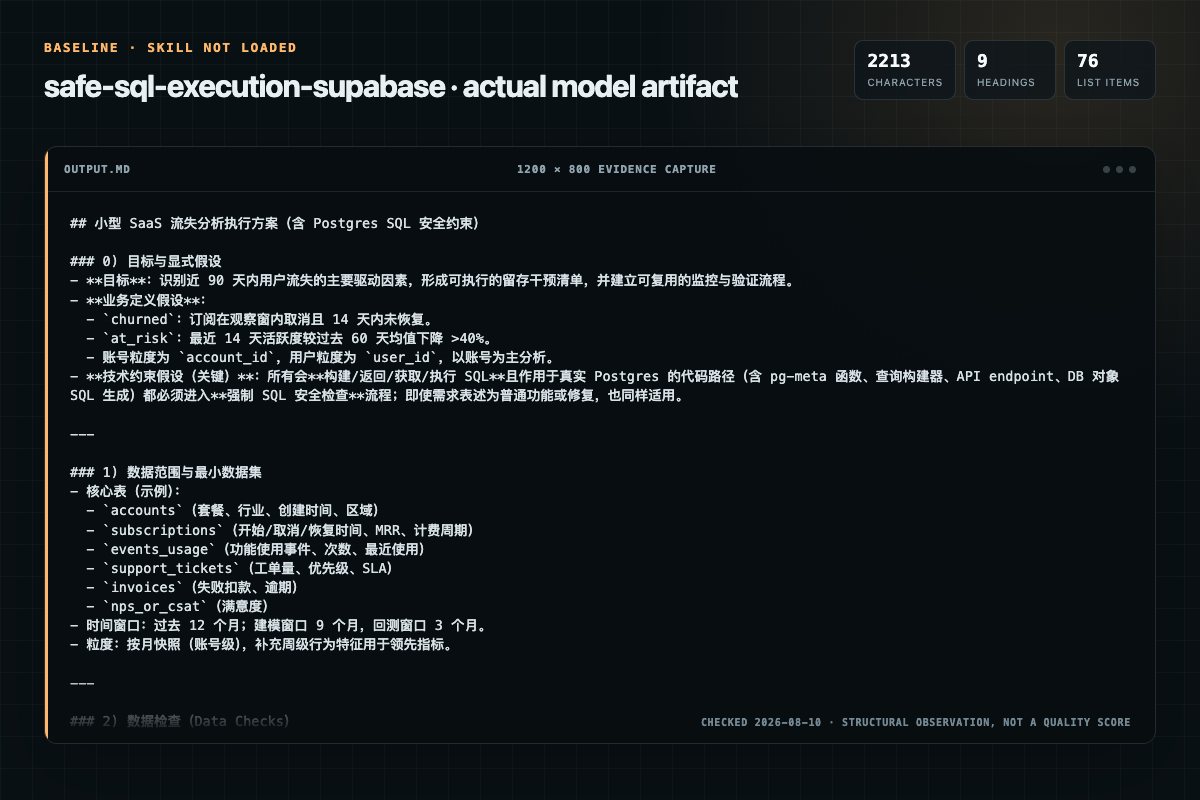
Baseline: 2213 non-whitespace characters, 9 headings, and 76 list items.
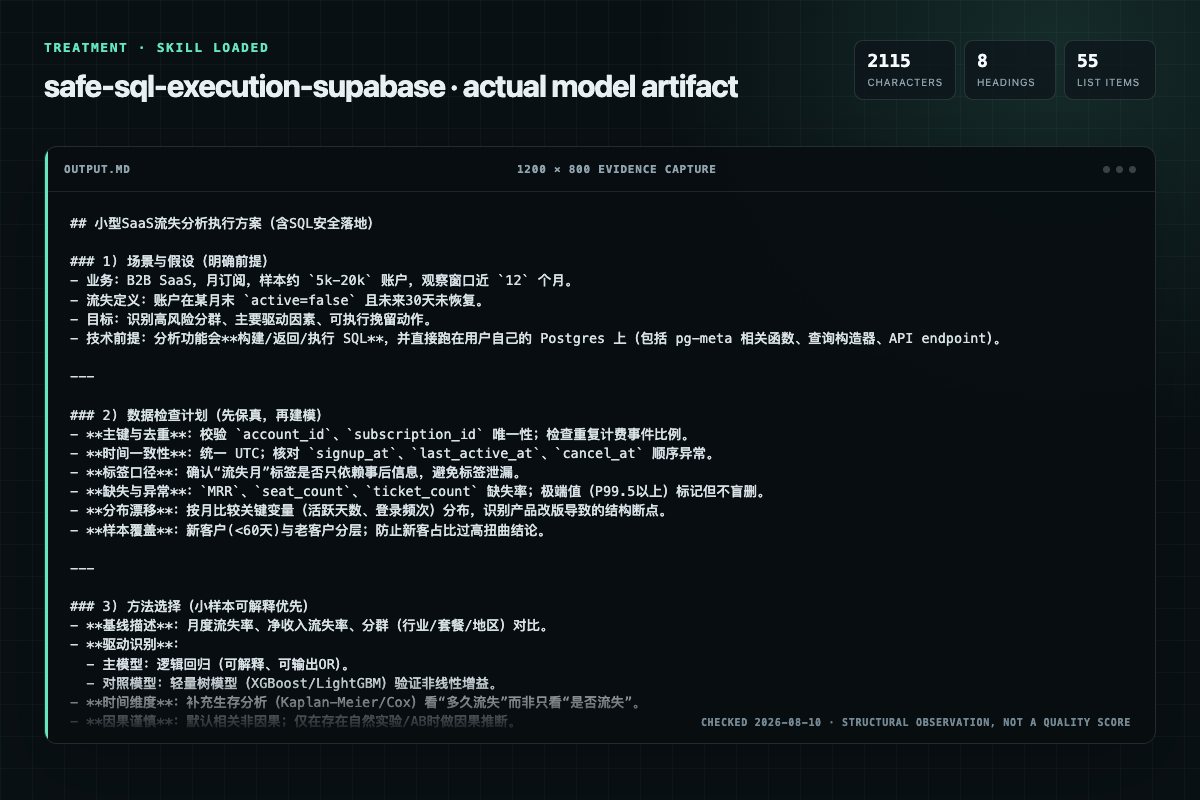
With Skill: 2115 non-whitespace characters, 8 headings, and 55 list items.
| Observation | Without Skill | With Skill |
|---|---|---|
| Source-signal coverage | 0/8: none | 0/8: none |
| Output structure | 2213 chars · 9 headings · 76 list items · 0 code blocks | 2115 chars · 8 headings · 55 list items · 0 code blocks |
| Verification and caution signals | 20 verification signals · 11 risk/limitation signals | 17 verification signals · 6 risk/limitation signals |
A prompt you can use
Use the safe-sql-execution Skill pinned at b9ad5cede77f for my task. Follow its source-specific constraints around `safe-sql-execution`, `execution`, `security`, `model`, then return the finished deliverable with explicit assumptions, verification, failure conditions, and limits. Do not treat the Skill text as a factual source or claim that a single demonstration proves universal performance.
Method and limitationsExpandCollapse
Test method
- Baseline and treatment used the same task, model (gpt-5.3-codex-low), and runner; the only planned difference was whether the complete target Skill text was injected.
- The treatment used snapshot a7671019a8f60b63dc59fdd49582c9268bd382a5; the current source commit b9ad5cede77f83e5aa6df7654fe4730bdfa05b21 was verified against content hash 31d72edd0620. The baseline explicitly prohibited loading any Skill or external rule file.
- The same deterministic script counted characters, headings, lists, code blocks, verification terms, caution terms, and source signals in both artifacts. Source signals: `safe-sql-execution`, `execution`, `security`, `model`, `provenance`, `tracking`, `round-tripped`, `database`.
- The visuals are local screenshots of the actual Markdown artifacts in a fixed 1200 × 800 evidence canvas, not recreated product mockups. Raw JSON artifacts and request records are retained in the research directory.
Do not over-read this demo
- This is one controlled demonstration per condition, not a multi-run statistical benchmark; the model is stochastic.
- Character, structure, and keyword counts show observable differences but cannot by themselves prove correctness, originality, or business impact.
- The task is a representative test designed for repeatability, not every real-world use of the Skill; rerun after a material source change.
- Editorial review
- SkillSignal editorial
- Runner
- Cursor Agent 2026.07.09-a3815c0
- Model
- gpt-5.3-codex-low
- Refresh due
- 2026-11-18
- Reviewed commit
- b9ad5cede77f83e5aa6df7654fe4730bdfa05b21
- Test snapshot
- a7671019a8f60b63dc59fdd49582c9268bd382a5
Compatibility matrix
Platform support, with evidence labels
| Platform | Status | Evidence | What to check |
|---|---|---|---|
| Codex | Not declared | No explicit evidence | Portability before use |
| Claude Code | Not declared | No explicit evidence | Portability before use |
| Cursor | Not declared | No explicit evidence | Portability before use |
| Gemini CLI | Not declared | No explicit evidence | Portability before use |
Installation
Inspect first. Install second.
The source command is displayed only when detected. A safe inspection prompt is always available so your agent can explain every action before execution.
Source-detected install commandSource
npx skills add https://github.com/supabase/supabase --skill ".claude/skills/safe-sql-execution"Safe inspection promptEditorial
Inspect the Agent Skill "safe-sql-execution" from https://github.com/supabase/supabase/blob/f1526d2d1b43205a50291ccf84dc07814c036bb9/.claude/skills/safe-sql-execution/SKILL.md at commit f1526d2d1b43205a50291ccf84dc07814c036bb9. List every install step, command, network request, credential, file read/write, external action, and rollback step. Explain whether it fits my task. Do not install or execute anything until I approve.
Workflow
What the source asks the agent to do
- 01
Security model
The security model for SQL execution in Supabase Studio is based on the principle of "proven authorship". This means that a user should only be able to execute SQL statements that they have explicitly authored, and not statements that can be influenced by external input.
Hardcoded within the application code. These are safe to execute becauseThird-party influenceable. These are SQL fragments that can be influencedUser-authored. These are SQL fragments that are authored by the user - 02
Provenance tracking
Branded types are used to track the provenance of SQL fragments. The types, exported from pg-meta, are:
SafeSqlFragment: represents SQL fragments that are safe to execute, becauseUntrustedSqlFragment: represents SQL fragments that can be influenced by anUsing the safeSql utility from pg-meta to create hardcoded SQL fragments. - 03
Security of SQL round-tripped from the user's database
SQL derived directly from catalog tables (e.g., function definitions, RLS expressions, etc.) is considered safe, and it is promoted AT THE POINT OF BEING QUERIED from the database. In most cases, this is in an apps/studio/data/\/.ts file, in the utility function that makes the A…
SQL derived directly from catalog tables (e.g., function definitions, RLS expressions, etc.) is considered safe, and it is promoted AT THE POINT OF BEING QUERIED from the database. In most cases, this is in an apps/stud…A critical exception to the safety of SQL round-tripped from the database is user snippets. These must NEVER BE CONSIDERED SAFE because they are both (a) externally influenceable and (b) auto-saved. The snippet type use… - 04
Promoting SQL fragments to SafeSqlFragment type
Given an insecure string or UntrustedSqlFragment, how do we promote it safely to a SafeSqlFragment?
ident: for sanitizing identifiers such as table names or column names.literal: for sanitizing literal values that will be used in SQL statements.keyword: for sanitizing SQL keywords. - 05
Sanitization utilities
This is the preferred method when the input is sanitizable, e.g., it is a relation name, a column name, will be compared as a literal, etc.
ident: for sanitizing identifiers such as table names or column names.literal: for sanitizing literal values that will be used in SQL statements.keyword: for sanitizing SQL keywords.
Permission review
Static risk signals and limitations
No configured static risk pattern was detected
This is not proof of safety. Runtime behavior, indirect dependencies, and hidden external systems are outside the static scan.
Evidence record
Why each signal appears
EvidenceSourceComputedTestedEditorial
| Signal | Value | Evidence type | Meaning |
|---|---|---|---|
| Quality score | 95/100 | Computed | Documentation, specificity, maintenance, and trust rules |
| Repository stars | 108,363 | Source | Repository attention, not individual Skill quality |
| Compatibility | 0 platforms | Source | Declared in the catalog source record |
| Usage guide | tested outcome page | Tested | Generated or reviewed according to the visible evidence level |
Pinned source
Provenance and original SKILL.md
- Repository
- supabase/supabase
- Skill path
- .claude/skills/safe-sql-execution/SKILL.md
- Commit
- f1526d2d1b43205a50291ccf84dc07814c036bb9
- License
- Apache-2.0
- Collected
- 2026-08-25
- Default branch
- master
View the original SKILL.md
Safe SQL execution
Supabase Studio executes SQL statements directly against the user's database. Because this is the authenticated user's own database, our security model is different from most frontend applications: a user should be able to execute any SQL statement, as long as it is proven that they themselves authored it. What we SHOULD NOT ALLOW is execution of SQL statements that can be influenced by an attacker, such as through URL parameters.
Security model
The security model for SQL execution in Supabase Studio is based on the principle of "proven authorship". This means that a user should only be able to execute SQL statements that they have explicitly authored, and not statements that can be influenced by external input.
There are three classes of SQL fragments:
-
Hardcoded within the application code. These are safe to execute because they cannot be influenced by an attacker. They can be marked with the
safeSqlutility withpg-meta:import { safeSql } from '@supabase/pg-meta' const sql = safeSql` SELECT * FROM users WHERE id = 1 `safeSqlautomatically creates a string of the branded typeSafeSqlFragment. (See Provenance Tracking below.) -
Third-party influenceable. These are SQL fragments that can be influenced by an attacker, such as through URL parameters or LLM output. These should be marked with the
untrustedSqlutility withpg-meta:import { untrustedSql } from '@supabase/pg-meta' const unsafeQuery = searchParams.get('query') const querySql = untrustedSql(unsafeQuery)untrustedSqlcreates a string of the branded typeUntrustedSqlFragment. (See Provenance Tracking below.) -
User-authored. These are SQL fragments that are authored by the user themselves within the UI, for example in a text input field. Because the user is the author, these should be considered safe to execute.
However, there is a caveat, where third-party and user-authored code can mix, contaminating the user-authored code (for example, if an input is prefilled from an unsanitized URL parameter). Provenance tracking helps us track these cases.
For example, a safe input component could be implemented as follows by requiring that its placeholder and controlled value are of type
SafeSqlFragment. In this case we can use its onChange to promote the user input toSafeSqlFragmenttype, because we know that the user is the author of the input. An implementation of this is in @apps/studio/components/ui/SafeSqlInput.tsx:import { rawSql, type SafeSqlFragment } from '@supabase/pg-meta' import type { ChangeEvent, ComponentProps } from 'react' import { Input } from 'ui-patterns/DataInputs/Input' type InputProps = ComponentProps<typeof Input> export type SafeSqlInputProps = Omit< InputProps, 'placeholder' | 'value' | 'onChange' > & { placeholder?: SafeSqlFragment value: SafeSqlFragment onChange?: (event: ChangeEvent<HTMLInputElement>, value: SafeSqlFragment) => void } export const SafeSqlInput = ({ onChange, ...props }: SafeSqlInputProps) => ( <Input {...props} onChange={(event) => onChange?.(event, rawSql(event.target.value))} /> )This is pretty much the ONLY VALID USE CASE of the rawSql export from pg-meta, and it should be used with caution.
Provenance tracking
Branded types are used to track the provenance of SQL fragments. The types,
exported from pg-meta, are:
SafeSqlFragment: represents SQL fragments that are safe to execute, because they are either hardcoded in the application or authored by the user themselves.UntrustedSqlFragment: represents SQL fragments that can be influenced by an attacker, such as through URL parameters or LLM output.
These are valid ways to generate a SafeSqlFragment:
- Using the
safeSqlutility frompg-metato create hardcoded SQL fragments. - Using the sanitization utilities from
pg-metato sanitize untrusted input and promote it to aSafeSqlFragment:identliteralkeyword
- Using the safe SQL manipulation utilities:
joinSqlFragmentstrimSafeSqlFragment
UntrustedSqlFragments can be generated from raw strings using
untrustedSql().
There is also a union type, DisplayableSqlFragment, which represents SQL fragments that can be safely displayed in the UI, but not necessarily executed. This includes both SafeSqlFragment and UntrustedSqlFragment.
Security of SQL round-tripped from the user's database
SQL derived directly from catalog tables (e.g., function definitions, RLS expressions, etc.) is considered safe, and it is promoted AT THE POINT OF BEING QUERIED from the database. In most cases, this is in an apps/studio/data/*/.ts file, in the utility function that makes the API or database fetch.
A critical exception to the safety of SQL round-tripped from the database is
user snippets. These must NEVER BE CONSIDERED SAFE because they are both (a)
externally influenceable and (b) auto-saved. The snippet type uses the
unchecked_sql property, which is an UntrustedSqlFragment, to enforce this.
Promoting SQL fragments to SafeSqlFragment type
Given an insecure string or UntrustedSqlFragment, how do we promote it safely
to a SafeSqlFragment?
Sanitization utilities
This is the preferred method when the input is sanitizable, e.g., it is a relation name, a column name, will be compared as a literal, etc.
The pg-meta library provides the following sanitization utilities that can be
used to safely promote untrusted input to SafeSqlFragment:
ident: for sanitizing identifiers such as table names or column names.literal: for sanitizing literal values that will be used in SQL statements.keyword: for sanitizing SQL keywords.
acceptUntrustedSql
Some untrusted SQL fragments cannot be sanitized with the above utilities. For
example, the USING expression in the RLS policy editor is an arbitrary SQL
expression.
In these cases, we can promote the SQL fragment upon explicit user action. User action indicates that the user has seen the SQL and is OK with running it. For example, an explicit user action could be clicking a "Run" button.
The promotion happens with the acceptUntrustedSql utility from pg-meta,
which takes an UntrustedSqlFragment and returns a SafeSqlFragment.
This utility MUST ONLY BE USED IN event handlers. It should NEVER be used in a useQuery, direct in the render body of a component, in a useEffect, or anywhere it could auto-run without explicit user action.
This is safe:
import { acceptUntrustedSql } from '@supabase/pg-meta'

function SafeComponent() {
  const { mutate: execute } = useExecuteSqlMutation()

  const handleRun = () => {
    // ✅ GOOD: Safe because it is in an event handler which requires a user
    // click
    execute({ sql: acceptUntrustedSql(/* sql */) })
  }

  return (
    <button onClick={handleRun}>Run</button>
  )
}
This is unsafe:
import { acceptUntrustedSql } from '@supabase/pg-meta'

function UnsafeComponent() {
  const { data } = useQuery({
    queryKey: ['execute-sql', sql],
    queryFn: () => {
      // 🛑 BAD: Unsafe because it is in a query which could auto-run without
      // explicit user action
      return execute({ sql: acceptUntrustedSql(/* sql */) })
    },
  })
}
Type guarantees
SQL run against the user's Postgres database runs through the executeSql
function, which only takes arguments of type SafeSqlFragment for the SQL
parameter. Raw strings or UntrustedSqlFragments will error at compile time.
Examples
Hard-coded SQL
// ✅ GOOD: Automatically safe with `safeSql` utility
const selectStatement = safeSql`select 1`
SQL with sanitizable interpolations
// ✅ GOOD: `pg-meta` utilities sanitize the input
const tableName = ident(userInputTableName)
const searchString = literal(userInputSearchString)
const sqlStatement = safeSql`
  SELECT *
  FROM ${tableName}
  WHERE search_column = ${searchString}
`
// 🛑 BAD: Passing raw strings will type error
const tableName = 'my_table'
const sqlStatement = safeSql`
  SELECT *
  FROM ${tableName}
`
Non-sanitizable SQL from a user input
// ✅ GOOD: SafeSqlInput only allows a value that is a SafeSqlFragment
import { SafeSqlInput } from '@apps/studio/components/ui/SafeSqlInput'

function MyComponent() {
  const [sql, setSql] = useState<SafeSqlFragment>(safeSql``)

  return (
    <SafeSqlInput
      placeholder={safeSql`Enter your SQL query here...`}
      value={sql}
      onChange={(event, value) => setSql(value)}
    />
  )
}
// 🛑 BAD: This input mixes SafeSqlFragments and unsafe strings

function MyBadComponent() {
  const [sql, setSql] = useState<SafeSqlFragment>(safeSql``)

  return (
    <Input
    // 🛑 BAD: This is unsafe because the placeholder is a raw string
      placeholder="Enter your SQL query here..."
      value={sql}
      onChange={(event) => setSql(event.target.value)}
    />
  )
}
Round-tripping SQL from the database (NOT snippet content)
// ✅ GOOD: SQL from the database is promoted to SafeSqlFragment at the point
// of fetching

// data/function-definitions.ts
function markFunctionDefinitionSafe(
  functionDefinition: FunctionDefinition
): SafeFunctionDefinition {
  return {
    ...functionDefinition,
    definition: functionDefinition.definition as SafeSqlFragment,
  }
}

// data/function-definitions.ts
function getFunctionDefinitions() {
  return GET(`/function-definitions`).then((functionDefinitions) =>
    functionDefinitions.map(markFunctionDefinitionSafe)
  )
}
// 🛑 BAD: Strings are promoted to SafeSqlFragment in a utility function, where
// it is impossible to easily determine the safety of the input

// utils.ts
function markFunctionDefinitionSafe(
  functionDefinition: FunctionDefinition
): SafeFunctionDefinition {
  return {
    ...functionDefinition,
    definition: functionDefinition.definition as SafeSqlFragment,
  }
}

// Component.ts
function MyComponent() {
  const { data: functionDefinitions } = useFunctionDefinitions()
  const safeFunctionDefinitions = functionDefinitions.map(markFunctionDefinitionSafe)
}
Snippet content is ALWAYS UNSAFE
Snippets are auto-persisted to the database and can be created or modified
through externally influenceable channels (e.g., prefilled from URL params).
The unchecked_sql property is typed as UntrustedSqlFragment to enforce this
— it must only be promoted to SafeSqlFragment via acceptUntrustedSql in an
event handler that requires explicit user action.
// 🛑 BAD: Snippet content is executed automatically via useQuery, with no
// explicit user action confirming that the user has reviewed the SQL.
import { acceptUntrustedSql } from '@supabase/pg-meta'

function UnsafeSnippetPreview({ snippet }: { snippet: Snippet }) {
  const { data } = useExecuteSqlQuery({
    sql: acceptUntrustedSql(snippet.content.unchecked_sql),
  })

  return <Results data={data} />
}
// 🛑 BAD: Casting bypasses the type system entirely. The snippet's
// `unchecked_sql` is `UntrustedSqlFragment` for a reason — never cast it.
function UnsafeSnippetRunner({ snippet }: { snippet: Snippet }) {
  const { mutate: execute } = useExecuteSqlMutation()

  useEffect(() => {
    execute({ sql: snippet.content.unchecked_sql as SafeSqlFragment })
  }, [snippet])
}
// ✅ GOOD: Snippet content is only promoted to SafeSqlFragment inside an event
// handler, after the user clicks Run. The user has seen the SQL in the editor
// and explicitly chosen to execute it.
import { acceptUntrustedSql } from '@supabase/pg-meta'

function SnippetRunner({ snippet }: { snippet: Snippet }) {
  const { mutate: execute } = useExecuteSqlMutation()

  const handleRun = () => {
    execute({ sql: acceptUntrustedSql(snippet.content.unchecked_sql) })
  }

  return (
    <>
      <SnippetEditor snippet={snippet} />
      <button onClick={handleRun}>Run</button>
    </>
  )
}
Analytics SQL (BigQuery / ClickHouse)
The same security model applies to analytics queries, which target BigQuery
or ClickHouse via the
/platform/projects/{ref}/analytics/endpoints/logs.all{,.otel} endpoints.
Filter keys and values from URL parameters and UI inputs are spliced into SQL
that runs against the project's logs, so the same injection risk exists.
The brand and helpers live in apps/studio/data/logs/safe-analytics-sql.ts,
intentionally disjoint from the pg-meta SafeSqlFragment brand:
SafeLogSqlFragment— branded type for analytics SQL.safeSql— template tag that only acceptsSafeLogSqlFragmentinterpolations.analyticsLiteral(value)— sanitizes string/number/boolean literals.quotedIdent(name)— validates and backtick-quotes dotted identifiers.keyword(value, allowed)— validates against an allow-list of operators.joinSqlFragments(fragments, separator)— composes already-branded fragments.
The brands are kept separate because escape semantics differ — Postgres-safe
E'…' strings, ::jsonb casts, and double-quoted identifiers are unsafe for
BigQuery and/or ClickHouse, and vice versa. Crossing the brands would silently
emit unsafe SQL.
The wire-boundary wrapper is executeAnalyticsSql in
apps/studio/data/logs/execute-analytics-sql.ts, analogous to pg-meta's
executeSql. It accepts only SafeLogSqlFragment for its sql parameter, so
raw strings are rejected at compile time. A grep-based vitest
(apps/studio/tests/unit/lints/analytics-sql-boundary.test.ts) prevents
regressions by failing the build if any file outside
execute-analytics-sql.ts calls post() or get() directly against
logs.all or logs.all.otel.
import { executeAnalyticsSql } from '@/data/logs/execute-analytics-sql'
import { analyticsLiteral, quotedIdent, safeSql } from '@/data/logs/safe-analytics-sql'

// ✅ GOOD: every interpolation is sanitized.
const sql = safeSql`
  SELECT timestamp, event_message
  FROM ${quotedIdent(table)}
  WHERE id = ${analyticsLiteral(id)}
`

await executeAnalyticsSql({
  projectRef,
  endpoint: '/platform/projects/{ref}/analytics/endpoints/logs.all',
  sql,
  iso_timestamp_start,
  iso_timestamp_end,
})
// 🛑 BAD: raw string interpolation. This fails to type-check at the
// executeAnalyticsSql boundary because the result is `string`, not
// `SafeLogSqlFragment`.
const sql = `SELECT * FROM ${table} WHERE id = '${id}'`
await executeAnalyticsSql({ projectRef, endpoint, sql, ... })
Frequently asked questions
What to verify before installation and use
What does the safe-sql-execution source document cover?
Supabase Studio executes SQL statements directly against the user's database. Because this is the authenticated user's own database, our security model is different from most frontend applications: a user should be able to execute any SQL statement, as long as it is proven that…
How do I install safe-sql-execution?
The source record exposes this install command: npx skills add https://github.com/supabase/supabase --skill ".claude/skills/safe-sql-execution". Inspect the command and pinned source before running it.
Alternatives
Compare before choosing
Computed 1008
narrative-io/narrative-skills-marketplace
design-analysis
Translate a fuzzy analytical question into a rigorous investigation plan. Interrogates the ask, grounds the plan in the available data dictionary, applies analytical best practices, and produces a structured brief of query specifications for a downstream query-writing skill. Plans, does not write SQL. Use when: "why did X drop", "is there a relationship between A and B", "who are our highest-value customers", "what's driving the change in Y", "investigate this trend", "design an analysis for", "
Computed 9624,921
alirezarezvani/claude-skills
ab-test-setup
When the user wants to plan, design, or implement an A/B test or experiment. Also use when the user mentions "A/B test," "split test," "experiment," "test this change," "variant copy," "multivariate test," "hypothesis," "conversion experiment," "statistical significance," or "test this." For tracking implementation, see analytics-tracking.
Computed 9689
aAAaqwq/AGI-Super-Team
ab-test-setup
When the user wants to plan, design, or implement an A/B test or experiment. Also use when the user mentions "A/B test," "split test," "experiment," "test this change," "variant copy," "multivariate test," "hypothesis," "conversion experiment," "statistical significance," or "test this." For tracking implementation, see analytics-tracking.
Computed 95145
equinor/neqsim
neqsim-standards-lookup
Industry standards lookup and compliance tracking for NeqSim engineering tasks. USE WHEN: any engineering task requires standards compliance (API, ISO, NORSOK, DNV, ASME, EN, ASTM), risk assessment, or safety analysis. Provides equipment-to-standards mapping, database query patterns, results.json schema for standards_applied, and risk standards quick-reference.