
Best for
- Regulated environments (finance, healthcare, critical infrastructure)
- CI/CD pipelines where you want to prove that a policy gate held for
- Multi-party collaboration where a counterparty wants to verify your
wshobson/agents/plugins/signed-audit-trails/skills/signed-audit-trails-recipe/SKILL.md
Step-by-step cookbook for setting up cryptographically signed audit trails on Claude Code tool calls. Use when explaining, evaluating, or demonstrating the pattern before committing to the protect-mcp runtime hooks. Covers Cedar policy, Ed25519 receipts, offline verification, tamper detection, CI/CD integration, and SLSA composition.
Decision brief
Cookbook-style walkthrough for cryptographically signed receipts on every Claude Code tool call. This is the teaching skill. For the runtime implementation, install the protect-mcp plugin.
In this controlled same-task single run, enabling signed-audit-trails-recipe changed the output from 2916 non-whitespace characters and 15 headings to 3262 characters and 19 headings. Matches among 8 signals extracted from the pinned source changed from 1 to 1. Both actual outputs are shown; this is a structural observation, not a quality score or a universal performance claim.
Review a flawed account-settings implementation for a small SaaS product. Prioritize concrete issues, explain impact, and provide corrected examples or decisions. The deliverable must specifically reflect this user intent: Step-by-step cookbook for setting up cryptographically signed audit trails on Claude Code tool calls. Use when explaining, evaluating, or demonstrating the pattern before committing to the protect-mcp runtime hooks. Covers Cedar policy, Ed25519 receipts, offline verification, tamper detection, CI/CD integration, and SLSA composition.
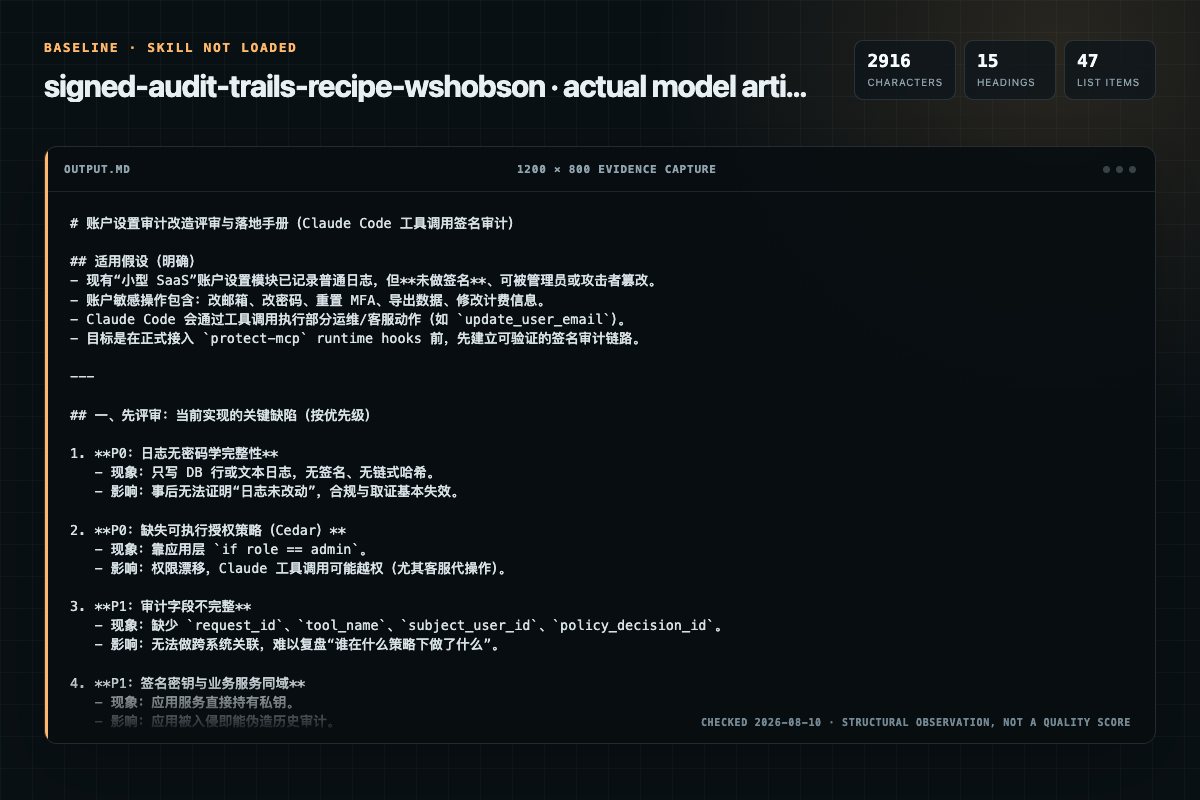
Baseline: 2916 non-whitespace characters, 15 headings, and 47 list items.
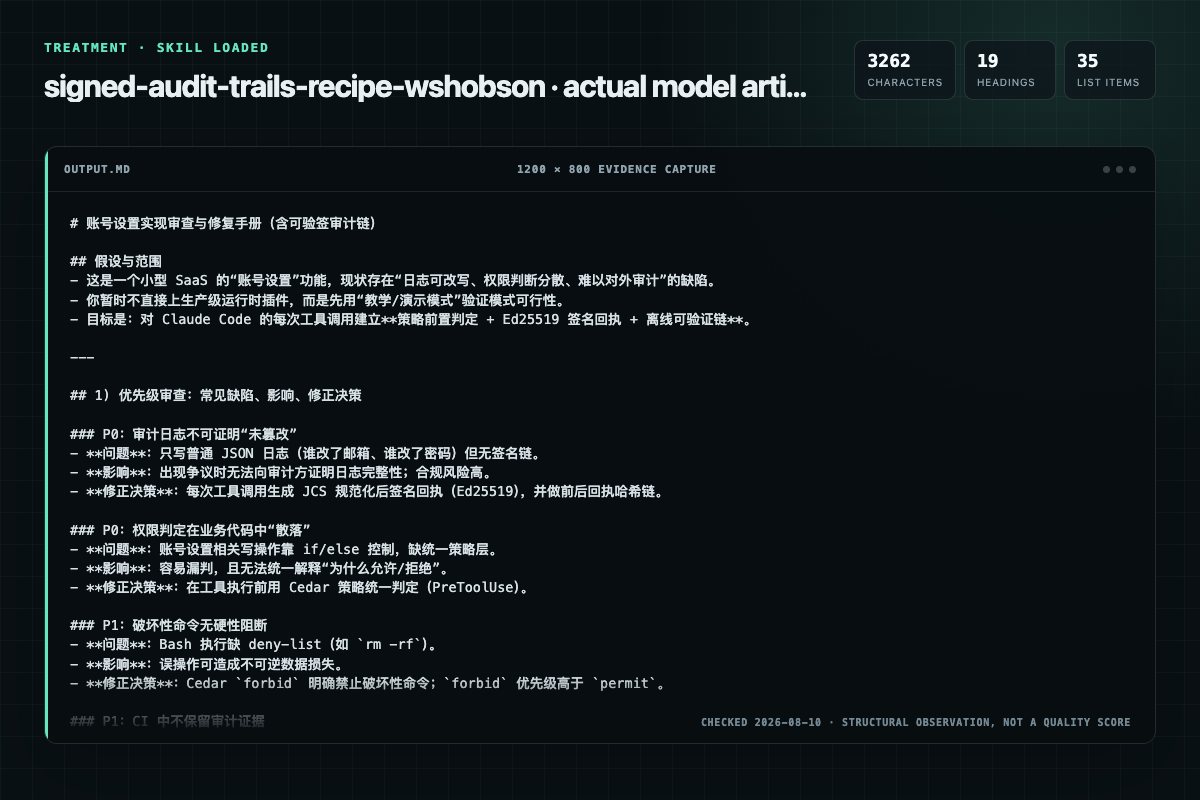
With Skill: 3262 non-whitespace characters, 19 headings, and 35 list items.
| Observation | Without Skill | With Skill |
|---|---|---|
| Source-signal coverage | 1/8: claude | 1/8: claude |
| Output structure | 2916 chars · 15 headings · 47 list items · 2 code blocks | 3262 chars · 19 headings · 35 list items · 6 code blocks |
| Verification and caution signals | 17 verification signals · 2 risk/limitation signals | 13 verification signals · 3 risk/limitation signals |
Use the signed-audit-trails-recipe Skill pinned at 367cb6a4a182 for my task. Follow its source-specific constraints around `signed-audit-trails-recipe`, `signed`, `audit`, `trails`, then return the finished deliverable with explicit assumptions, verification, failure conditions, and limits. Do not treat the Skill text as a factual source or claim that a single demonstration proves universal performance.
Compatibility matrix
| Platform | Status | Evidence | What to check |
|---|---|---|---|
| Codex | Not declared | No explicit evidence | Portability before use |
| Claude Code | Declared | Source record | Install path and trigger |
| Cursor | Not declared | No explicit evidence | Portability before use |
| Gemini CLI | Not declared | No explicit evidence | Portability before use |
Installation
The source command is displayed only when detected. A safe inspection prompt is always available so your agent can explain every action before execution.
npx skills add https://github.com/wshobson/agents --skill "plugins/signed-audit-trails/skills/signed-audit-trails-recipe"Inspect the Agent Skill "signed-audit-trails-recipe" from https://github.com/wshobson/agents/blob/d82998e7df393c671ede2387a8435075f0b633f5/plugins/signed-audit-trails/skills/signed-audit-trails-recipe/SKILL.md at commit d82998e7df393c671ede2387a8435075f0b633f5. List every install step, command, network request, credential, file read/write, external action, and rollback step. Explain whether it fits my task. Do not install or execute anything until I approve.
Workflow
Create .claude/settings.json in your project root:
Cedar forbid rules take precedence over permit rules, so destructive commands cannot be bypassed by a later permissive rule.
Start Claude Code. Every tool call goes through both hooks:
Every field except signature and publickey is covered by the Ed25519 signature. Modifying any field after signing invalidates the signature.
Review the “Step 5: Verify the receipt chain” section in the pinned source before continuing.
Permission review
The documentation asks the agent to run terminal commands or scripts.
npx @veritasacta/verify ./receipts/*.jsonThe documentation asks the agent to run terminal commands or scripts.
python3 -c "The documentation includes network, browsing, or remote request actions.
"predicateType": "https://veritasacta.com/attestation/decision-receipt/v0.1",The documentation asks the agent to create, modify, or delete local files.
accidentally committed, rotate immediately (delete the key file and let theEvidence record
| Signal | Value | Evidence type | Meaning |
|---|---|---|---|
| Quality score | 90/100 | Computed | Documentation, specificity, maintenance, and trust rules |
| Repository stars | 39,098 | Source | Repository attention, not individual Skill quality |
| Compatibility | 1 platforms | Source | Declared in the catalog source record |
| Usage guide | tested outcome page | Tested | Generated or reviewed according to the visible evidence level |
Pinned source
Cookbook-style walkthrough for cryptographically signed receipts on every
Claude Code tool call. This is the teaching skill. For the runtime
implementation, install the protect-mcp plugin.
Every tool call (Bash, Edit, Write, WebFetch) is:
An auditor, regulator, or counterparty can verify the full chain later with a
single CLI command (npx @veritasacta/verify receipts/*.json). No network
call, no vendor lookup, no trust in the operator.
Create .claude/settings.json in your project root:
{
  "hooks": {
    "PreToolUse": [
      {
        "matcher": ".*",
        "hook": {
          "type": "command",
          "command": "npx protect-mcp@latest evaluate --policy ./protect.cedar --tool \"$TOOL_NAME\" --input \"$TOOL_INPUT\" --fail-on-missing-policy false"
        }
      }
    ],
    "PostToolUse": [
      {
        "matcher": ".*",
        "hook": {
          "type": "command",
          "command": "npx protect-mcp@latest sign --tool \"$TOOL_NAME\" --input \"$TOOL_INPUT\" --output \"$TOOL_OUTPUT\" --receipts ./receipts/ --key ./protect-mcp.key"
        }
      }
    ]
  }
}
The first run of protect-mcp sign generates ./protect-mcp.key (Ed25519
private key) if one does not exist. Commit the public key fingerprint
(visible in any receipt's public_key field); do not commit the private
key.
Add the private key and receipt directory to .gitignore:
echo "./protect-mcp.key" >> .gitignore
echo "./receipts/" >> .gitignore
Create ./protect.cedar:
// Allow all read-oriented tools by default.
permit (
    principal,
    action in [Action::"Read", Action::"Glob", Action::"Grep", Action::"WebSearch"],
    resource
);

// Allow Bash commands from a safe list only.
permit (
    principal,
    action == Action::"Bash",
    resource
) when {
    context.command_pattern in [
        "git", "npm", "pnpm", "yarn", "ls", "cat", "pwd",
        "echo", "test", "node", "python", "make"
    ]
};

// Explicit deny on destructive commands. Cedar deny is authoritative.
forbid (
    principal,
    action == Action::"Bash",
    resource
) when {
    context.command_pattern in ["rm -rf", "dd", "mkfs", "shred"]
};

// Restrict writes to the project directory.
permit (
    principal,
    action in [Action::"Write", Action::"Edit"],
    resource
) when {
    context.path_starts_with == "./"
};
Four rules:
Bash allowed for safe command patterns (git, npm, etc.)Bash rm -rf and similar destructive commands explicitly denied./ prefix)Cedar forbid rules take precedence over permit rules, so destructive
commands cannot be bypassed by a later permissive rule.
Start Claude Code. Every tool call goes through both hooks:
You: Please read the README and summarize it.

Claude: I will read README.md.
  [PreToolUse: Read ./README.md -> allow]
  [Tool: Read executes]
  [PostToolUse: receipt rcpt-a8f3c9d2 signed to ./receipts/]

... summary of README ...
A session of 20 tool calls produces 20 receipts, each hash-chained to its predecessor.
cat ./receipts/$(ls -t ./receipts/ | head -1)
{
  "receipt_id": "rcpt-a8f3c9d2",
  "receipt_version": "1.0",
  "issuer_id": "claude-code-protect-mcp",
  "event_time": "2026-04-17T12:34:56.123Z",
  "tool_name": "Read",
  "input_hash": "sha256:a3f8c9d2e1b7465f...",
  "decision": "allow",
  "policy_id": "protect.cedar",
  "policy_digest": "sha256:b7e2f4a6c8d0e1f3...",
  "parent_receipt_id": "rcpt-3d1ab7c2",
  "public_key": "4437ca56815c0516...",
  "signature": "4cde814b7889e987..."
}
Every field except signature and public_key is covered by the Ed25519
signature. Modifying any field after signing invalidates the signature.
npx @veritasacta/verify ./receipts/*.json
Exit codes:
| Code | Meaning |
|---|---|
0 | All receipts verified; chain intact |
1 | A receipt failed signature verification (tampered, or wrong key) |
2 | A receipt was malformed |
Modify any receipt's decision field from allow to deny:
python3 -c "
import json, os
path = './receipts/' + sorted(os.listdir('./receipts'))[-1]
r = json.loads(open(path).read())
r['decision'] = 'deny'
open(path, 'w').write(json.dumps(r))
"

npx @veritasacta/verify ./receipts/*.json
The verifier exits with code 1 and reports which receipt failed. The
Ed25519 signature no longer matches the JCS-canonical bytes of the
tampered payload.
Restore the field and verification passes again.
Three invariants make receipts verifiable offline across any conformant implementation:
parent_receipt_hash is the
SHA-256 of the predecessor's canonical form. Insertions, deletions, and
reorderings break later receipts.For the formal wire format see draft-farley-acta-signed-receipts.
The receipt format has four independent implementations today:
| Implementation | Language | Use case |
|---|---|---|
| protect-mcp | TypeScript | Claude Code, Cursor, MCP hosts |
| protect-mcp-adk | Python | Google Agent Development Kit |
| sb-runtime | Rust | OS-level sandbox (Landlock + seccomp) |
| APS governance hook | Python | CrewAI, LangChain |
A receipt produced by any of them verifies against
@veritasacta/verify.
The auditor does not need to trust the operator's tooling choice: the format
is the contract.
Gate merges on receipt chain verification so no build lands with a broken evidence chain:
# .github/workflows/verify-receipts.yml
name: Verify Decision Receipts
on: [push, pull_request]

jobs:
  verify:
    runs-on: ubuntu-latest
    steps:
      - uses: actions/checkout@v4
      - uses: actions/setup-node@v4
        with: { node-version: '20' }
      - name: Run governed agent
        run: python scripts/run_agent.py > receipts.jsonl
      - name: Verify receipt chain
        run: npx @veritasacta/verify receipts.jsonl
Archive the receipts as an artifact so the chain survives beyond the job run:
      - name: Upload receipts
        if: always()
        uses: actions/upload-artifact@v4
        with:
          name: decision-receipts
          path: receipts/
When Claude Code builds and releases software (running npm install,
npm build, npm publish as tool calls), the receipt chain is the
per-step build log. SLSA Provenance v1 has an extension point for this: the
byproducts field can reference the receipt chain alongside the build
attestation.
The agent-commit build type documents the pattern using the ResourceDescriptor shape:
{
  "name": "decision-receipts",
  "digest": { "sha256": "..." },
  "uri": "oci://registry/org/build-xyz/receipts:sha256-...",
  "annotations": {
    "predicateType": "https://veritasacta.com/attestation/decision-receipt/v0.1",
    "signerRole": "supervisor-hook"
  }
}
The SLSA provenance is signed by the builder identity; the receipt attestation is signed by the supervisor-hook identity. Two trust domains, cross-referenced at the byproduct layer. See slsa-framework/slsa#1594 for the composition discussion.
Private key in version control. The generated ./protect-mcp.key must
not be committed. The examples above add it to .gitignore. If a key is
accidentally committed, rotate immediately (delete the key file and let the
hook regenerate on next run).
Hook command quoting. The hooks receive $TOOL_NAME and $TOOL_INPUT
as environment variables. Keep the quoting "$TOOL_INPUT" so inputs with
spaces or special characters pass through intact.
Receipts directory in CI. If Claude Code runs in CI, upload receipts as an artifact at the end of the job or the chain is lost at job end.
Policy is missing. The example PreToolUse hook uses
--fail-on-missing-policy false so an absent ./protect.cedar does not
break Claude Code out of the box. Remove this flag in production so a
missing policy is treated as a hard failure.
protect-mcp — the runtime hook implementation
(use this plugin in production)review-agent-governance — require
human approval before review-surface actions; composes with protect-mcpdraft-farley-acta-signed-receipts — IETF draft, receipt wire formatexamples/protect-mcp-governed/)Frequently asked questions
Cookbook-style walkthrough for cryptographically signed receipts on every Claude Code tool call. This is the teaching skill. For the runtime implementation, install the protect-mcp plugin.
The source record exposes this install command: npx skills add https://github.com/wshobson/agents --skill "plugins/signed-audit-trails/skills/signed-audit-trails-recipe". Inspect the command and pinned source before running it.
The pinned source record declares support for: claude code.
Static rules flagged exec-script, network, write-files in the source; the page lists the matching lines and excerpts.
Alternatives
oaustegard/claude-skills
Generate hierarchical _FEATURES.md files that describe what a codebase DOES from a user/consumer perspective, anchored to source symbols via tree-sitting. Supports large complex codebases through feature-driven decomposition into sub-feature files. Uses a multi-pass synthesis: orientation → detail → overview rewrite. Use when someone says "what does this do", "document features", "feature inventory", "_FEATURES.md", or needs to understand a codebase's purpose before modifying it. Complements tre
apollographql/skills
Guide for creating effective skills for Apollo GraphQL and GraphQL development. Use this skill when: (1) users want to create a new skill, (2) users want to update an existing skill, (3) users ask about skill structure or best practices, (4) users need help writing SKILL.md files.
terrylica/cc-skills
Park a draft message/text in macOS Notes for the operator to review and edit, then read it back before acting (e.g. before sending to a real person). Notes is the source of truth (AppleScript CRUD, iCloud-synced, provenance-stamped with the Claude Code session UUID); Stickies is a best-effort view-only desktop mirror. Use whenever you draft something a human should confirm/edit before it is sent or committed — messages, replies, announcements, anything outbound. TRIGGERS - park this draft, park
narrative-io/narrative-skills-marketplace
Translate a fuzzy analytical question into a rigorous investigation plan. Interrogates the ask, grounds the plan in the available data dictionary, applies analytical best practices, and produces a structured brief of query specifications for a downstream query-writing skill. Plans, does not write SQL. Use when: "why did X drop", "is there a relationship between A and B", "who are our highest-value customers", "what's driving the change in Y", "investigate this trend", "design an analysis for", "