
Best for
- Establishing communication norms for a new team
- Choosing between message types (message, broadcast, shutdownrequest)
- Handling plan approval workflows
wshobson/agents/plugins/agent-teams/skills/team-communication-protocols/SKILL.md
Structured messaging protocols for agent team communication including message type selection, plan approval, shutdown procedures, and anti-patterns to avoid. Use this skill when establishing communication norms for a newly spawned team, when deciding whether to send a direct message or a broadcast, when a team-lead needs to review and approve an implementer's plan before work begins, when orchestrating a graceful team shutdown after all tasks are complete, or when debugging why teammates are not
Decision brief
Protocols for effective communication between agent teammates, including message type selection, plan approval workflows, shutdown procedures, and common anti-patterns to avoid.
In this controlled same-task single run, enabling team-communication-protocols changed the output from 2229 non-whitespace characters and 17 headings to 2201 characters and 15 headings. Matches among 8 signals extracted from the pinned source changed from 1 to 2. Both actual outputs are shown; this is a structural observation, not a quality score or a universal performance claim.
Review a flawed account-settings implementation for a small SaaS product. Prioritize concrete issues, explain impact, and provide corrected examples or decisions. The deliverable must specifically reflect this user intent: Structured messaging protocols for agent team communication including message type selection, plan approval, shutdown procedures, and anti-patterns to avoid. Use this skill when establishing communication norms for a newly spawned team, when deciding whether to send a direct message or a broadcast, when a team-lead needs to review and approve an implementer's plan before work begins, when orchestrating a graceful team shutdown after all tasks are complete, or when debugging why teammates are not
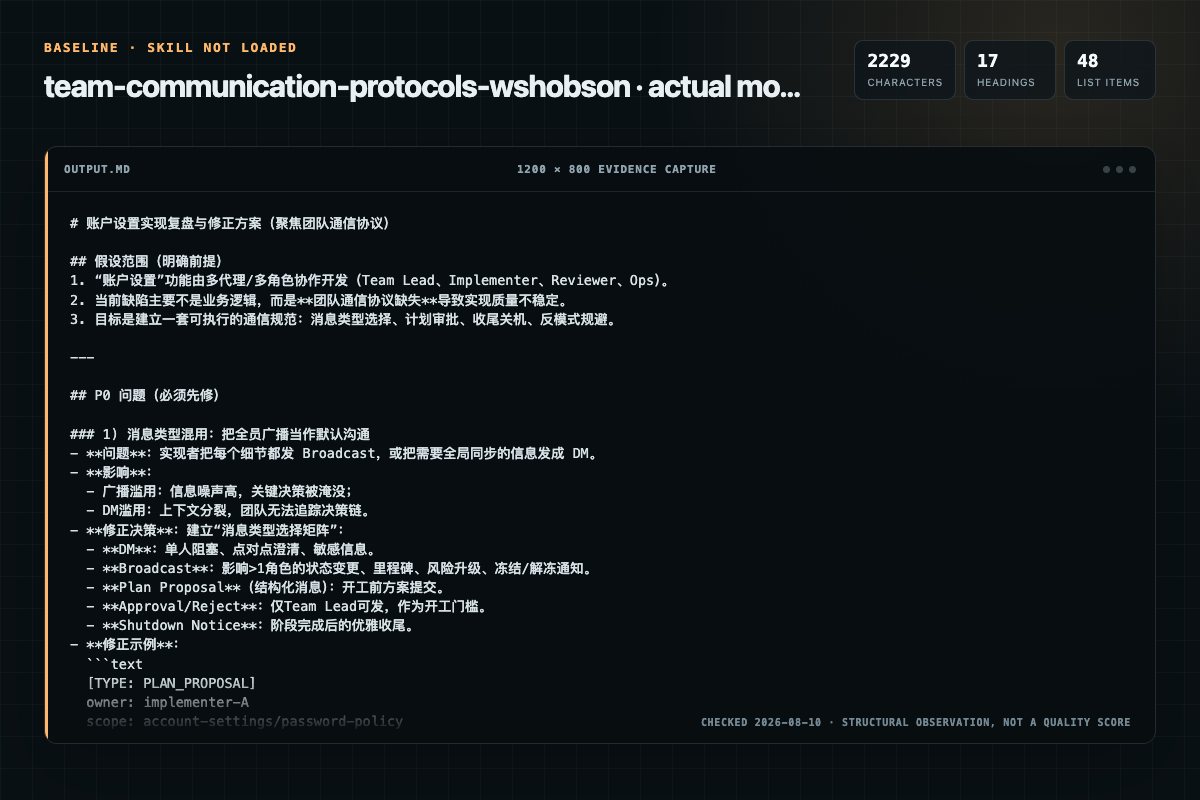
Baseline: 2229 non-whitespace characters, 17 headings, and 48 list items.
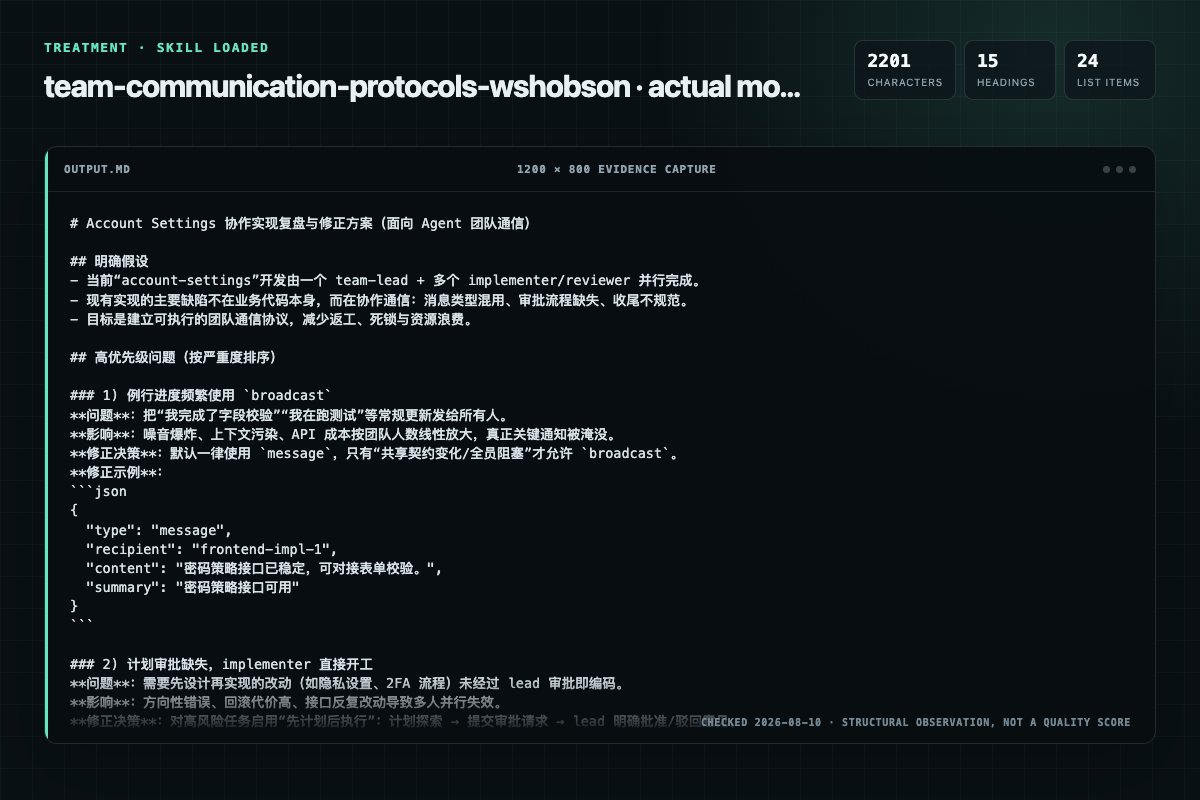
With Skill: 2201 non-whitespace characters, 15 headings, and 24 list items.
| Observation | Without Skill | With Skill |
|---|---|---|
| Source-signal coverage | 1/8: broadcast | 2/8: message, broadcast |
| Output structure | 2229 chars · 17 headings · 48 list items · 0 code blocks | 2201 chars · 15 headings · 24 list items · 3 code blocks |
| Verification and caution signals | 3 verification signals · 8 risk/limitation signals | 6 verification signals · 4 risk/limitation signals |
Use the team-communication-protocols Skill pinned at 367cb6a4a182 for my task. Follow its source-specific constraints around `team-communication-protocols`, `communication`, `protocols`, `message`, then return the finished deliverable with explicit assumptions, verification, failure conditions, and limits. Do not treat the Skill text as a factual source or claim that a single demonstration proves universal performance.
Compatibility matrix
| Platform | Status | Evidence | What to check |
|---|---|---|---|
| Codex | Not declared | No explicit evidence | Portability before use |
| Claude Code | Not declared | No explicit evidence | Portability before use |
| Cursor | Not declared | No explicit evidence | Portability before use |
| Gemini CLI | Not declared | No explicit evidence | Portability before use |
Installation
The source command is displayed only when detected. A safe inspection prompt is always available so your agent can explain every action before execution.
npx skills add https://github.com/wshobson/agents --skill "plugins/agent-teams/skills/team-communication-protocols"Inspect the Agent Skill "team-communication-protocols" from https://github.com/wshobson/agents/blob/d82998e7df393c671ede2387a8435075f0b633f5/plugins/agent-teams/skills/team-communication-protocols/SKILL.md at commit d82998e7df393c671ede2387a8435075f0b633f5. List every install step, command, network request, credential, file read/write, external action, and rollback step. Explain whether it fits my task. Do not install or execute anything until I approve.
Workflow
When a teammate is spawned with planmoderequired:
Establishing communication norms for a new team
Send to a single specific teammate:
Send to a single specific teammate:
Send to ALL teammates simultaneously:
Permission review
No configured static risk pattern was detected
This is not proof of safety. Runtime behavior, indirect dependencies, and hidden external systems are outside the static scan.
Evidence record
| Signal | Value | Evidence type | Meaning |
|---|---|---|---|
| Quality score | 93/100 | Computed | Documentation, specificity, maintenance, and trust rules |
| Repository stars | 39,098 | Source | Repository attention, not individual Skill quality |
| Compatibility | 0 platforms | Source | Declared in the catalog source record |
| Usage guide | tested outcome page | Tested | Generated or reviewed according to the visible evidence level |
Pinned source
Protocols for effective communication between agent teammates, including message type selection, plan approval workflows, shutdown procedures, and common anti-patterns to avoid.
message (Direct Message) — Default ChoiceSend to a single specific teammate:
{
  "type": "message",
  "recipient": "implementer-1",
  "content": "Your API endpoint is ready. You can now build the frontend form.",
  "summary": "API endpoint ready for frontend"
}
Use for: Task updates, coordination, questions, integration notifications.
broadcast — Use SparinglySend to ALL teammates simultaneously:
{
  "type": "broadcast",
  "content": "Critical: shared types file has been updated. Pull latest before continuing.",
  "summary": "Shared types updated"
}
Use ONLY for: Critical blockers affecting everyone, major changes to shared resources.
Why sparingly?: Each broadcast sends N separate messages (one per teammate), consuming API resources proportional to team size.
shutdown_request — Graceful TerminationRequest a teammate to shut down:
{
  "type": "shutdown_request",
  "recipient": "reviewer-1",
  "content": "Review complete, shutting down team."
}
The teammate responds with shutdown_response (approve or reject with reason).
| Anti-Pattern | Problem | Better Approach |
|---|---|---|
| Broadcasting routine updates | Wastes resources, noise | Direct message to affected teammate |
| Sending JSON status messages | Not designed for structured data | Use TaskUpdate to update task status |
| Not communicating at integration points | Teammates build against stale interfaces | Message when your interface is ready |
| Micromanaging via messages | Overwhelms teammates, slows work | Check in at milestones, not every step |
| Using UUIDs instead of names | Hard to read, error-prone | Always use teammate names |
| Ignoring idle teammates | Wasted capacity | Assign new work or shut down |
When a teammate is spawned with plan_mode_required:
ExitPlanMode which sends a plan_approval_request to the leadplan_approval_response:Approve:
{
  "type": "plan_approval_response",
  "request_id": "abc-123",
  "recipient": "implementer-1",
  "approve": true
}
Reject with feedback:
{
  "type": "plan_approval_response",
  "request_id": "abc-123",
  "recipient": "implementer-1",
  "approve": false,
  "content": "Please add error handling for the API calls"
}
type: "shutdown_request"shutdown_response:
approve: true — Teammate saves state and exitsapprove: false + reason — Teammate continues workingTeamDelete to remove team resourcesIf a teammate rejects shutdown:
Find team members by reading the config file:
Location: ~/.claude/teams/{team-name}/config.json
Structure:
{
  "members": [
    {
      "name": "security-reviewer",
      "agentId": "uuid-here",
      "agentType": "team-reviewer"
    },
    {
      "name": "perf-reviewer",
      "agentId": "uuid-here",
      "agentType": "team-reviewer"
    }
  ]
}
Always use name for messaging and task assignment. Never use agentId, role names, or unsuffixed aliases directly. If a teammate was spawned as team-lead-2, send to team-lead-2, not team-lead.
A teammate is not responding to messages. Check the teammate's task status. If it is idle, it may have completed its task and is waiting to be assigned new work or shut down. If it is still active, it may be mid-execution and will process messages once the current operation finishes.
A teammate says it cannot see SendMessage.
Check the teammate agent's tools: frontmatter. Agent Teams communication tools such as SendMessage, TaskList, TaskGet, and TaskUpdate must be listed explicitly when an agent uses a restricted tool allowlist.
The lead is sending broadcasts for every status update.
This is a common anti-pattern. Broadcasts are expensive — each one sends N messages. Use direct messages (type: "message") for point-to-point updates. Reserve broadcasts for critical shared-resource changes like an updated interface contract.
A teammate rejected a shutdown request unexpectedly.
The teammate is still working. Check the rejection reason in the shutdown_response content field, wait for the work to finish, then retry. Never force-terminate a teammate that has unsaved work.
A plan_approval_request arrived but the request_id is missing.
The teammate called ExitPlanMode without the required request context. Have the teammate re-enter plan mode, complete exploration, and call ExitPlanMode again. The request_id is generated automatically by the plan mode system.
Two teammates are waiting on each other and neither is making progress. This is a deadlock: both are blocked waiting for the other to finish first. The lead should send a direct message to one teammate with a stub or partial result so it can unblock and proceed.
Frequently asked questions
Protocols for effective communication between agent teammates, including message type selection, plan approval workflows, shutdown procedures, and common anti-patterns to avoid.
The source record exposes this install command: npx skills add https://github.com/wshobson/agents --skill "plugins/agent-teams/skills/team-communication-protocols". Inspect the command and pinned source before running it.
Alternatives
K-Dense-AI/scientific-agent-skills
Medicinal chemistry filters for compound triage. Apply drug-likeness rules (Lipinski, Veber, CNS), structural alert catalogs (PAINS, NIBR, ChEMBL), complexity metrics, and the medchem query language for library filtering.
davepoon/buildwithclaude
Automate Zoho CRM tasks via Rube MCP (Composio): create/update records, search contacts, manage leads, and convert leads. Always search tools first for current schemas.
CALLE-AI/awesome-phone-call-agents
Place a one-off welcome and onboarding call to a customer who just signed up, capture a structured result such as business type, goal, pain points, sentiment, and activation status, then write that result back to a CRM and queue a human follow-up task when the customer asks for one.
JasonColapietro/suede-creator-skills
Suede-owned Instagram growth operating system for account-specific audits, Reels, carousels, Stories, conversion mapping, calendars, and daily candidate-production loops. Use when the user names Instagram, IG, Reels, Stories, asks to analyze recent posts, grow a handle, run a daily workflow, create or repurpose Instagram content, or distinguish views from follows, leads, and sales. NOT FOR: multi-platform organic strategy (use suede-social), full video rendering or editing (use suede-video), pai